

A video effect template is a preset for video generation effects. Provide a first-frame image and a template value to generate a video with a specific dynamic effect -- such as "Magic Levitation" or "Squeeze". This feature is suitable for social media, marketing promotions, and interactive entertainment.
The video effects list is supported only in Image-to-Video based on the first frame and Image-to-Video based on the first and last frames.
Video effects work differently from image-to-video. Follow these rules:
Image-to-Video based on the first frame
Image-to-Video based on the first and last frames
Sample code
For how to use video effects, see Usage.
Video effects depend on the template and the input image. For best results, preview the template examples first, refer to their "Input image suggestions", and then try your own images.
Video effects depend on the template and the input image. For best results, preview the template examples first, refer to their "Input image suggestions", and then try your own images.
Usage
Video effects work differently from image-to-video. Follow these rules:
- Only one first-frame image required: Whether you use a model based on the first frame or based on the first and last frames, you only need to provide one first-frame image.
- No prompt required: In effect mode, the model ignores the prompt field. It is recommended that you do not pass this parameter and focus on selecting a visual effect.
- Select one template: Choose a dynamic effect from the effects list by using the
templateparameter. The model will generate the specified dynamic effect based on the template.
Different models support different effect templates. Make sure to refer to Effects list - first frame to video and Effects list - first and last frame to video to ensure that the template value you use matches the model.
| Input first frame | Input prompt | Input template | Output video |
|---|---|---|---|
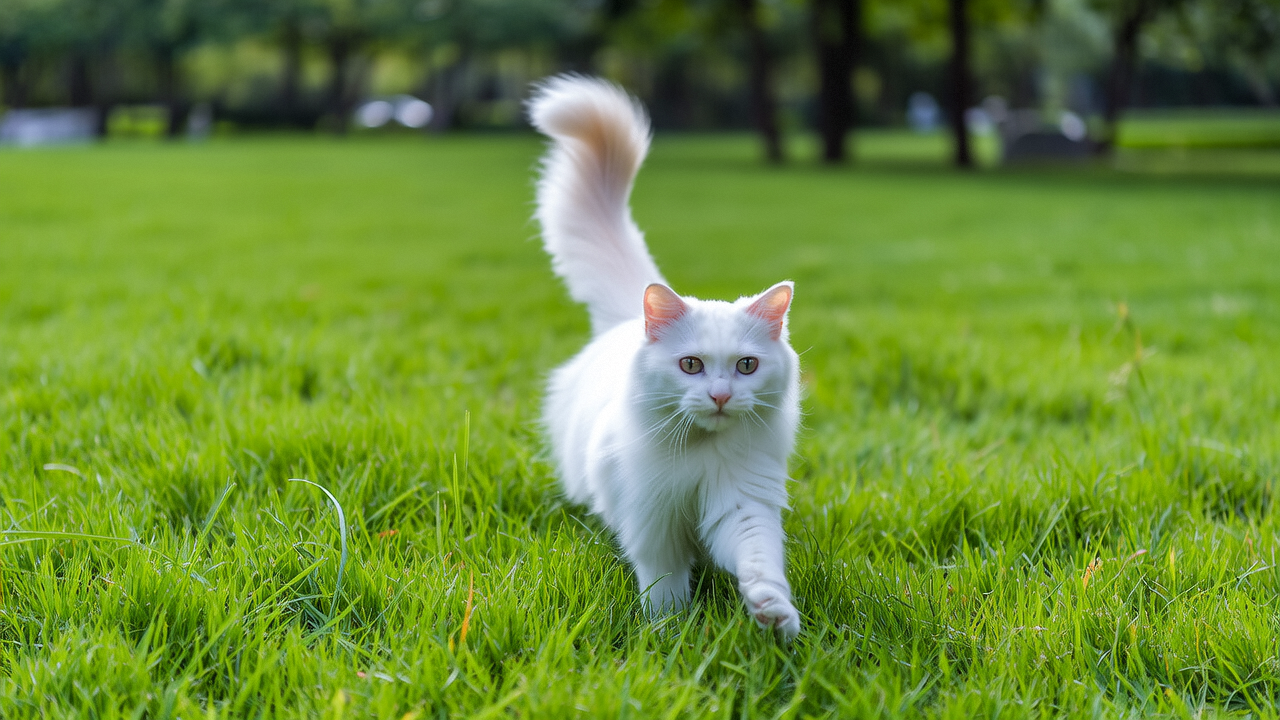 | Not required | flyingUses the "Magic Levitation" effect |
| Input first frame | Input last frame | Input prompt | Input template | Output video |
|---|---|---|---|---|
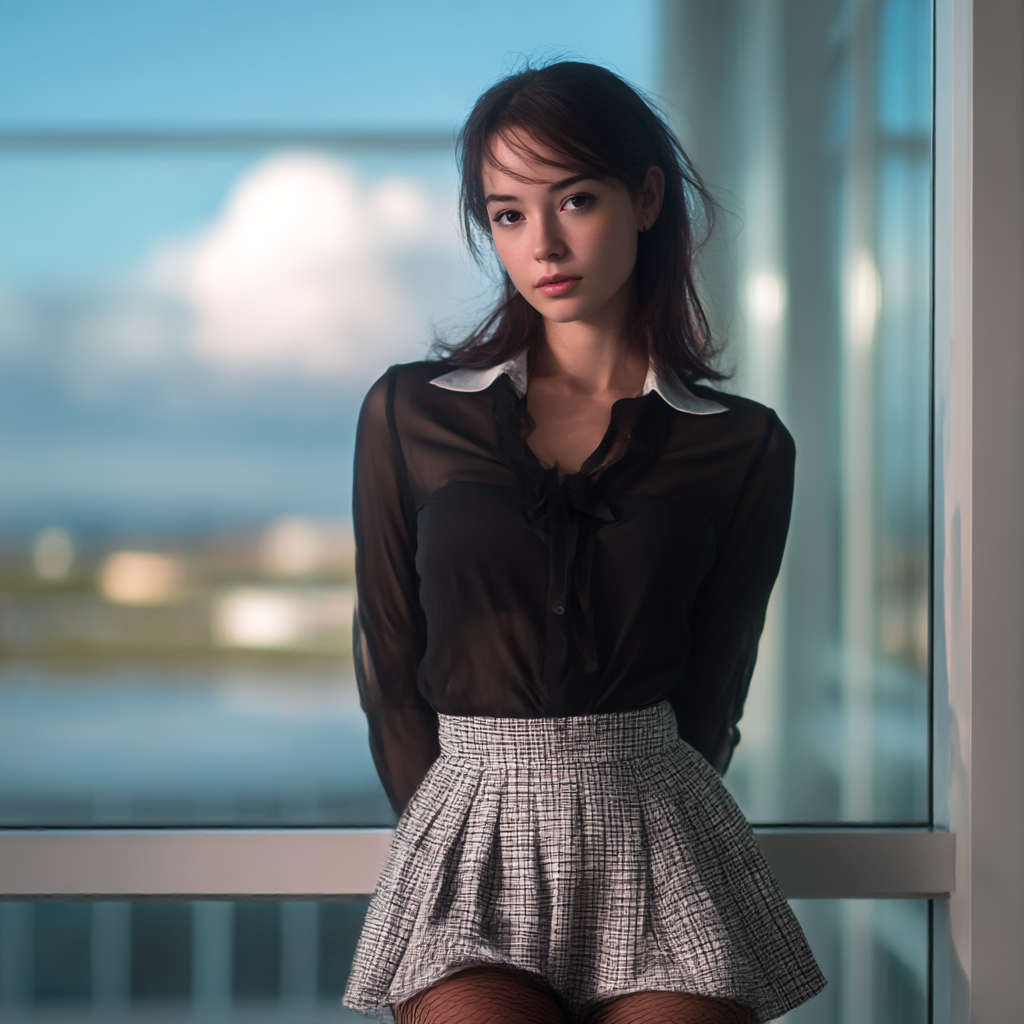 | Not required | Not required | hanfu-1Uses the "Tang Elegance" effect |
- Image-to-Video based on the first frame
- Python SDK
- Image-to-Video based on the first and last frames
First-frame effect: Generate an effect video from a first-frame image.
For the complete code, see Image-to-Video based on the first frame.
Effects list - first frame to video
For how to use video effects, see Usage.
Video effects depend on the template and the input image. For best results, preview the template examples first, refer to their "Input image suggestions", and then try your own images.
General effects
| Effect name | template parameter value | Example effect | Supported models | Input image suggestions |
|---|---|---|---|---|
| Squeeze | squish | wanx2.1-i2v-pluswanx2.1-i2v-turbo |
| |
| Spin | rotation | wanx2.1-i2v-pluswanx2.1-i2v-turbo |
| |
| Poke | poke | wanx2.1-i2v-pluswanx2.1-i2v-turbo |
| |
| Balloon Inflation | inflate | wanx2.1-i2v-pluswanx2.1-i2v-turbo |
| |
| Molecular Diffusion | dissolve | wanx2.1-i2v-pluswanx2.1-i2v-turbo |
| |
| Heat Wave Melt | melt | wanx2.1-i2v-plus |
| |
| Ice Cream Planet | icecream | wanx2.1-i2v-plus |
|
Single-person effects
| Effect name | template parameter value | Example effect | Supported models | Input image suggestions |
|---|---|---|---|---|
| Carousel | carousel | wanx2.1-i2v-pluswanx2.1-i2v-turbo |
| |
| Love You | singleheart | wanx2.1-i2v-pluswanx2.1-i2v-turbo |
| |
| Swing Time | dance1 | wanx2.1-i2v-plus |
| |
| Swing Dance | dance2 | wanx2.1-i2v-plus |
| |
| Star Swing | dance3 | wanx2.1-i2v-plus |
| |
| Finger Rhythm | dance4 | wanx2.1-i2v-plus |
| |
| Dance Switch | dance5 | wanx2.1-i2v-plus |
| |
| Mermaid Awakening | mermaid | wanx2.1-i2v-plus |
| |
| Academic Coronation | graduation | wanx2.1-i2v-plus |
| |
| Beast Pursuit | dragon | wanx2.1-i2v-plus |
| |
| Money from Heaven | money | wanx2.1-i2v-plus |
| |
| Jellyfish Rendezvous | jellyfish | wanx2.1-i2v-plus |
| |
| Pupil Journey | pupil | wanx2.1-i2v-plus |
|
Single-person or animal effects
| Effect name | template parameter value | Example effect | Supported models | Input image suggestions |
|---|---|---|---|---|
| Magic Levitation | flying | wanx2.1-i2v-pluswanx2.1-i2v-turbo |
| |
| Rose for You | rose | wanx2.1-i2v-pluswanx2.1-i2v-turbo |
| |
| Shining Rose | crystalrose | wanx2.1-i2v-pluswanx2.1-i2v-turbo |
|
Two-person effects
| Effect name | template parameter value | Example effect | Supported models | Input image suggestions |
|---|---|---|---|---|
| Loving Hug | hug | wanx2.1-i2v-pluswanx2.1-i2v-turbo |
| |
| Interdependent | frenchkiss | wanx2.1-i2v-pluswanx2.1-i2v-turbo |
| |
| Double Heartbeat | coupleheart | wanx2.1-i2v-pluswanx2.1-i2v-turbo |
|
Effects list - first and last frame to video
Video effects depend on the template and the input image. For best results, preview the template examples first, refer to their "Input image suggestions", and then try your own images.
The effects for first-and-last-frame video generation are trained on the first-and-last-frame model, but in actual use you only need to provide the first-frame image; no last frame is required, and the result is the same as generating a video from the first frame. For details, see Usage.
Single-person effects
| Effect name | template parameter value | Example effect | Supported models | Input image suggestions |
|---|---|---|---|---|
| Tang Elegance | hanfu-1 | wanx2.1-kf2v-plus |
| |
| Mecha Transformation | solaron | wanx2.1-kf2v-plus |
| |
| Shining Cover | magazine | wanx2.1-kf2v-plus |
| |
| Mechanical Awakening | mech1 | wanx2.1-kf2v-plus |
| |
| Cyber Entrance | mech2 | wanx2.1-kf2v-plus |
|
API Reference
- For API parameter descriptions and complete code examples, see I2V based on first frame, I2V based on first and last frames.