The Essay Correction Assistant helps teachers grade essays efficiently. It automatically analyzes student essays, checks for grammar and spelling errors, and identifies literary allusions. It quickly generates structured scores, comments, and suggestions for revision. This reduces manual grading time while improving the efficiency and quality of feedback.
Accessing the feature
Log in to Alibaba Cloud Model Studio. On the App Marketplace page, click Essay Correction Assistant to open the application console.
Features
Application details
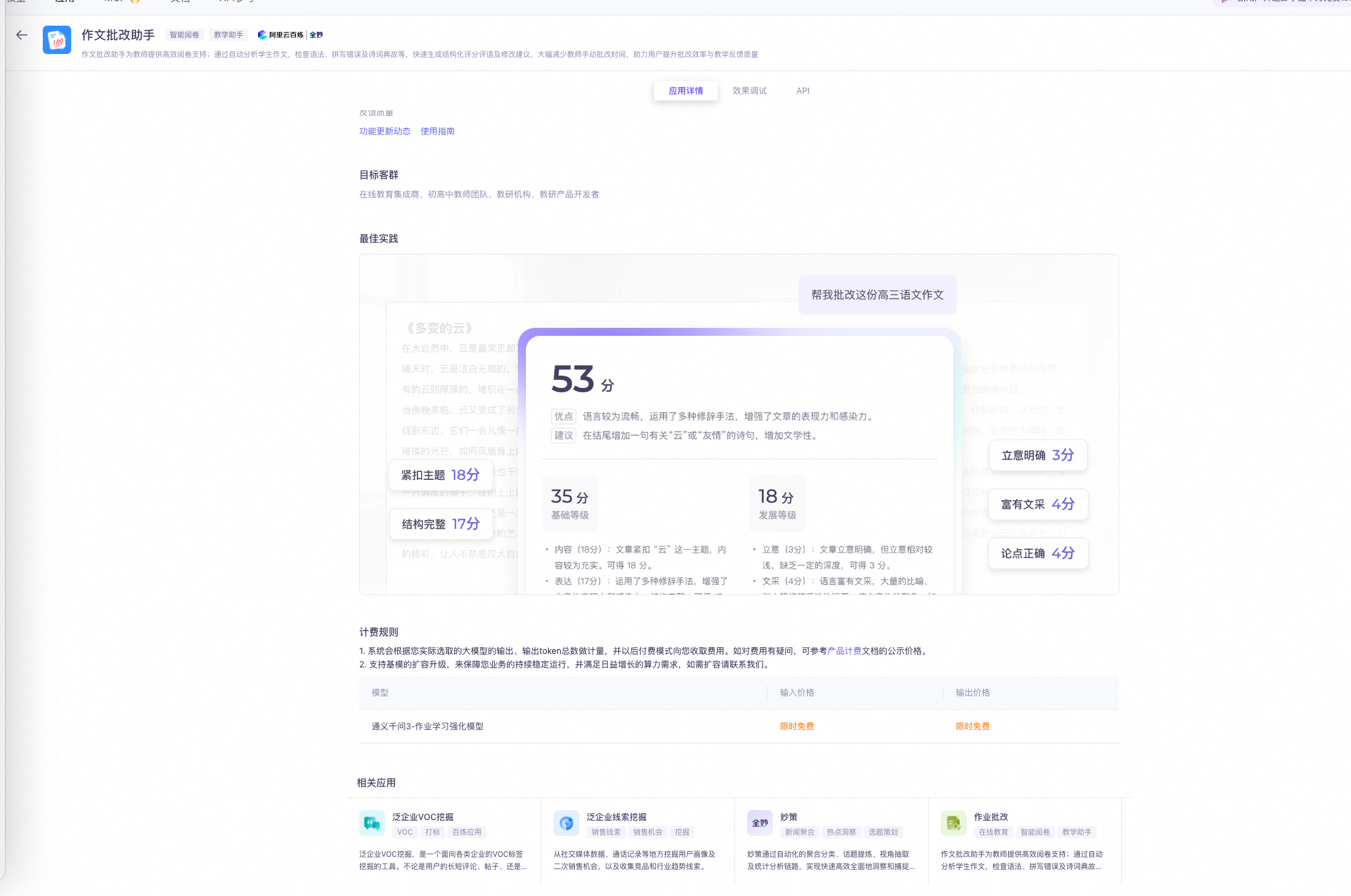
On the Application Details tab of the Essay Correction Assistant, you can view five sections: Feature Description, Target Audience, Best Practices, Billing Rules, and Quanmiao-related Application Recommendations.
Effect debugging
Click the Test Feature tab and set the following configuration items.

Step 1: Set the subject and test question
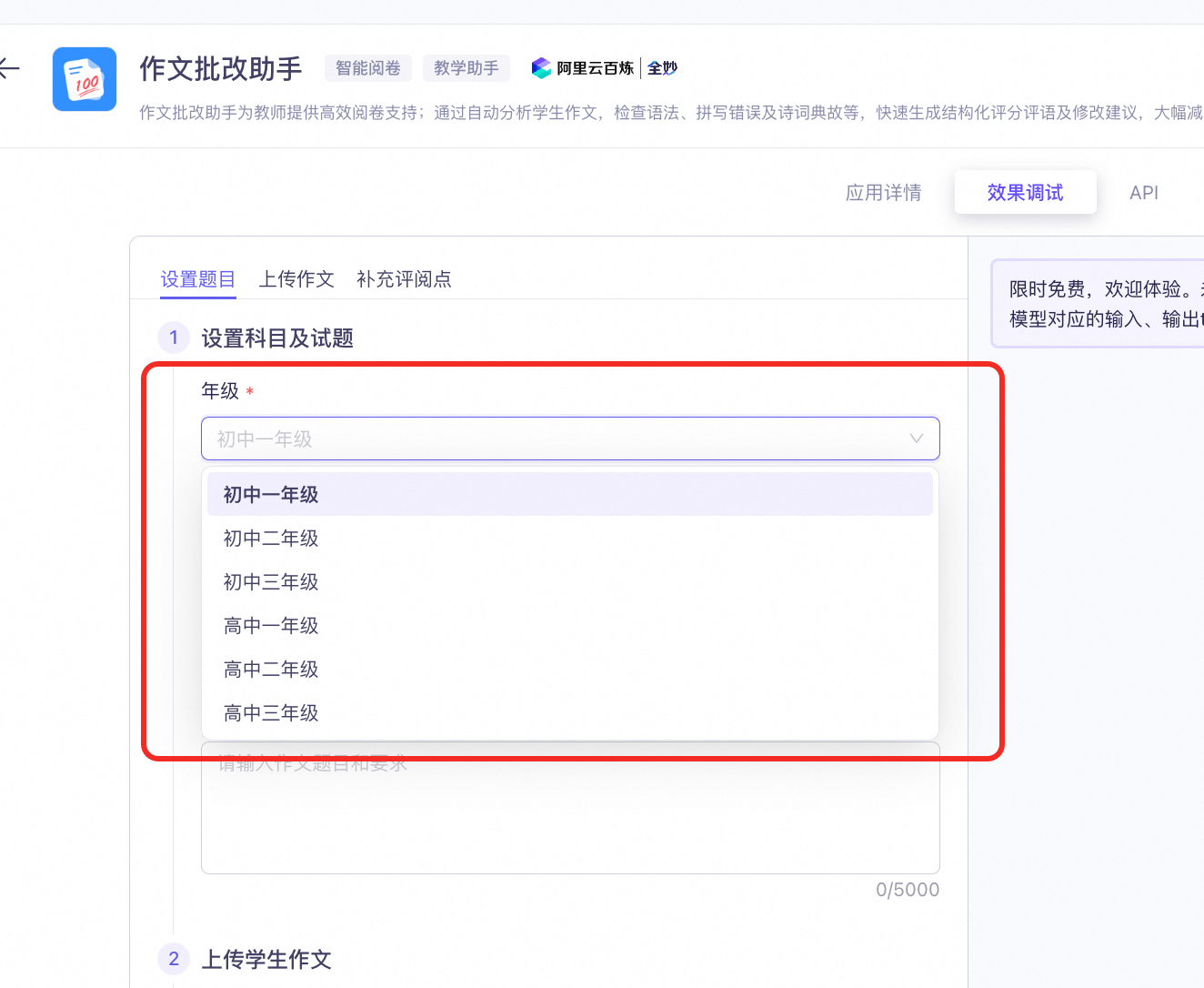
- Select a grade level.
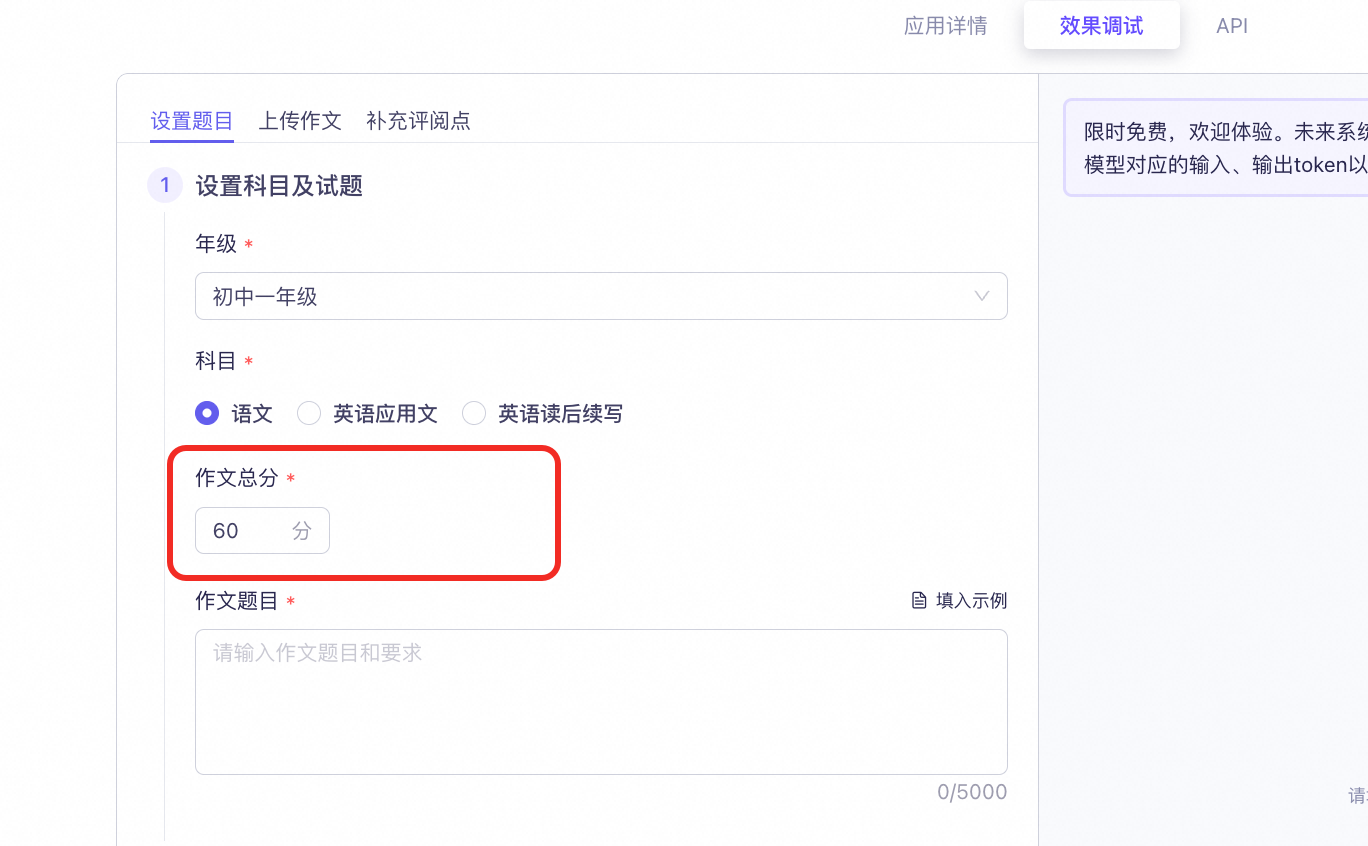
- Set the total score for the essay.
- Set the essay topic. You can automatically fill in an example topic.
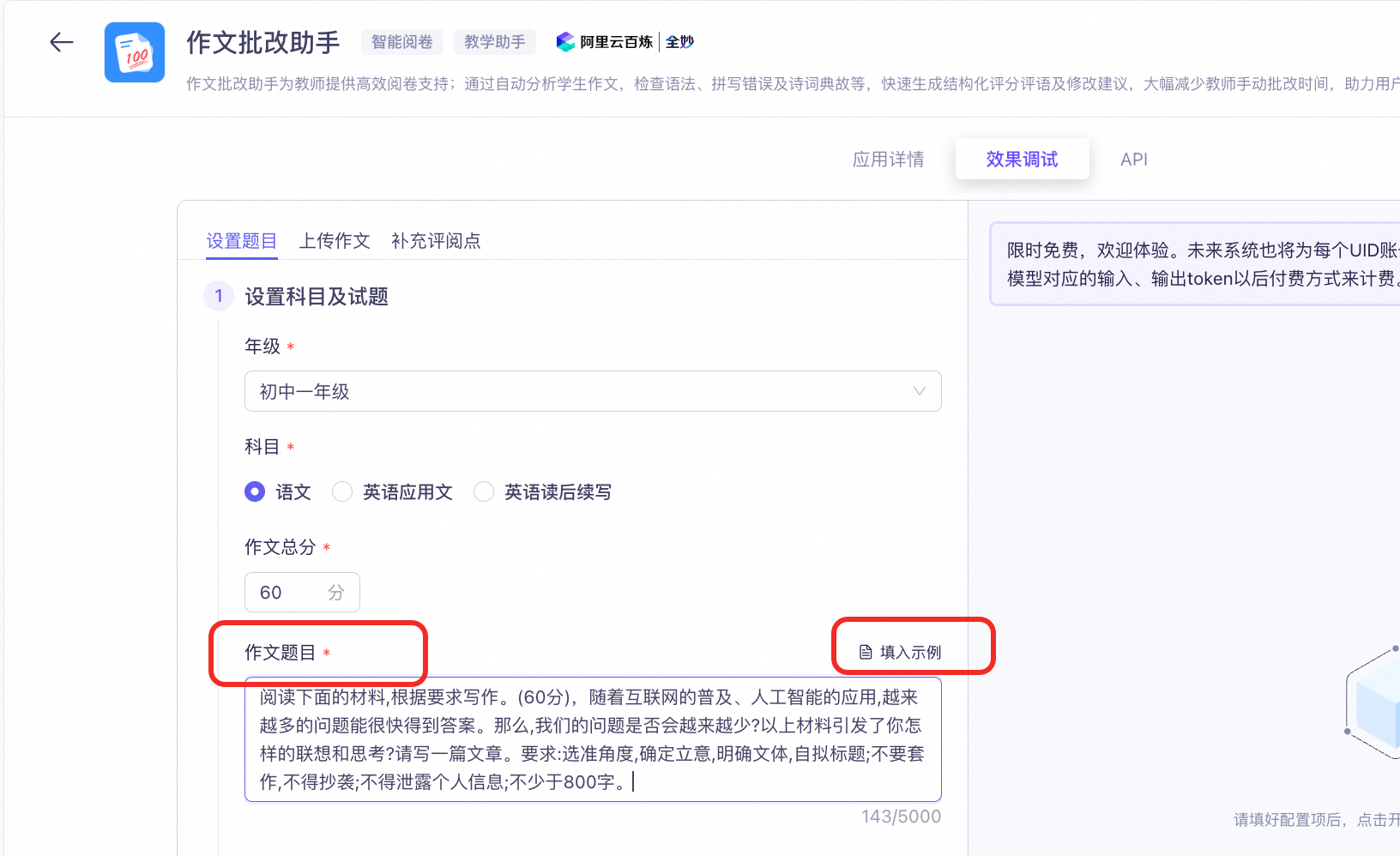
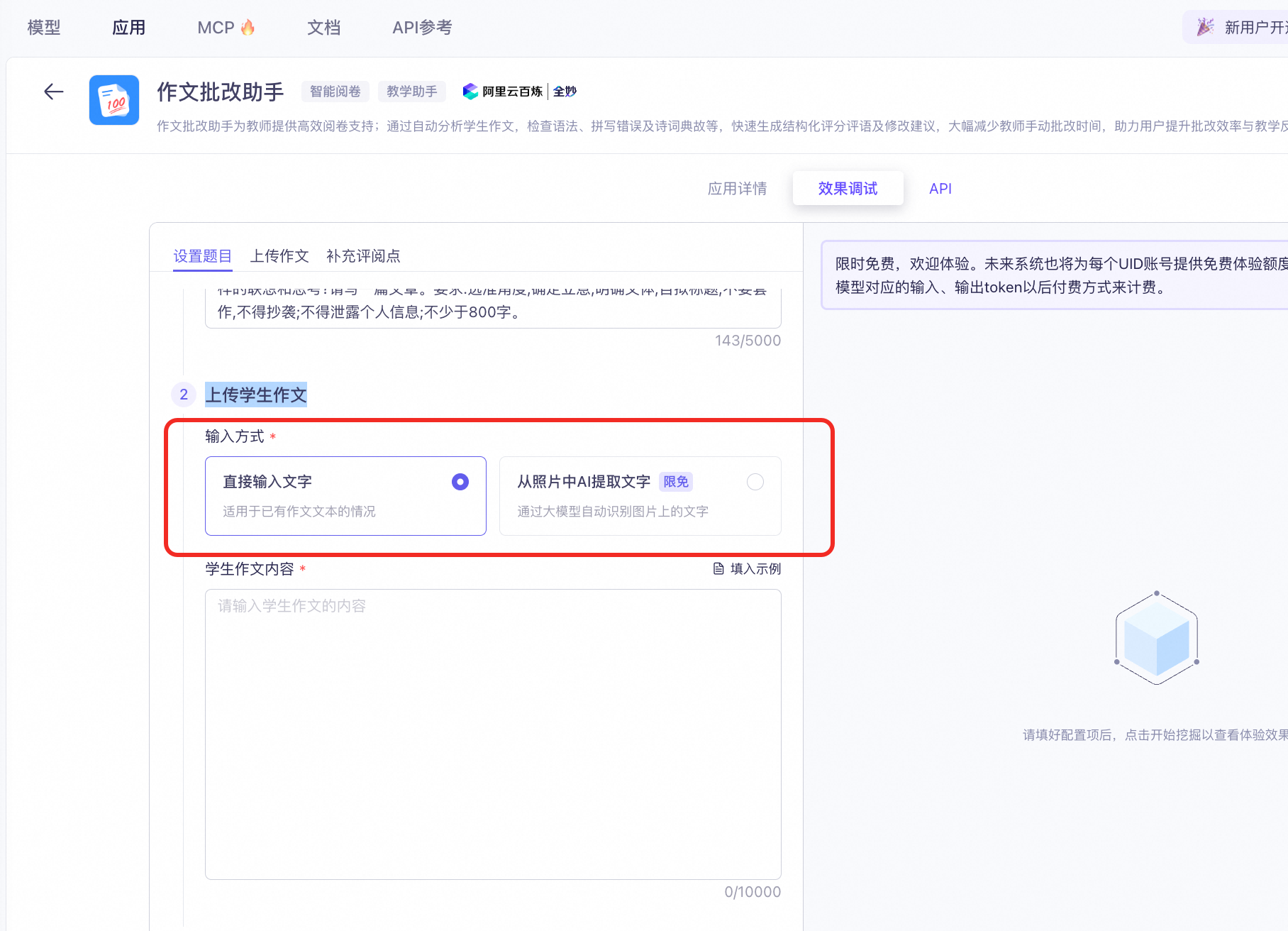
Step 2: Upload the student's essay
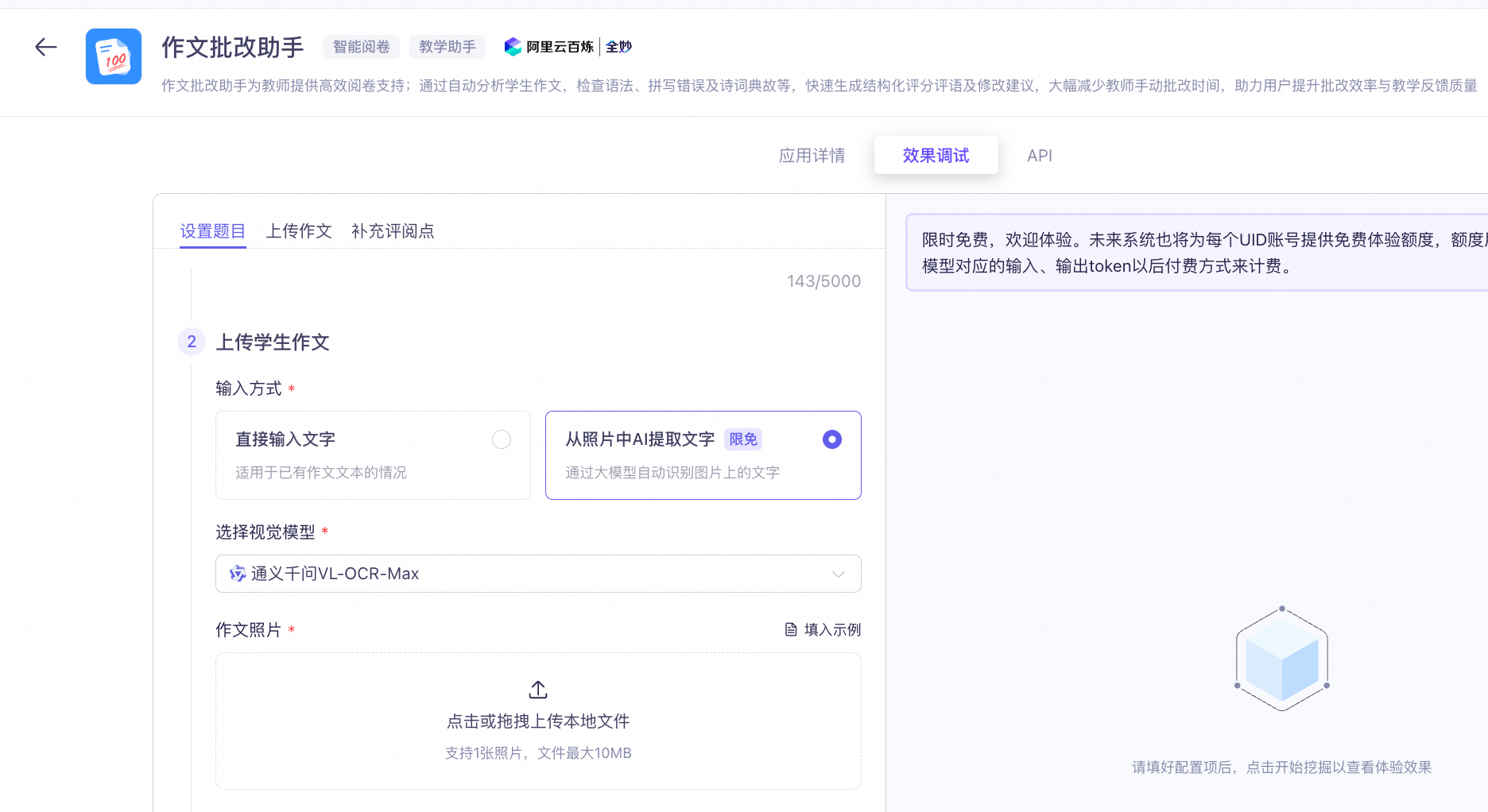
Select an input method.
- Direct text input: Use this option to enter existing essay text.
- Extract text from a photo using AI: The model automatically detects and extracts text from an image.
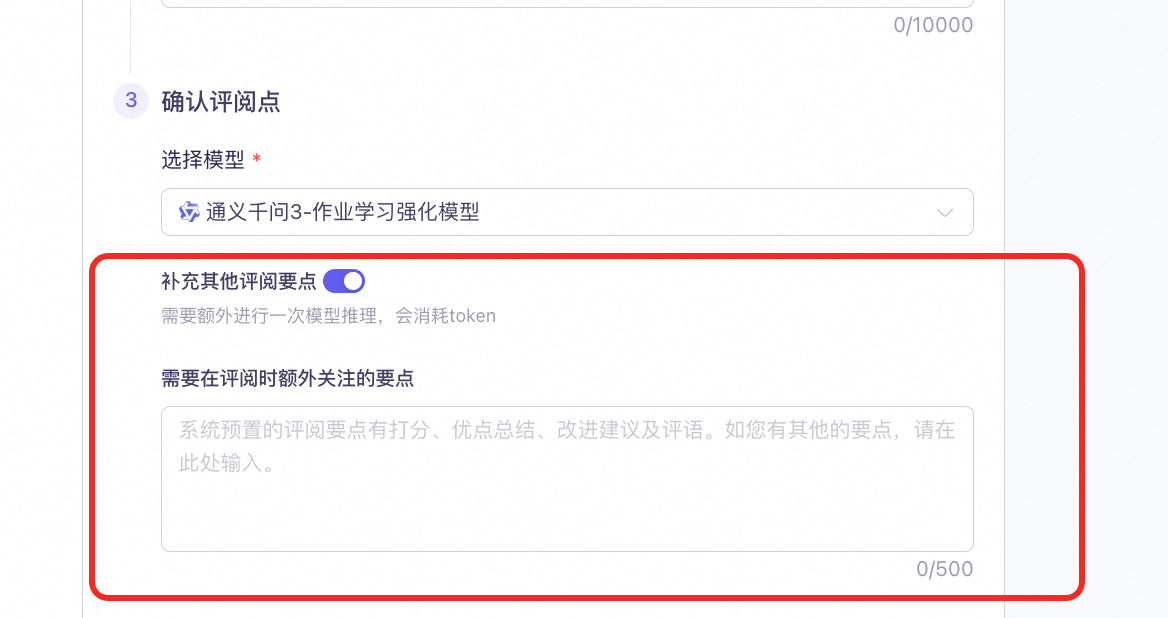
Step 3: Confirm the evaluation points
- Select a model.
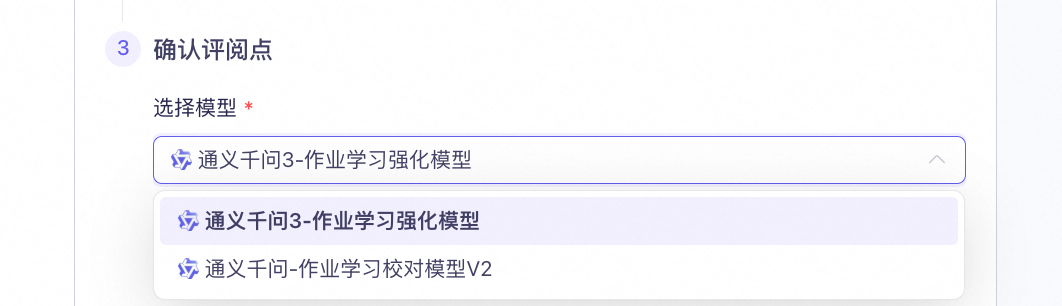
- (Optional) Add other evaluation points: The system provides preset evaluation points, such as scoring, a summary of strengths, suggestions for improvement, and overall comments. If you have other points to add, you can enter them here.
View API examples
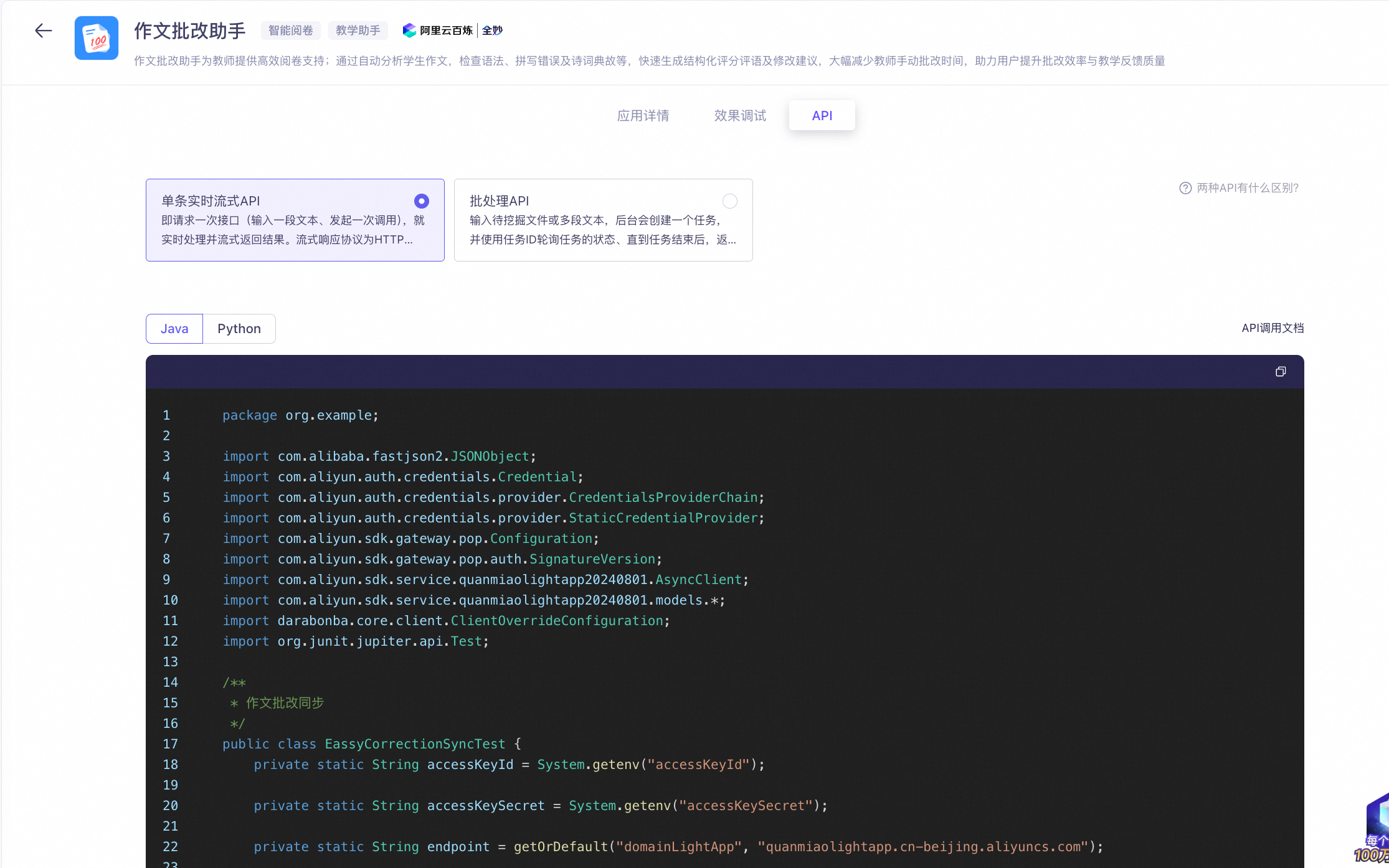
After you test the feature, click the API tab to view the generated API examples.
The API supports two invocation methods:
- Real-time streaming API: Processes a single request (one text input per call) and returns the result in real time as a stream. The streaming response protocol is Server-Sent Events (SSE).
- Batch processing API: Processes a submitted file or multiple text segments. A background task is created, and you must poll the task status by using the task ID. The results are returned after the task is complete.