Video calling provides AI with the visual understanding capability to perceive its surroundings, user behavior, and status. This enables richer, more engaging real-time multimodal interactions, such as artifact narration, tour guiding, cooking instructions, and mock interviews. This topic explains how to integrate video calling using the multimodal interaction suite.
Enable Video Calling Agent
Create a multimodal application in the Multimodal Development Suite. Voice-only applications do not support video calling.
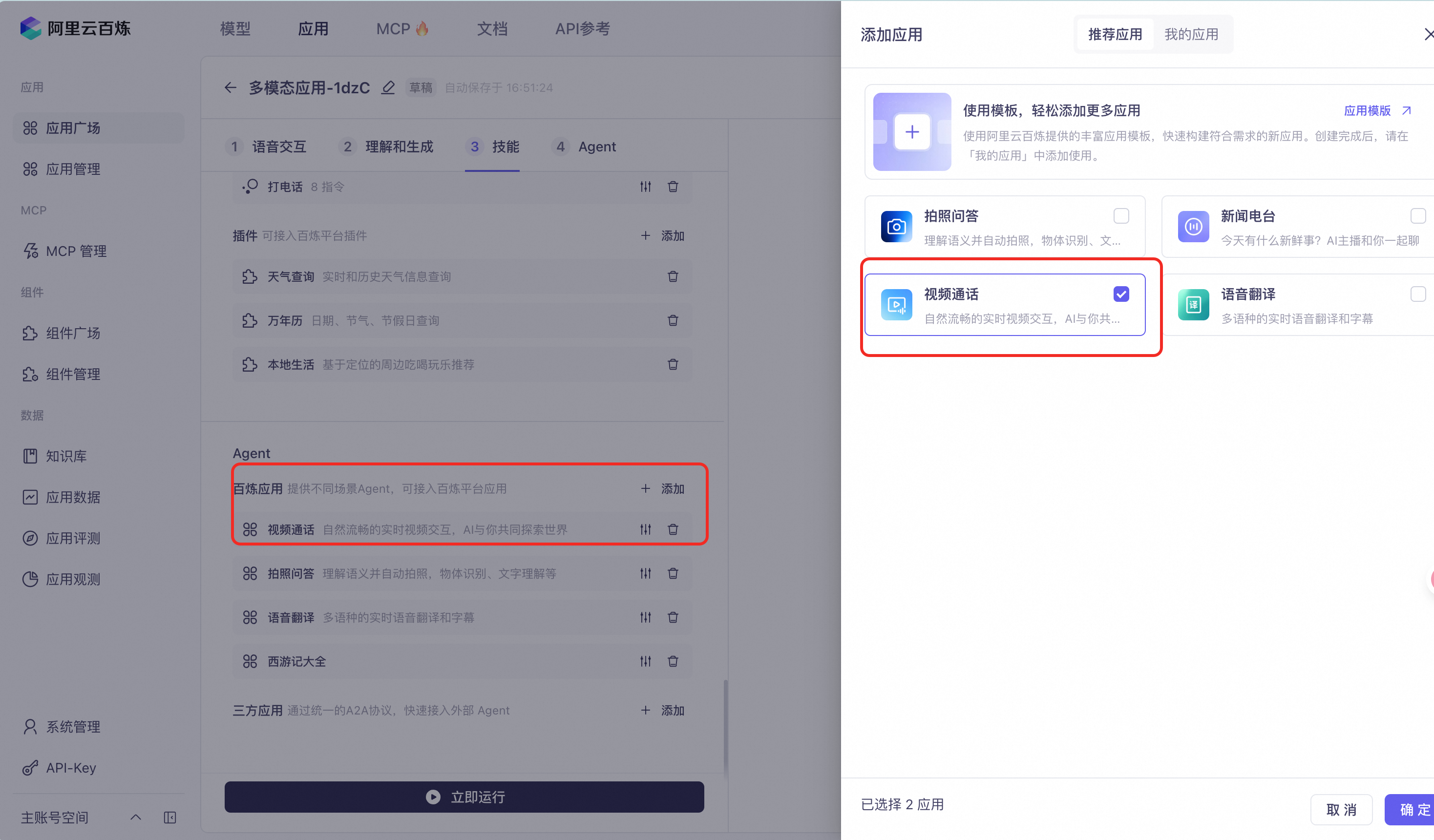
In your application configuration, go to Agent > Add > Recommended Applications, add the [Video Calling] agent, and then save the application.
Use the Official Android/iOS SDK for Video Calling
The Alibaba Cloud Model Studio multimodal interaction SDKs for Android and iOS include built-in support for the Real-Time Communication (RTC) protocol and natively handle audio and video capture and transmission. This lets you enable video calling with minimal configuration.
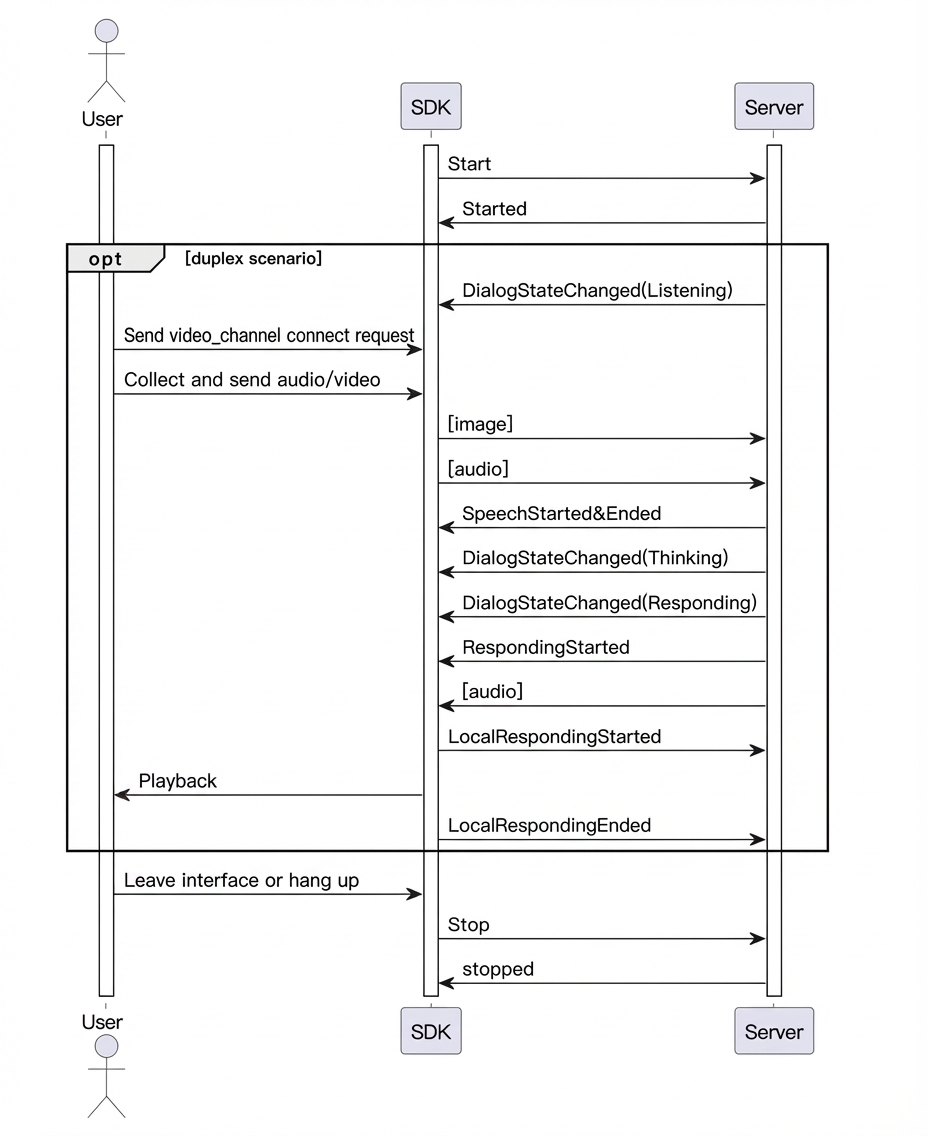
SDK Call Flow
-
Set the interaction chain mode (
ChainMode) toRTCand setupstream.typetoAudioAndVideo. -
Enter the video calling agent. You can switch to video calling using a voice command or by sending an instruction.
- To enter video calling immediately after a conversation starts: After you initiate the conversation, wait until the dialog state changes to Listening, and then send the instruction to switch to video calling.
- To enter video calling using a voice command: During the conversation, say "Enter video calling."
- When the server returns the welcome message from the video calling agent, you have successfully entered video calling mode.
- To exit the video calling agent, you can send an exit instruction or say "Exit video calling."
Request Parameter Description
Pass the following parameters when you call the requestToRespond method.Top-level parameter | Second-level parameter | Third-level parameter | Required | Description |
|---|---|---|---|---|
parameters | biz_params | videos | Yes | Type: List. Each element in the list is an object related to the video request. |
Call Time Series Chart