

This document describes the features of the music radio agent and how to integrate it using the software development kit (SDK).
Features
When enabled, it shuffles recommended music.
Current music library: Instrumental music (no vocals)
Music samples:
| Track name | Sample | Description |
| Hold on a Sec | Chill, relaxing, pleasant, jazz | |
| One Step Closer | Fantasy, imaginative, mysterious | |
| The Celebrated Minuet | Classical, elegant | |
| Shining Stars | Emotional, healing, gentle | |
| Village Tarantella | Exotic, unique rhythm | |
| Quick Metal Riff 1 | Rock, exciting, powerful | |
| Patron Saint of Heists | Playful, rhythmic | |
| Painful Disorientation | Classical, delicate, elegant, playful | |
| Jethro on the Run | Country, cheerful, rhythmic | |
| Joey's Song | Healing, gentle, nostalgic |
Integrate the music radio agent using the SDK
1. Enter the music radio using voice or text
Voice command: "Enter music radio" or "Open music radio"
Text command: requestToRespond("prompt", "Enter music radio", null)
2. Get music
After you enter the music radio, the service returns music track information, which includes a downloadable MP3 link. The data format of the response is different for voice and multimodal applications, so you must parse the response based on your application type.
2.1 Integrate the music radio using a voice application
You can parse the payload.output.extra_info.tool_calls from the RespondingContent result that is returned by the service.
Parameter | Type | Other | Description | |||
tool_calls[] | type | String | The field name is typically fixed to "FUNCTION". It represents a function call. | |||
id | String | The default value for the music radio is music_radio. | ||||
function | ||||||
name | String | The field is the name of a custom utility function, similar to the domain in multimodal applications. | ||||
arguments[] | list | A list of parameters sent by the plugin or skill. | ||||
music_info | jsonString | Music resource information. | ||||
music_keyword | String | The music genre, such as "Jazz Blues". |
2.2 Integrate the music radio using a multimodal application
You can parse the payload.output.extra_info.commands from the RespondingContent result that is returned by the service.
Parameter | Type | Description | ||
commands[] | intent_info | String | Multimodal intent. | |
domain | String | The default value for the music radio is music_radio. | ||
intent | String | The intent, such as open_music_radio to open the music radio. | ||
name | String | play_music | ||
params[] | ||||
object.music_info | jsonString | Music resource information, including the audio link address. | ||
object.music_keyword | The music genre, such as "Jazz Blues". |
3. Music playback
The service provides a URL that links to an MP3 file. After you retrieve the URL, you can download the file or use a network player for playback.
- For example, the SDK provides sample code for a URL MP3 player for Android that you can integrate into your project.
- You can parse the
audiosfield from the result to obtain the music URL. Then, use an MP3 player for playback. The demo includes a simple UI that displays the music playback status.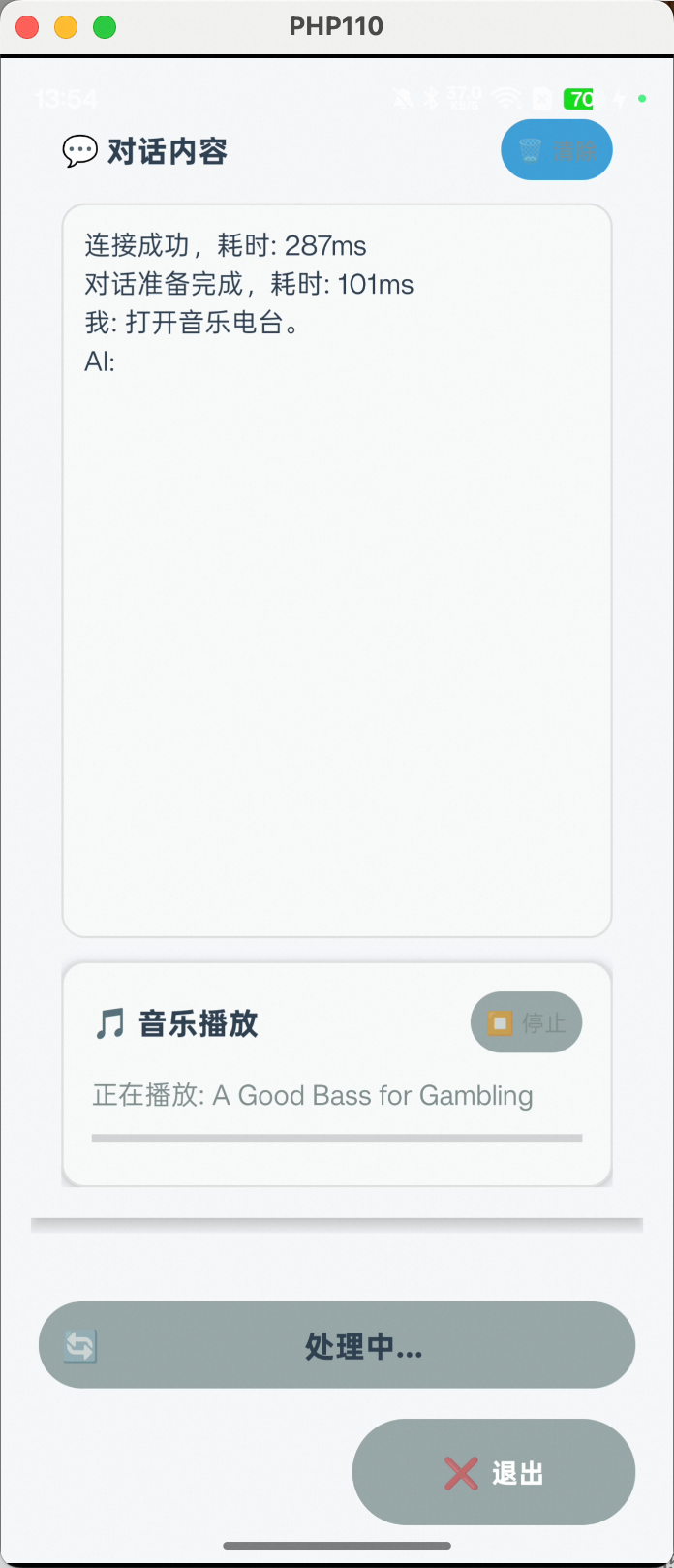
- For the complete code, see the Android SDK demo. For other languages, you can implement the same feature using similar parsing and playback methods.