

If you need ideas while writing, AMB can help you in three ways.
Material search
If you are writing an article and are unsure what to write, you can use the step-by-step writing method.
Follow these steps:
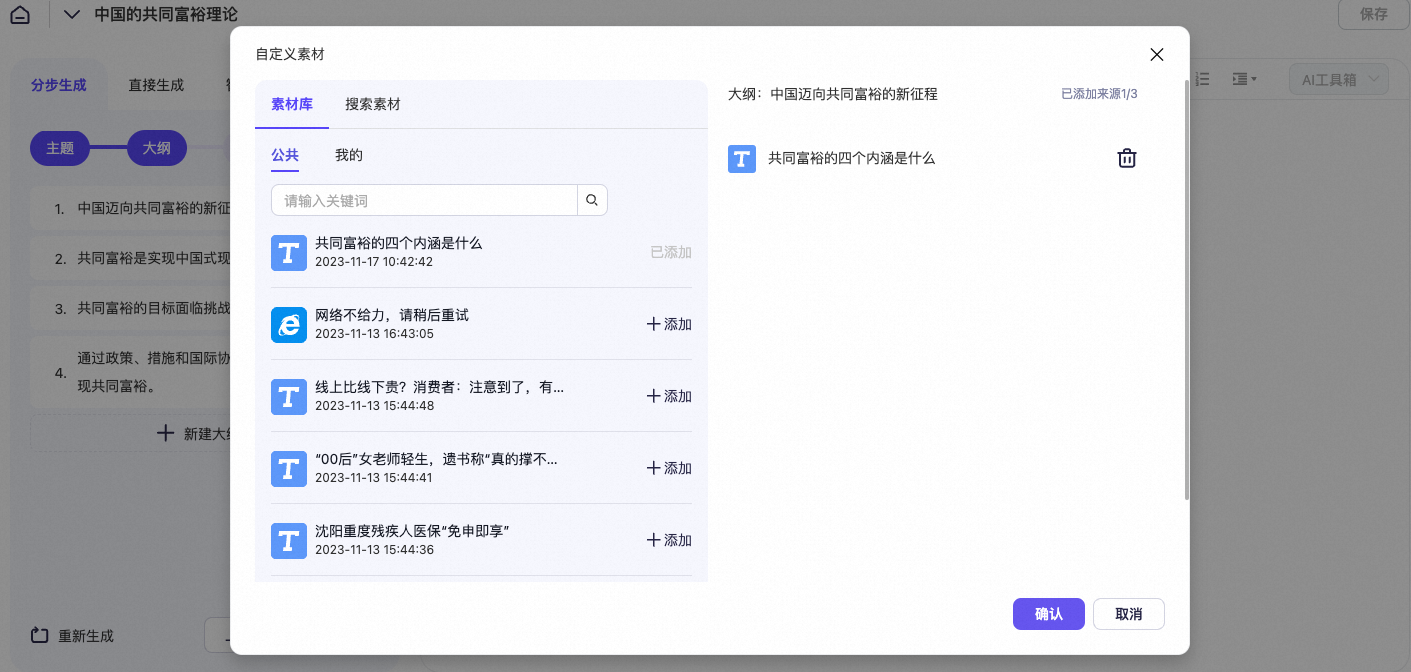
 Click the reference icon to add external content or article links.
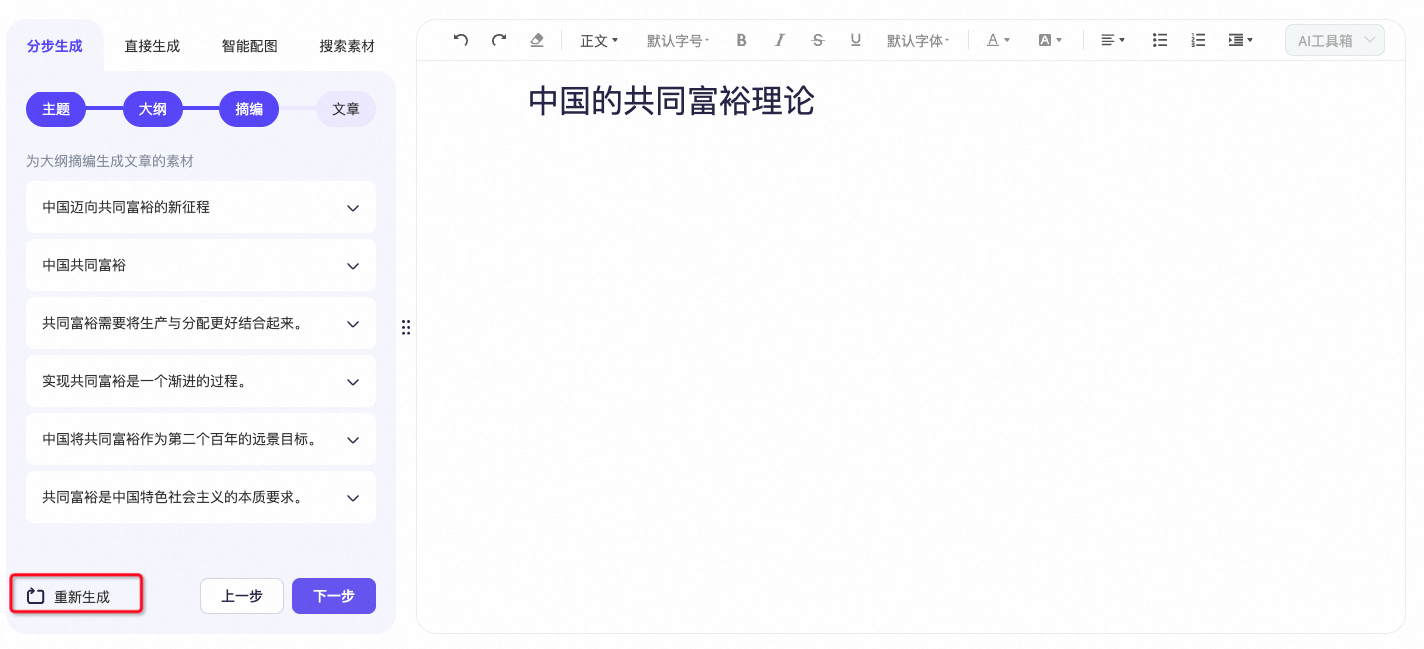
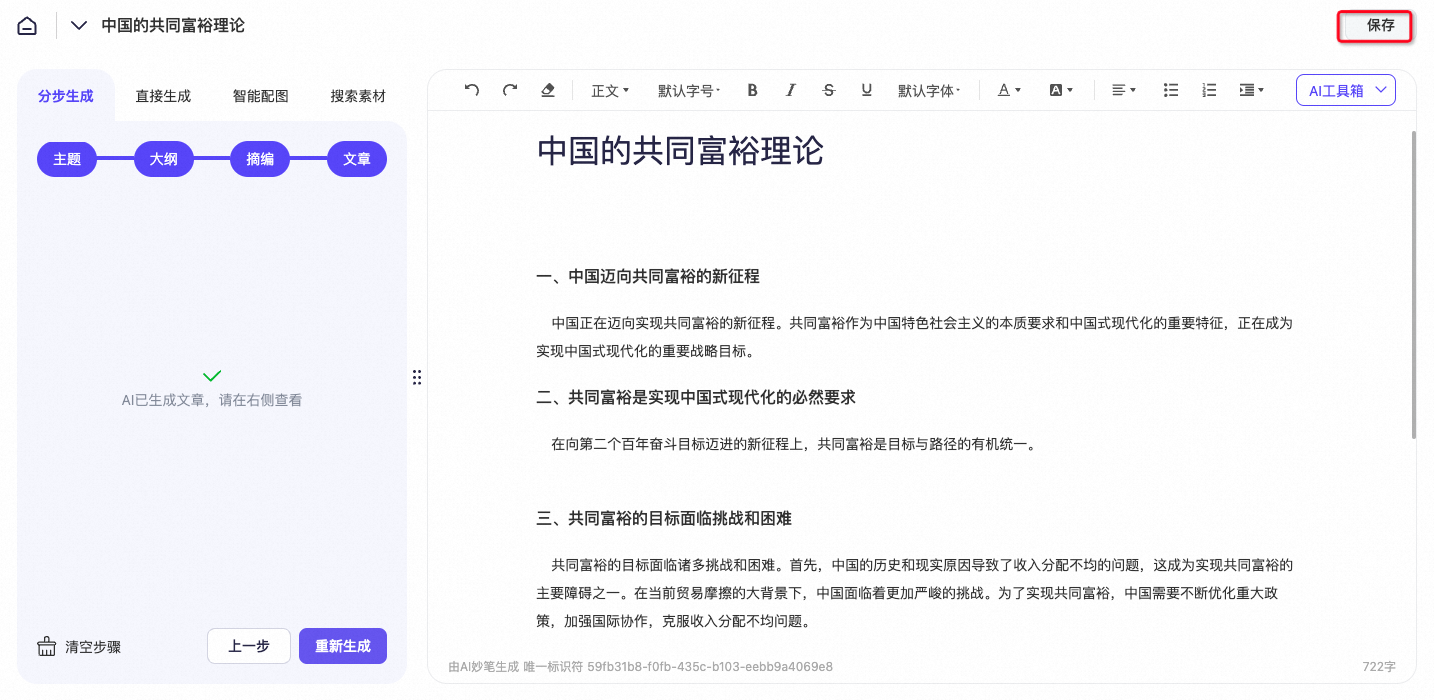
If you are not satisfied with the content after using the step-by-step method, you can use the Hot Topics feature.
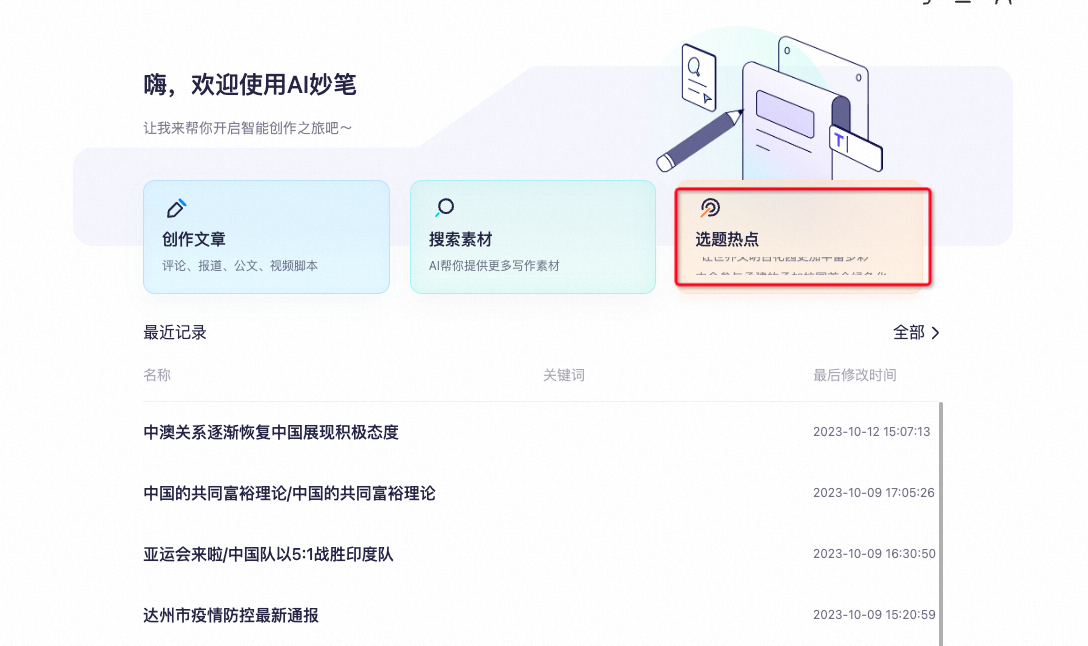
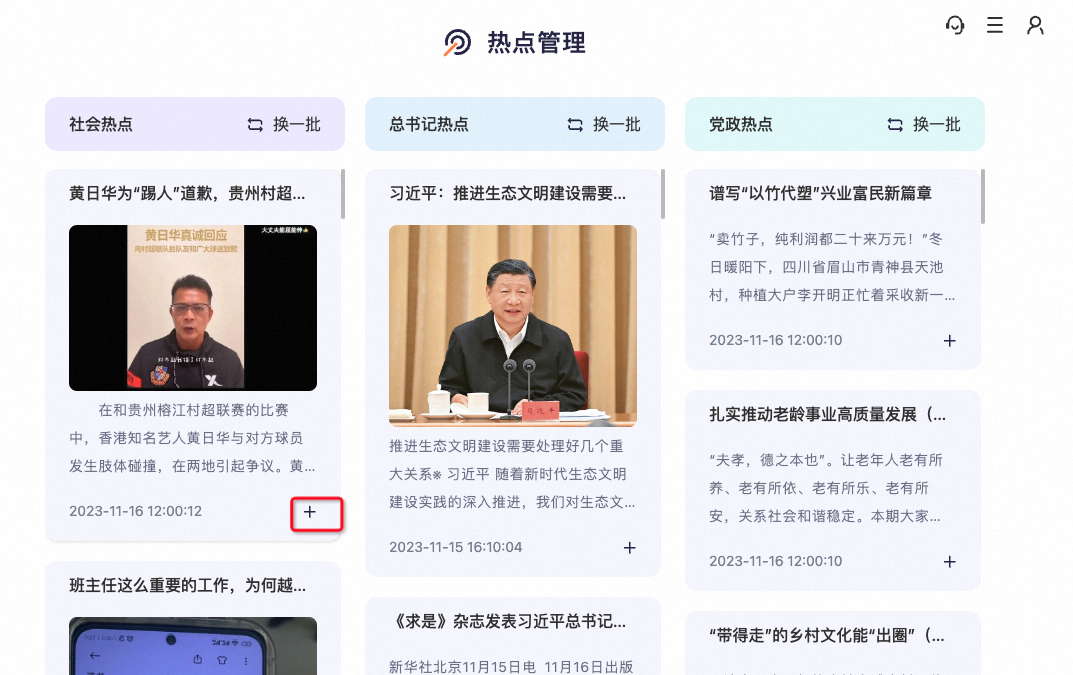
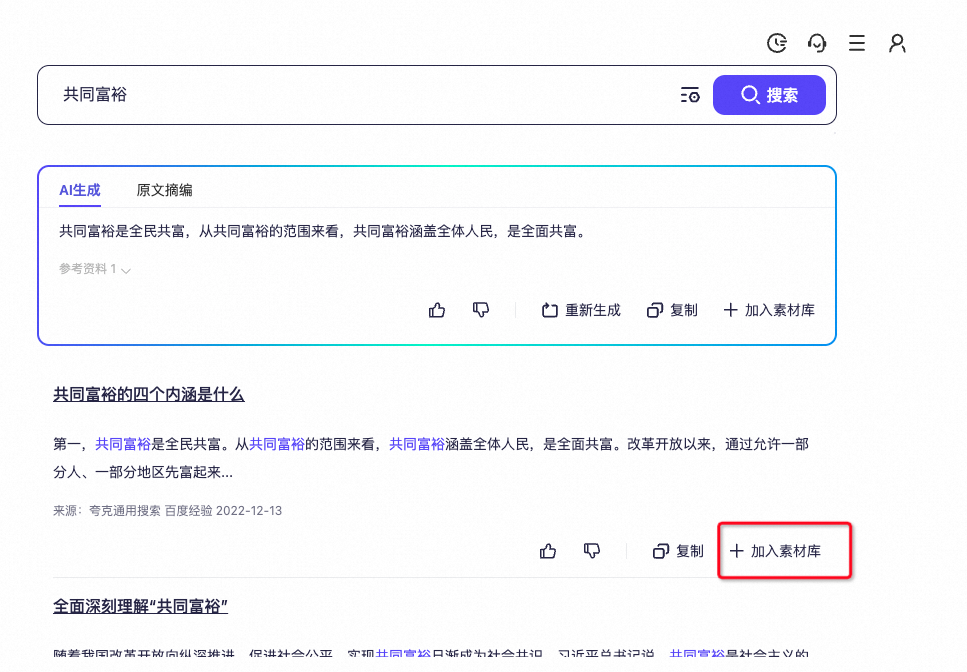
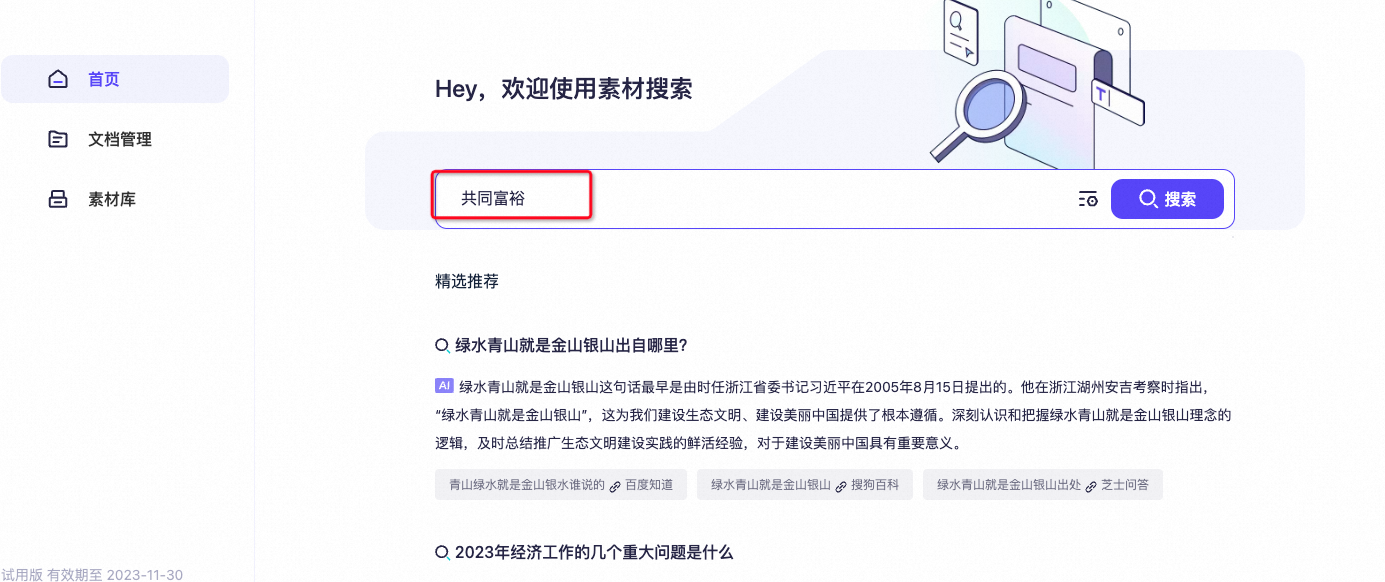
- If you need ideas before you start writing, you can search for related content in "Search Materials". For example, to write an article about "China's common prosperity", enter the topic in the search box and click Search.
Search source: Quark 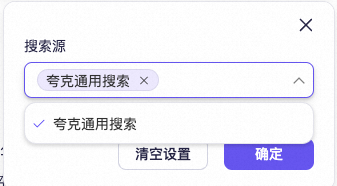
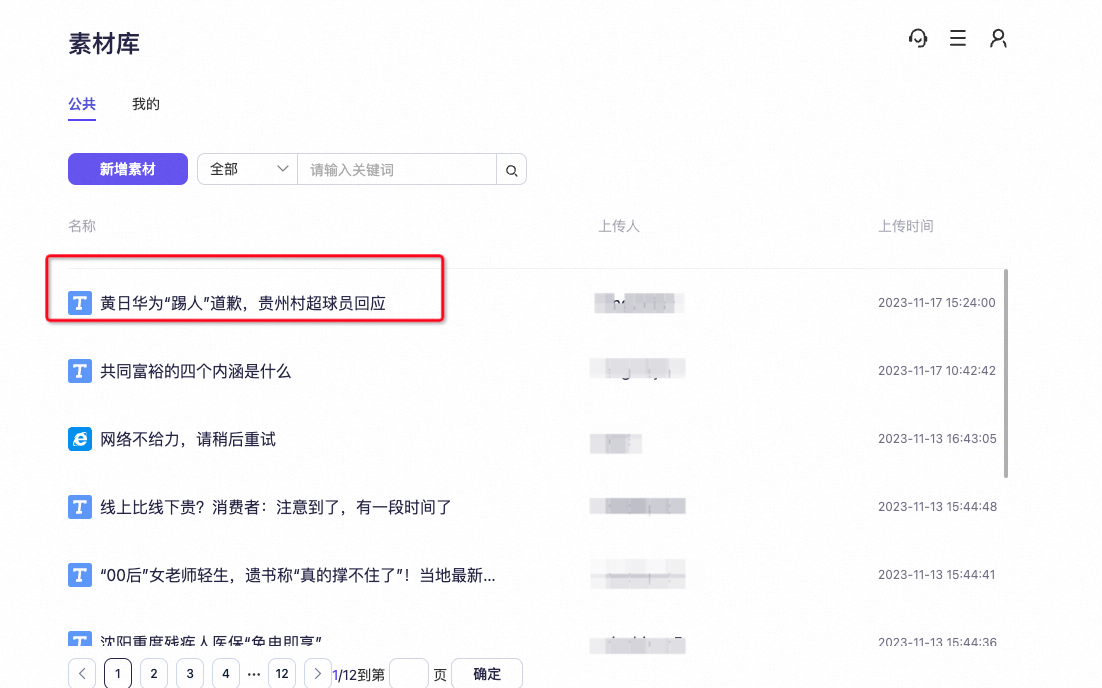
- In the search results, you can add relevant articles to your Material Library.
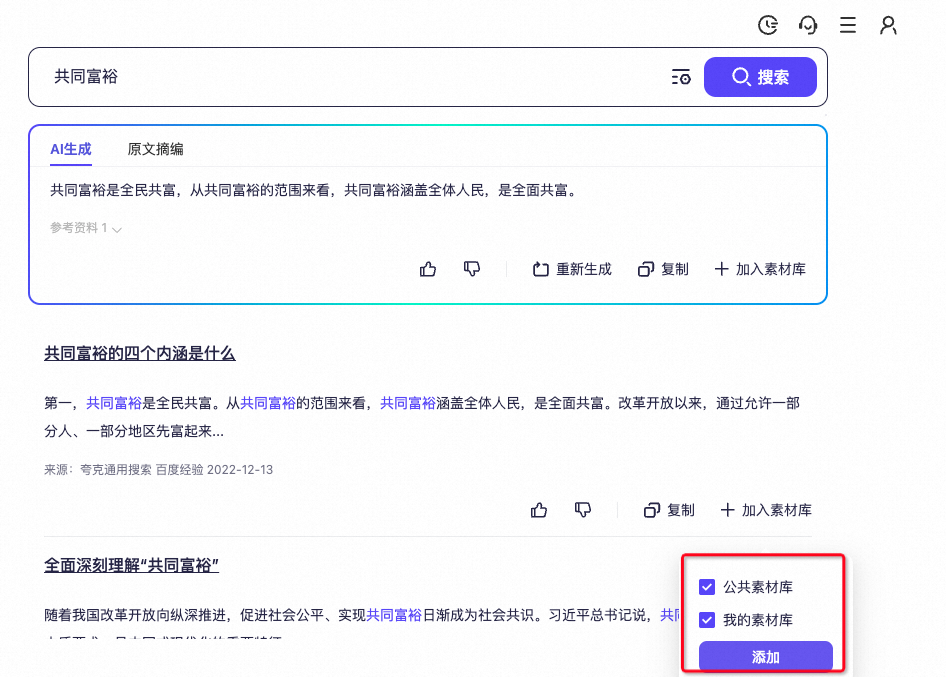
- In the pop-up window, select the checkbox for the Material Library where you want to add the content.
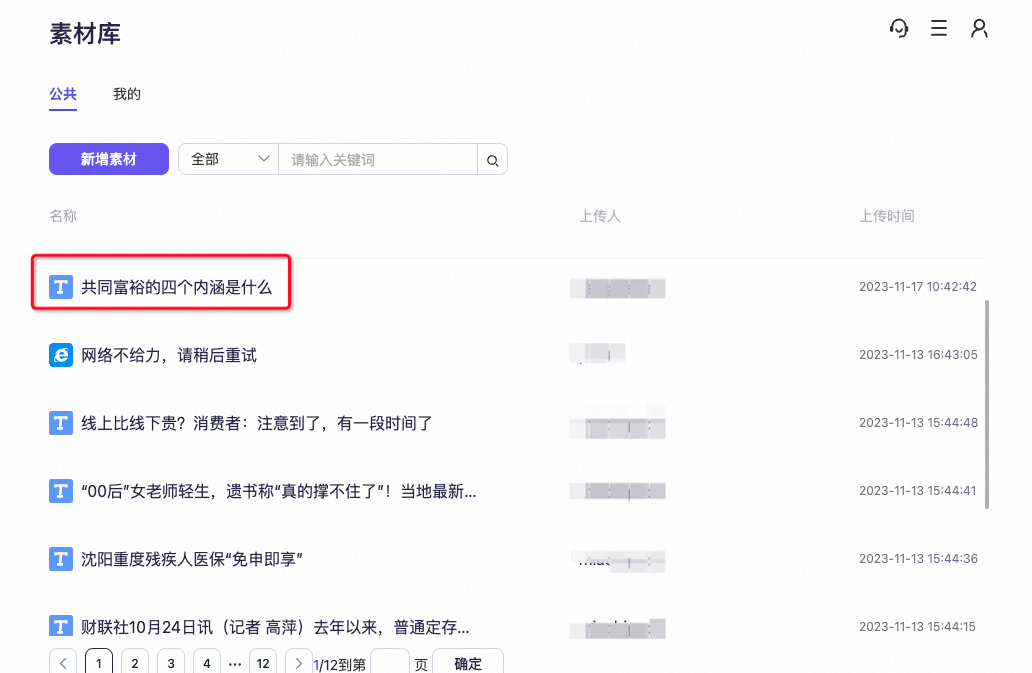
- Click Material Library to open the article.
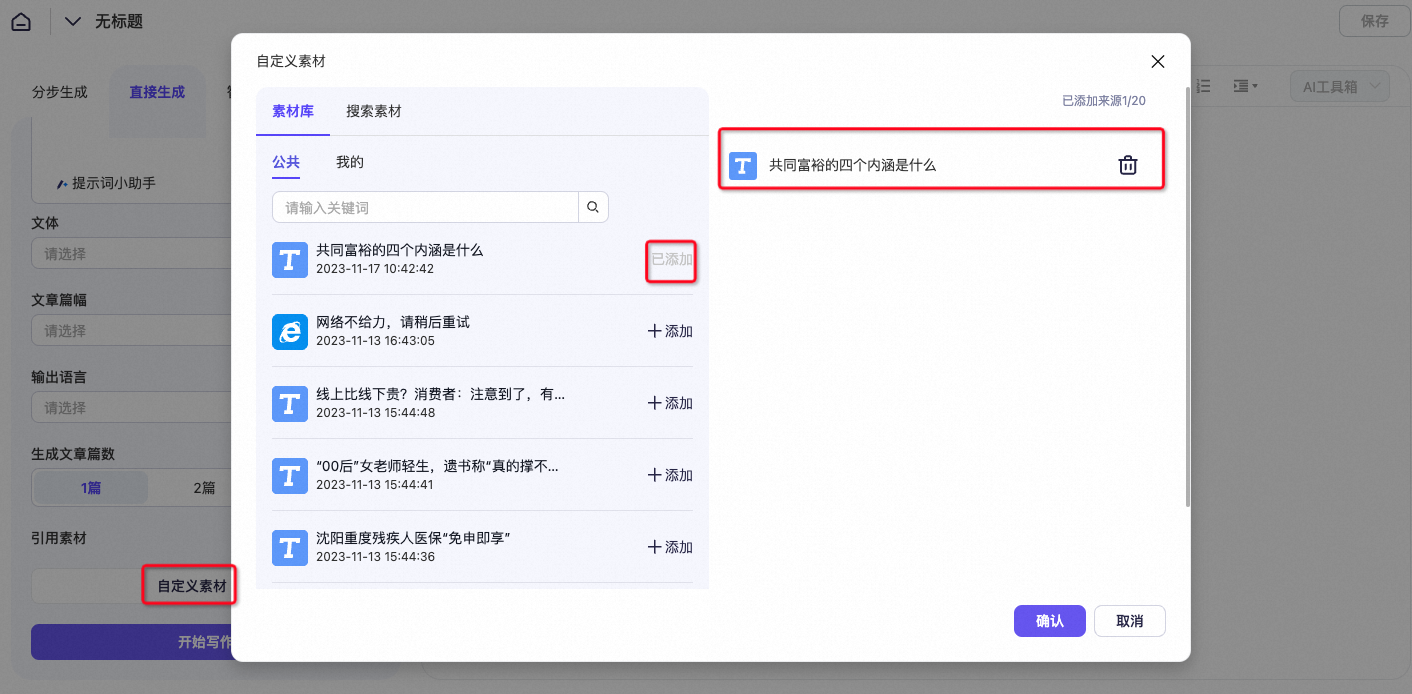
- Return to the article creation interface and click Custom Material to add the content.
Step-by-step writing
If you are writing an article and are unsure what to write, you can use the step-by-step writing method.
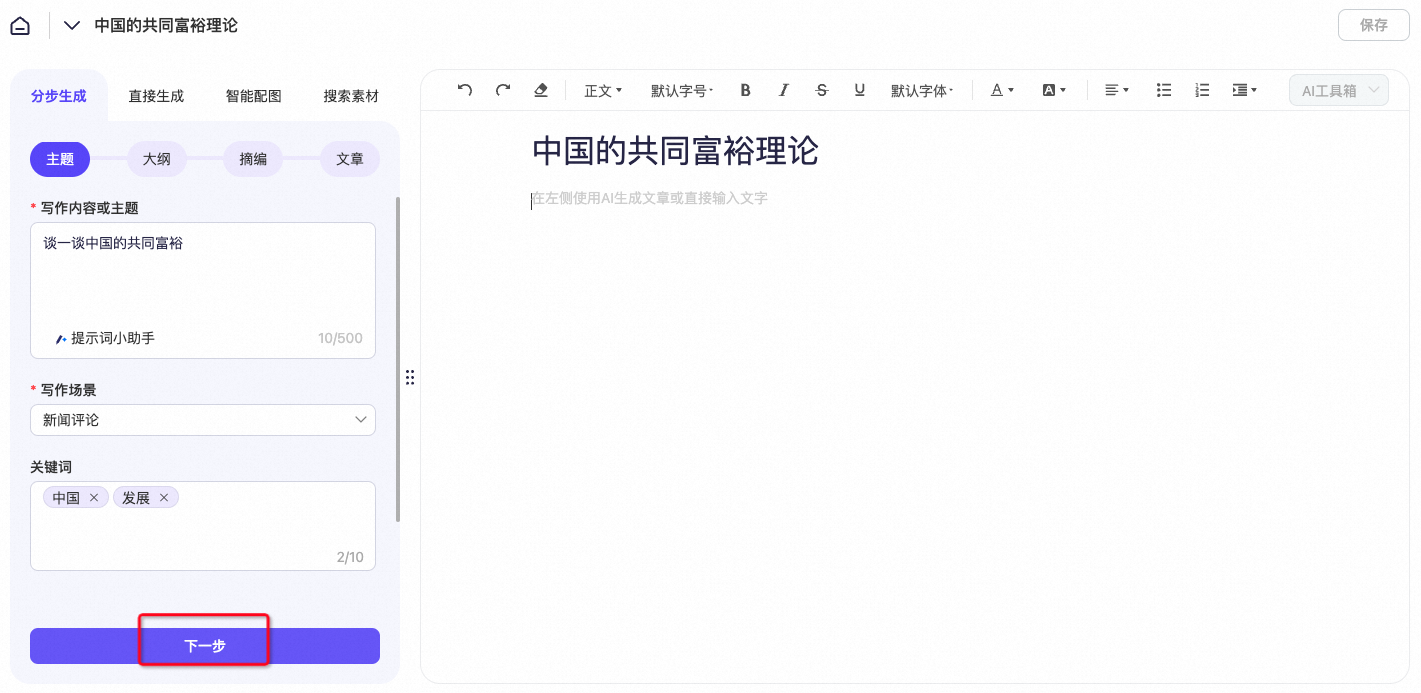
Article subject (prompt) | Discuss China's common prosperity |
Article title | The theory of common prosperity in China |
- Enter the Writing Content or Subject, Article Title, Writing Scenario, and Keywords. Then, click Next.
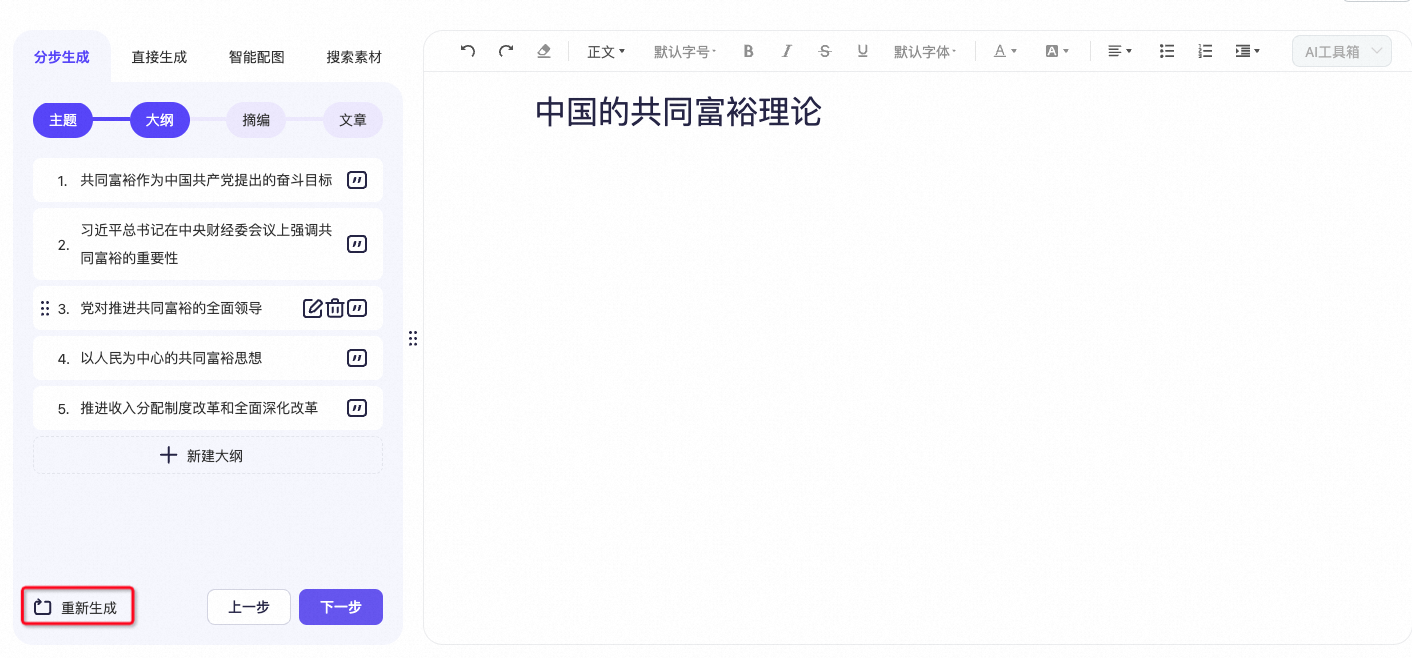
- View the generated outline.
- Change all
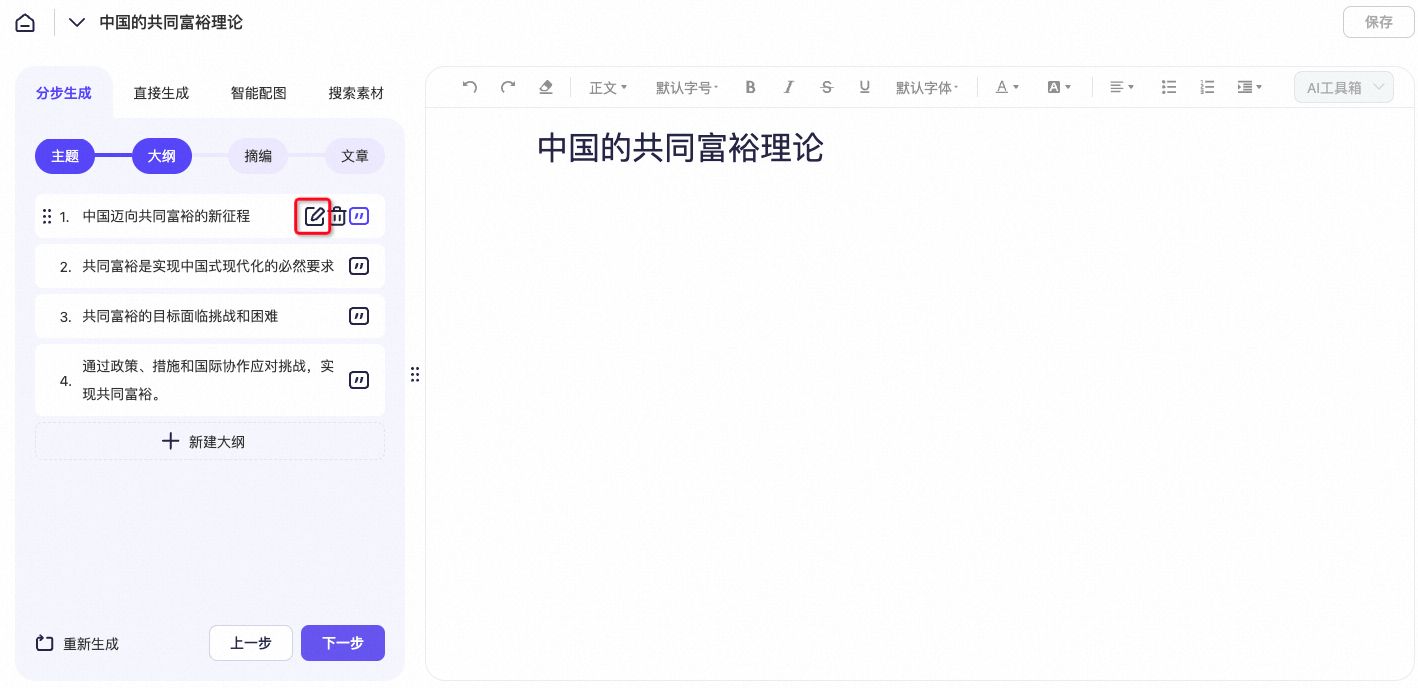
- Edit the outline
- View the generated summary.
- Click Save to save the article to Document Management.
Hot topics
If you are not satisfied with the content after using the step-by-step method, you can use the Hot Topics feature.
- Click Hot Topics. In the window that opens, find a topic that matches your article's subject and click the plus icon (+) to add it.
- Navigate to the Material Library to view the content that you just added.