


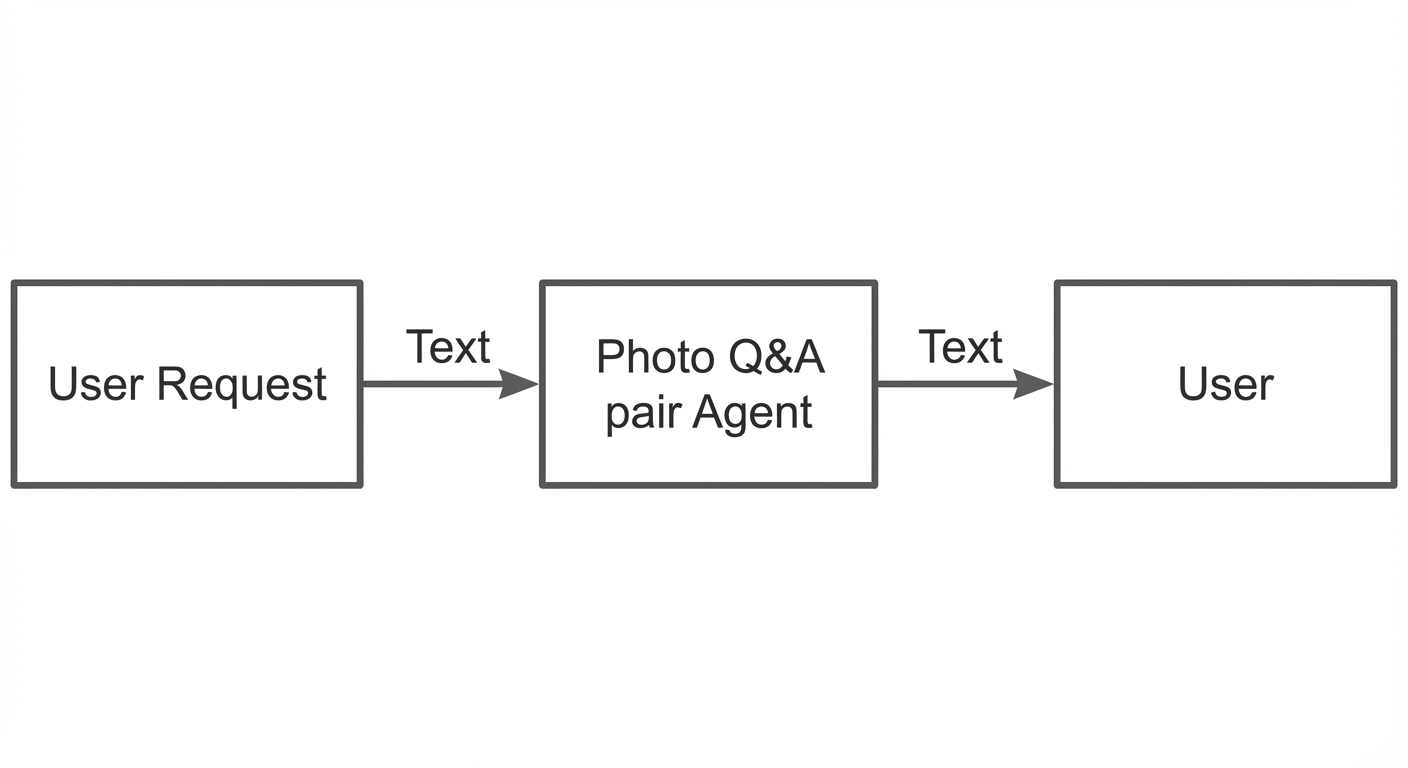
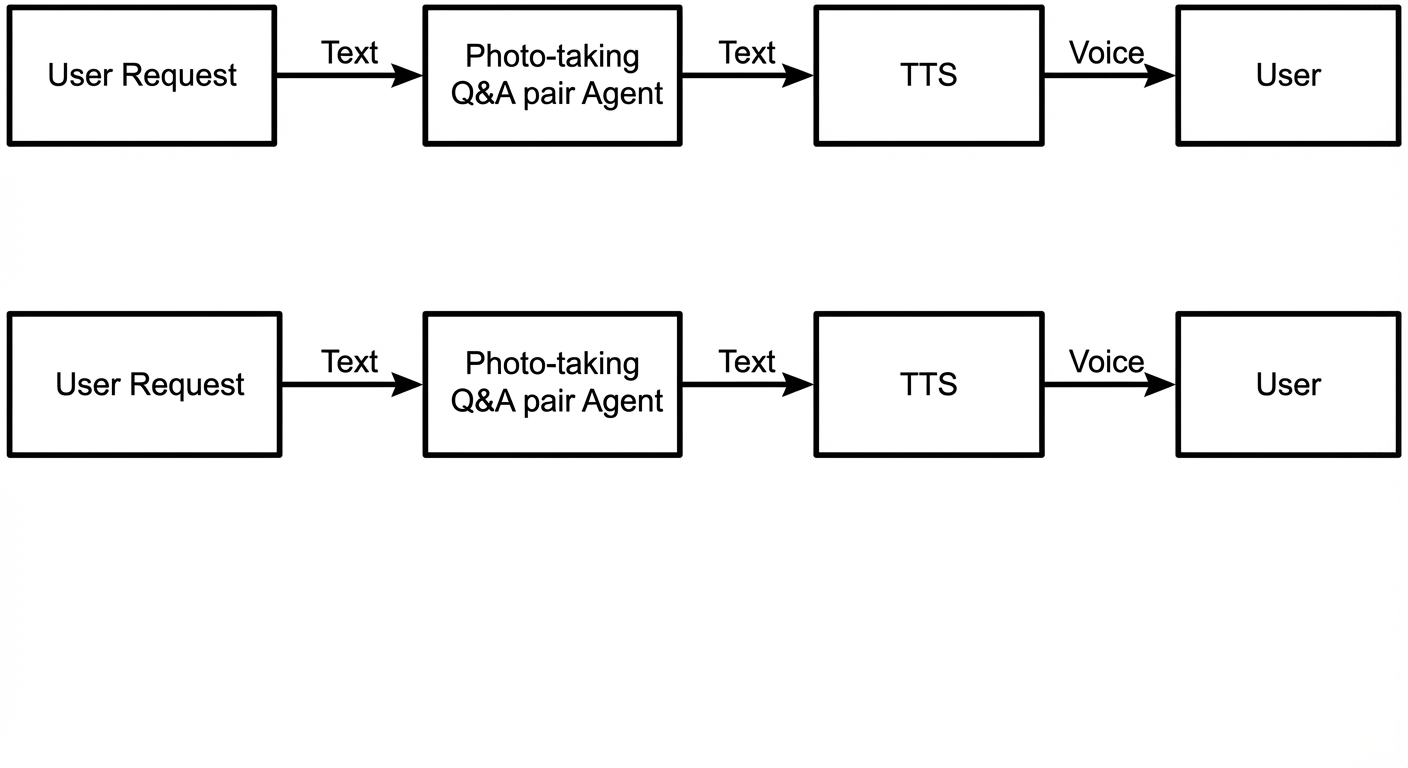
Prerequisites
Read Real-time multimodal interaction protocol (WebSocket) to understand the overall WebSocket protocol for real-time multimodal interaction.
Activate Alibaba Cloud Model Studio and obtain an API key
For more information, see Obtain an API key. The API key is used as the authentication credential for Alibaba Cloud Model Studio services.
Enable the direct access link for visual Q&A in the console
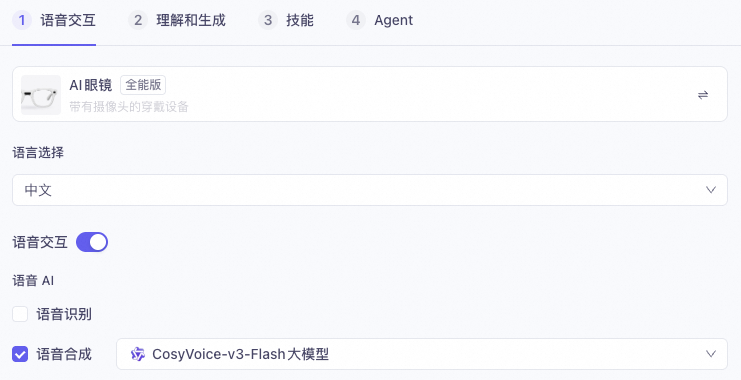
- In the Multimodal Development Suite, create a multimodal interaction application. For the template, select the All-in-One version instead of the Visual version. Disable Speech Recognition and enable Speech Synthesis.
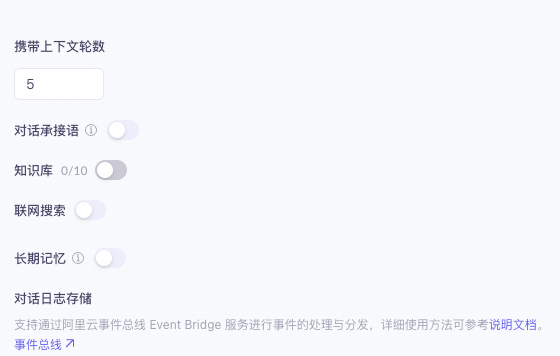
- Disable the Dialogue Context, Knowledge Base, Web Search, and Long-term Memory configurations.
- In the Agent Configuration, clear all Skill Configurations and retain only Visual Q&A.
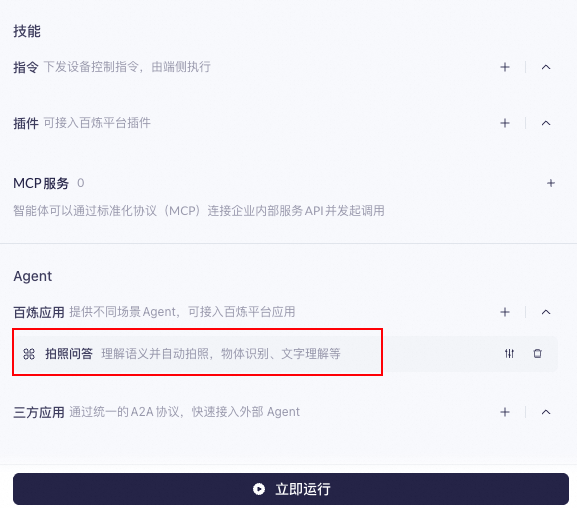
- Configure the visual Q&A agent. Leave the Start Instruction field empty. For the model, select Visual Understanding - Balanced. Configure the prompt based on your requirements.
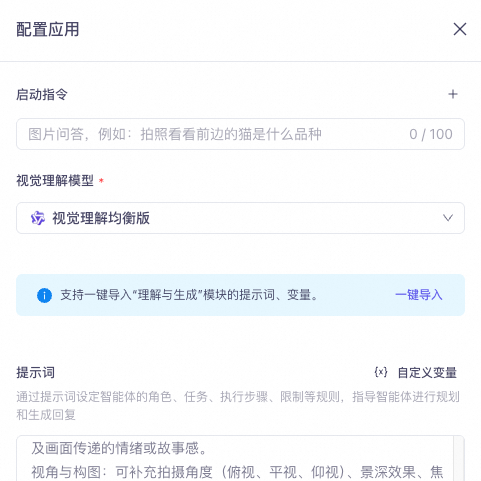
- After you complete the configuration, click Publish in the upper-right corner. The application must be published before it can be tested.
Sequence diagram
[Key flow] The server-side returns a Started message to indicate that the session was created successfully. However, the client must not send the audio immediately. The client must wait to receive the DialogStateChanged event and can start sending the audio stream only after the state becomes Listening.
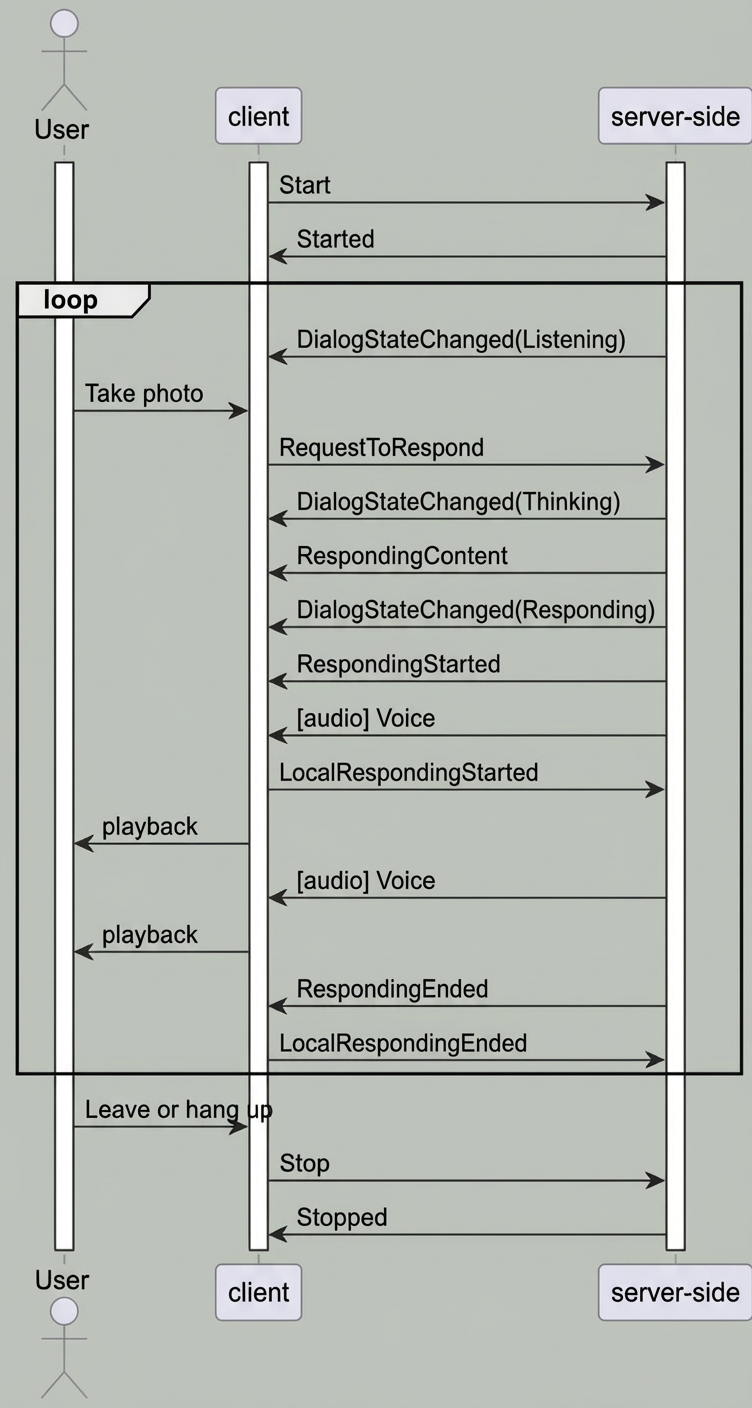
Send a request using RequestToRespond
RequestToRespond
When the session is in the Listening state, you can use this instruction to notify the server-side to interact with the user. You can upload text to call the agent. The returned result is then converted to speech and sent downstream.
Top-level parameter | Second-level parameter | Type | Required | Description |
|---|---|---|---|---|
input | directive | string | Yes | Instruction name: RequestToRespond |
dialog_id | string | Yes | The session ID. It identifies the session context. This must be the same as the dialog_id included when the server-side returns the Listening state. | |
type | string | Yes | The type of interaction the service should perform: `transcript` indicates that the text is directly converted to speech. `prompt` indicates that the text is sent to the Large Language Model (LLM) for a response. In this topic, this is set to `prompt`. | |
text | string | Yes | The text to process. This can be an empty string ("") or a specific text request. | |
parameters | images | list[] | No | Information about the image to be analyzed. Currently, only a single image can be uploaded. |
biz_params | object | No | Same as `biz_params` in the `Start` message. It passes custom parameters for the dialogue system. The `biz_params` parameter in `RequestToRespond` is valid only for the current request. |
parameters.images parameter description
Top-level parameter | Type | Required | Description |
|---|---|---|---|
type | string | Yes | The image type. Supported values are `base64` and `url`. |
value | string | Yes | The image content.
|
parameters.biz_params parameter description
Top-level parameter | Second-level parameter | Type | Required | Description |
|---|---|---|---|---|
commands[i] | name | string | Yes | Indicates direct access to the agent. For this practice, this is fixed to "agent_command". Copy and use this value directly. |
exec_params | object | Yes | Specifies the agent. This is fixed for this practice. For more information, see the description of the commands.exec_params parameter. |
commands.exec_params parameter description
Top-level parameter | Second-level parameter | Type | Required | Description |
|---|---|---|---|---|
exec_params | app_id | string | Yes | Specifies the agent. For this practice, this is fixed to "visual_qa". Copy and use this value. |
intent | string | Yes | Specifies the agent's action. For this practice, this is fixed to "open_visual_qa". Copy and use this value. |