

Obtain an independent, resource-dedicated inference service through deployment to meet high-concurrency and low-latency performance needs; this page introduces billing method selection, deployment methods, and common operations.
Billing methods
Before deployment, you can view the estimated hourly cost of different models in the Dedicated Deployment console.
Model Unit (Custom performance metrics; resource isolation) | Token-based usage (Pay-as-you-go after fine-tuning/effect validation) | ||
|---|---|---|---|
Definition | A model deployment method that configures computing power based on usage duration and the number of Model Units, with dedicated resources. | A model deployment method that uses the input Tokens and output Tokens generated per call as the usage metering basis. | |
Advantages |
| No charge when not in use. | |
Supported models | Some pre-configured models and all fine-tuned models | Some models fine-tuned with LoRA | |
Use cases |
| Fine-tuned model effect validation | |
Billing illustration | 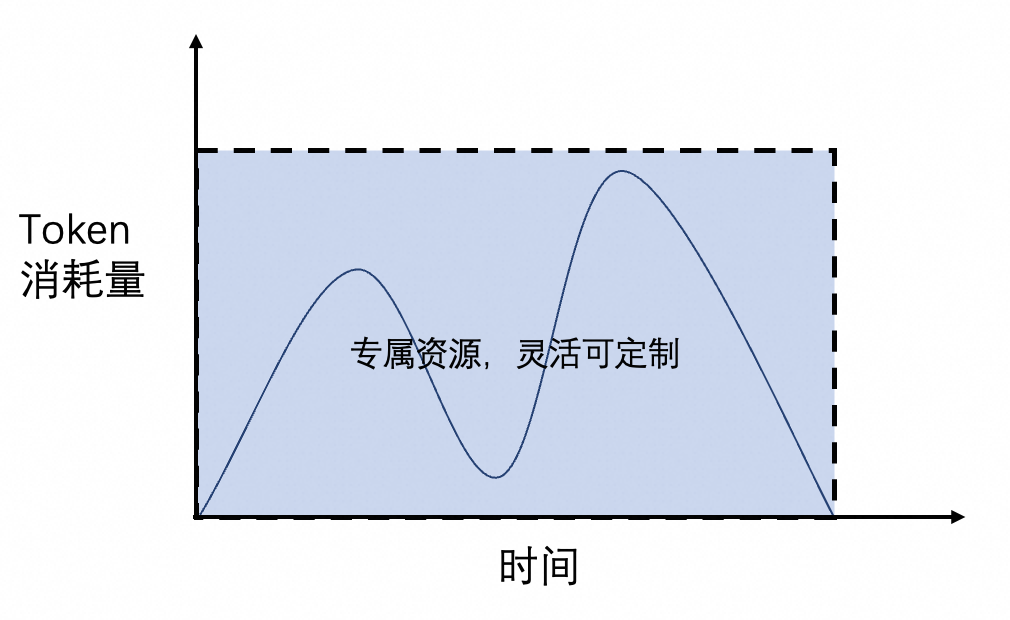 | 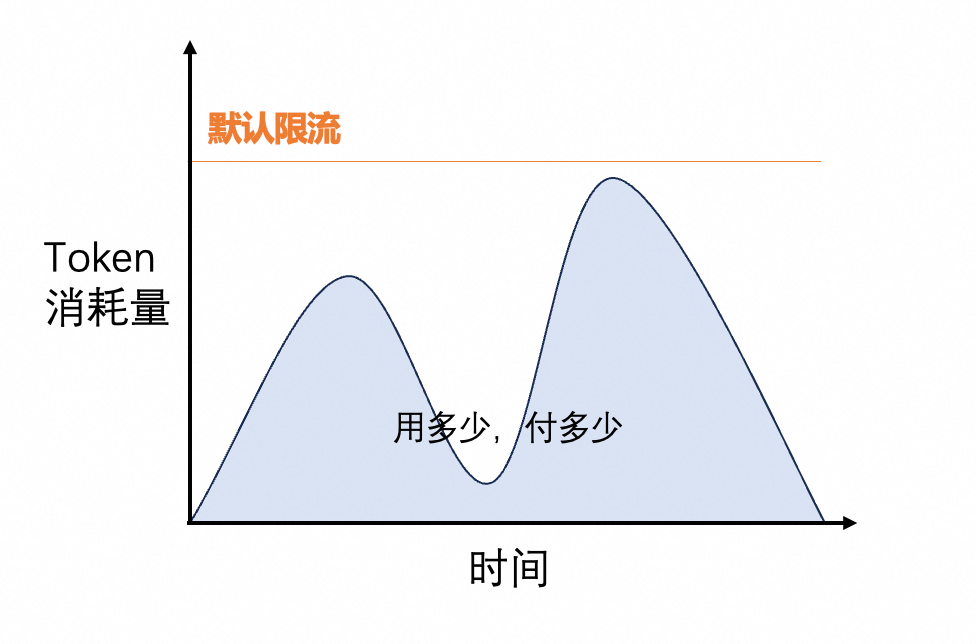 | |
Billing method | Billed based on usage duration and number of model units Pay-as-you-go, Monthly | Billed based on model token usage Pay-as-you-go | |
Scaling method | Self-service adjustment of the number of model units | Submit an application in the console and wait for manual review. | |
Product constraints | After a pre-paid purchase, if you unsubscribe early within the first month, the daily unit price (≈ monthly unit price / 30) will be billed at 1.2 times the rate |
| |
Deployment Modes
For the models and prices supported by each deployment mode, see the corresponding mode page:
Deployment Methods
You can deploy models in the console. Follow these steps:
If a permission error is displayed, see the permission troubleshooting section in the API Deployment Guide.
- Log on to the Bailian console, and choose Model Inference > Dedicated Deployment in the left-side navigation pane.
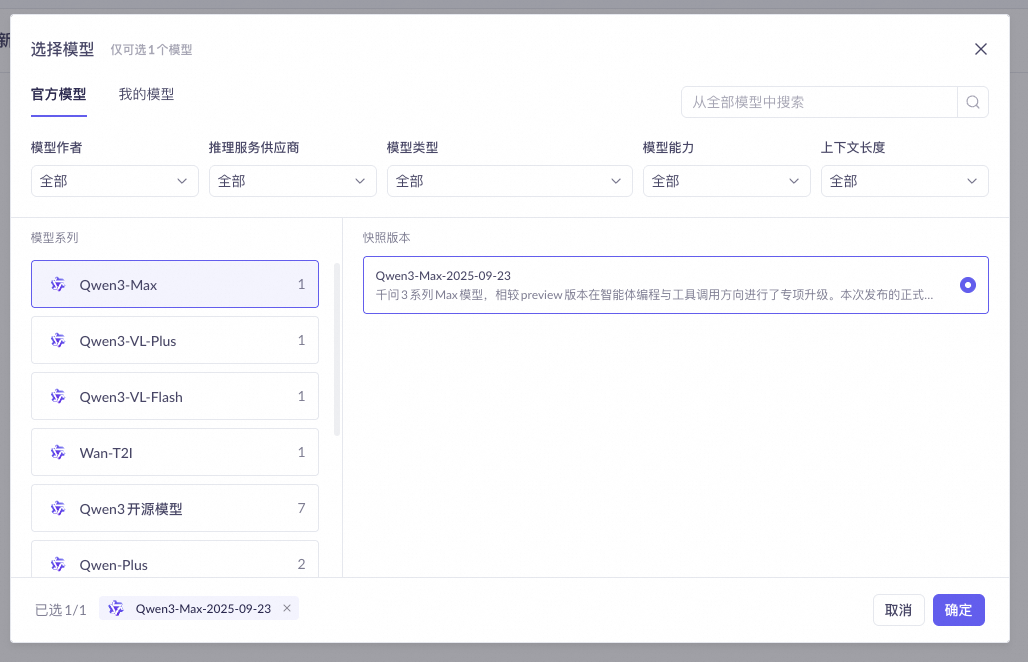
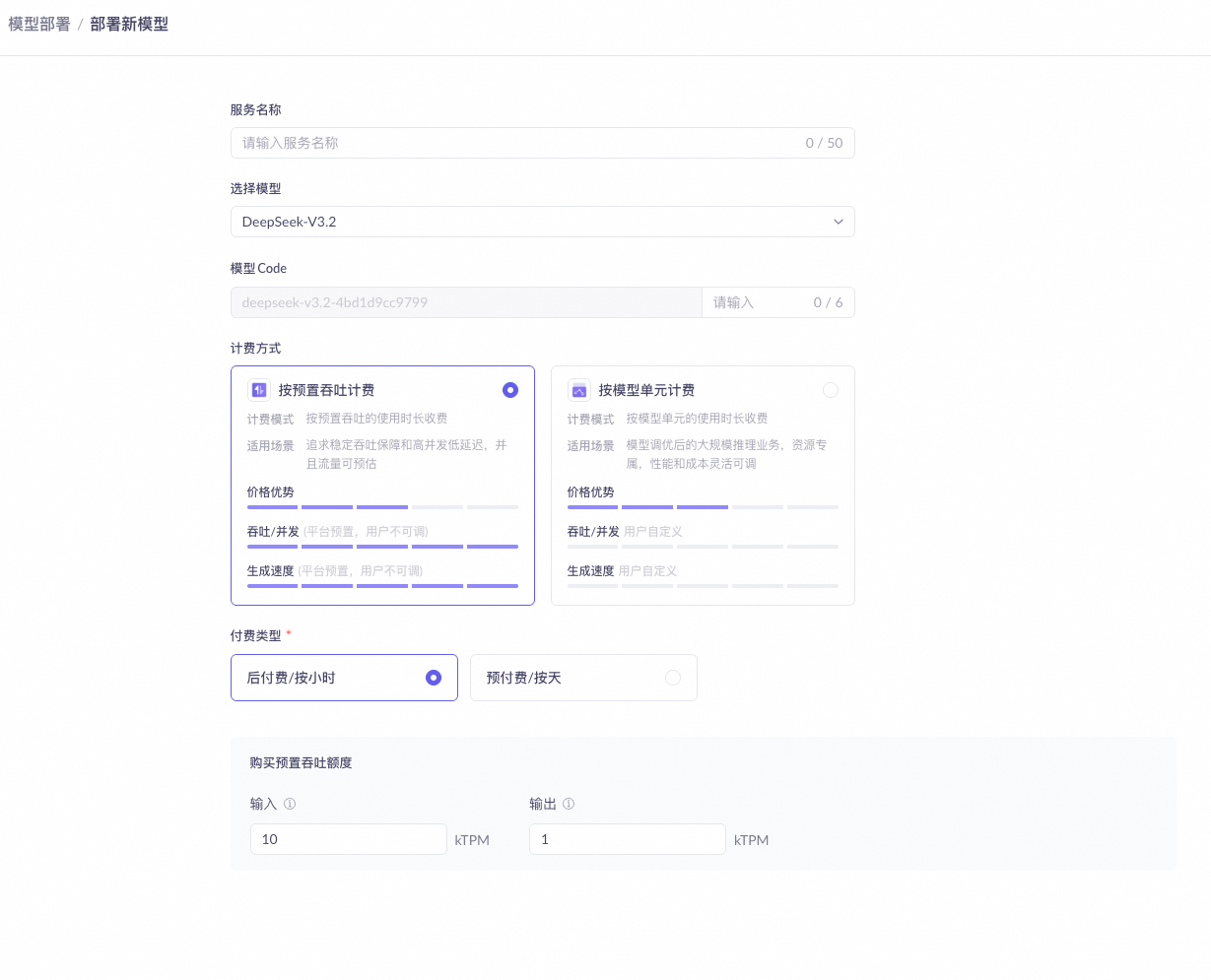
- Click Deploy New Model.
-
Enter the service name, complete Select Model and billing method, keep other configurations as default, and click Confirm.
You must complete model fine-tuning before you can deploy most models.
- Go back to the deployment list. When the deployment status changes to Running, the model has been deployed successfully.
Deployment List Page
After the deployment succeeds, you can view and manage all deployment services on the deployment list page. The list page contains the following information:
- Service name: The name of the deployment service. Click it to view deployment details.
- Model: The model used for the deployment.
- Model Code: The unique identifier generated after the model is deployed successfully, used to specify the model in API calls.
- Deployment Status/Event Status: Includes statuses such as Pending deployment, Deploying, Running, Deploy failed, Offlining, Service suspended, Stopped, Deleting, Unsubscription/Overdue Suspended, Recovering, Running (Updating), and Running (Update Failed).
- Billing method: The billing method of the current deployment service.
- Deployment Details: Configuration information such as model unit type and number of replicas.
- Rate Limit Details: Displays the rate limit configurations of the current deployment service, such as RPM (requests per minute) and TPM (tokens per minute).
- Service Period: Displays the creation time and expiration time of the deployment service.
- Actions: Based on the deployment status and billing method, you can perform operations such as update, monitoring, scaling, renewal, offline, delete, and trial.
Taking a deployment service offline
Go to the dedicated deployment console, find the deployment service you want to stop, and click the corresponding action based on the billing type:
- Prepaid model units: click Offline and confirm.
- Pay-as-you-go: click Delete and confirm.

FAQ
Can I upload and deploy my own models?
You can import some open-source models in the My Models console (Beijing); for the detailed supported list, please refer to: Model import.
In addition, Alibaba Cloud AI Platform PAI provides the capability to deploy your own models. For more information, see PAI-LLM large language model deployment.
How do I switch to other billing methods?
You can only release the original resources and then create new resources using the desired billing method.
It is recommended to switch according to the following steps:
- Deploy new resources using the desired billing method.
- Switch the API and test the service availability.
- Take offline and release the original resources.