

Generate images from text descriptions with the text-to-image API. This service, provided by Alibaba Cloud Model Studio, features the Wan, Qwen-Image, and Z-Image model families.
Online experience: Beijing|Singapore
Try it online provides a no-code, web-based text-to-image experience: enter a text description on the page to generate images directly.
Before you make a call, obtain and configure an API Key, and then configure the API Key in environment variables. If you call through the DashScope SDK, you also need to install the SDK.
The following example uses the synchronous call method. The Qwen image series also supports asynchronous calls. For how to call Wan series models, see the corresponding API reference documentation.
Parameters:
Parameter:
Parameter: parameters.size (string), in the
Parameter:
Parameter:
Parameter:
Parameter:
If the model call fails and returns an error message, see Error codes for resolution.
Q: How long are image URLs valid? How do I save images permanently?
A: Image URLs are valid for 24 hours. You must download the image immediately after receiving the URL and save it to your own persistent storage, such as a local server or Alibaba Cloud Object Storage Service (OSS).
Q: My API call returns a DataInspectionFailed error. How do I resolve this?
A: This error means your input triggered content moderation. Review the prompt or negative_prompt text, remove any non-compliant content, and retry.
Q: When should I enable or disable the prompt_extend parameter?
A: Keep it enabled (the default) when the input prompt is concise or you want the model to be more creative. Set it explicitly to false when the prompt is already detailed and specialized, or when you have strict requirements on API response latency.
Note: The wan2.7-image-pro and wan2.7-image models do not support the
- Experience Center: Click the online experience links above (Beijing, Singapore) to enter, where you can select a model, set the output resolution, enable smart rewriting, and submit the generation directly.
- Wan standalone site: Visit Wan and try it directly in Image Generation.
Model performance
Qwen-Image
Complex layout 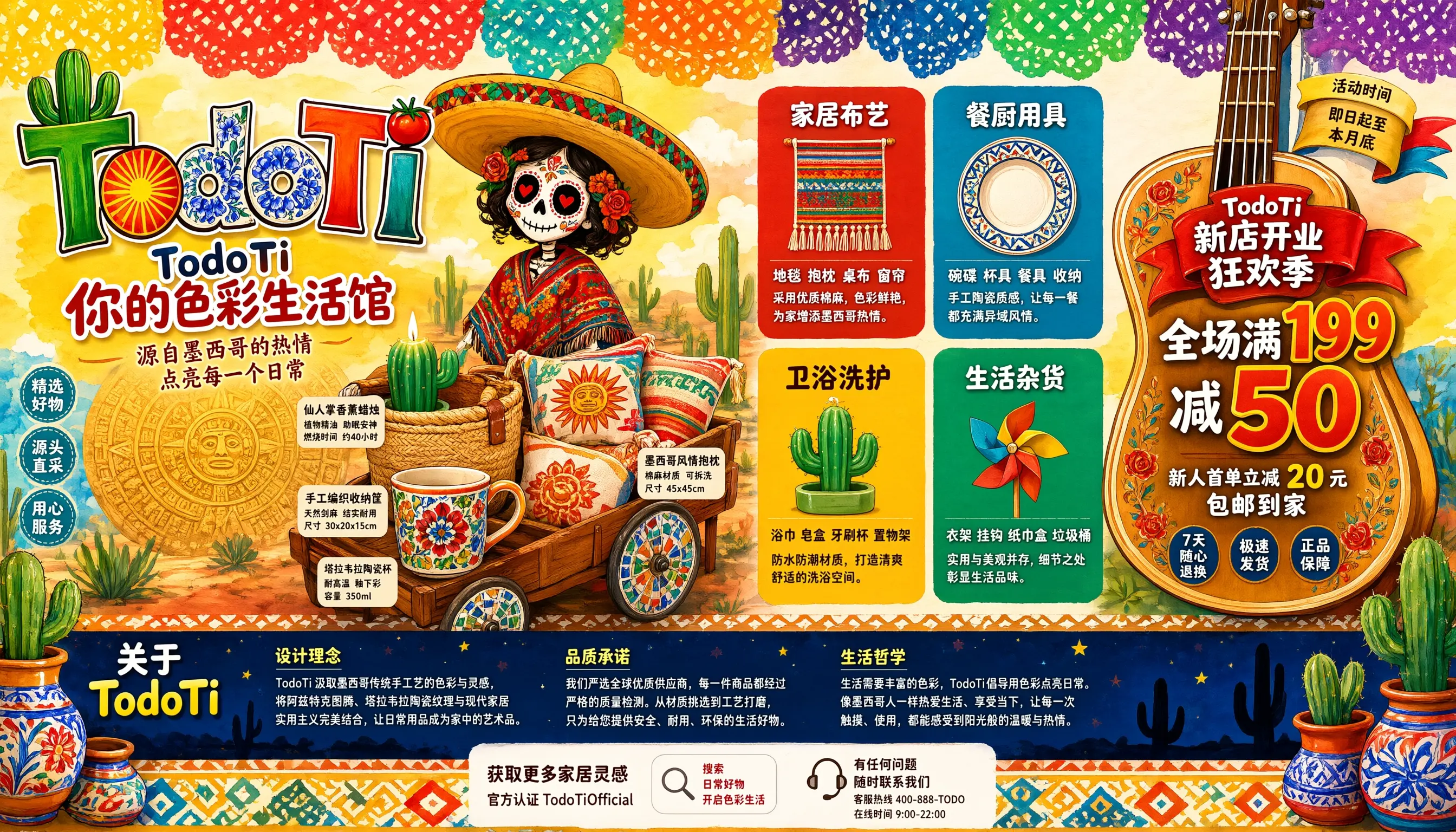 | Long paragraphs 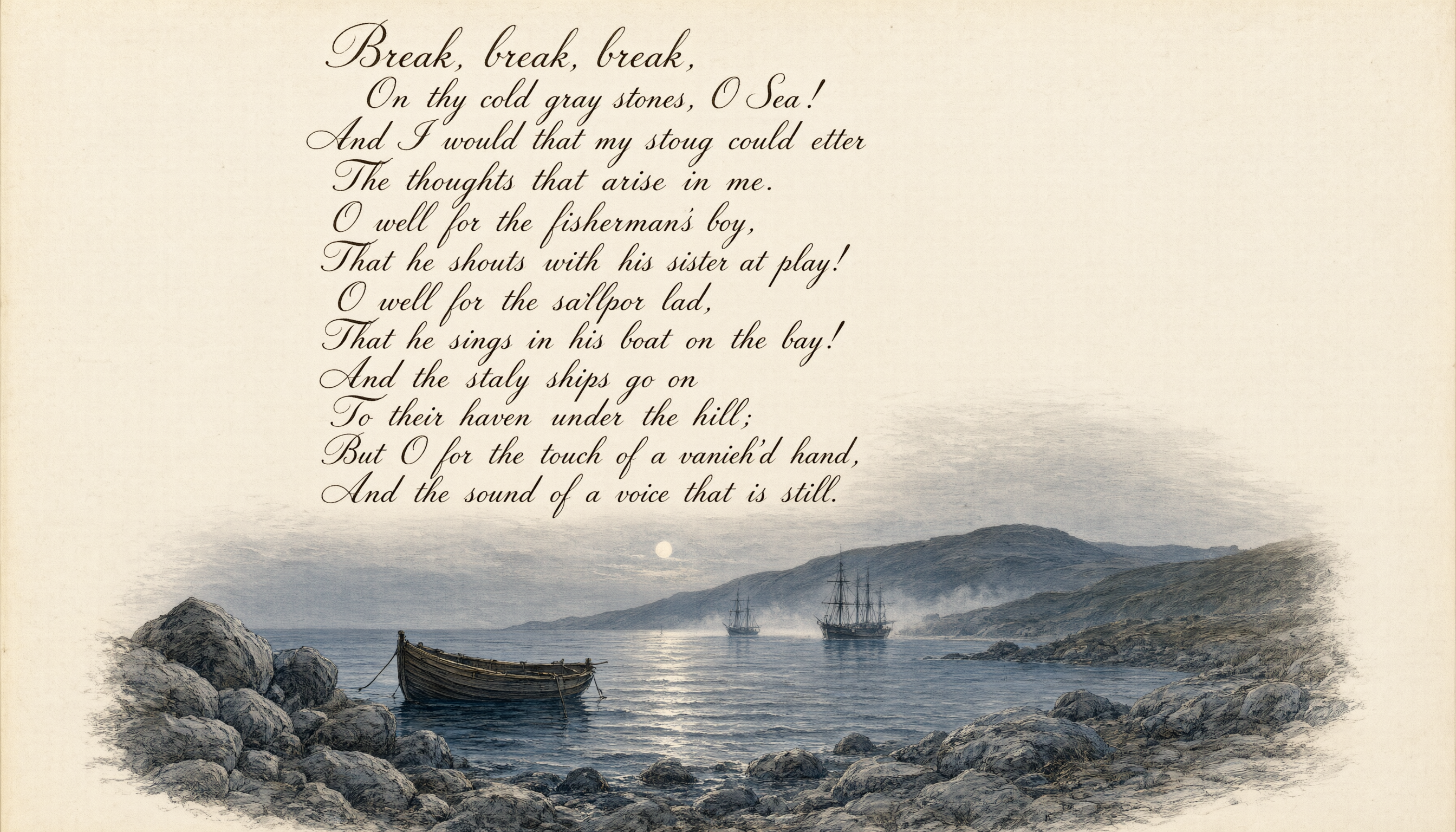 | Realistic portraits 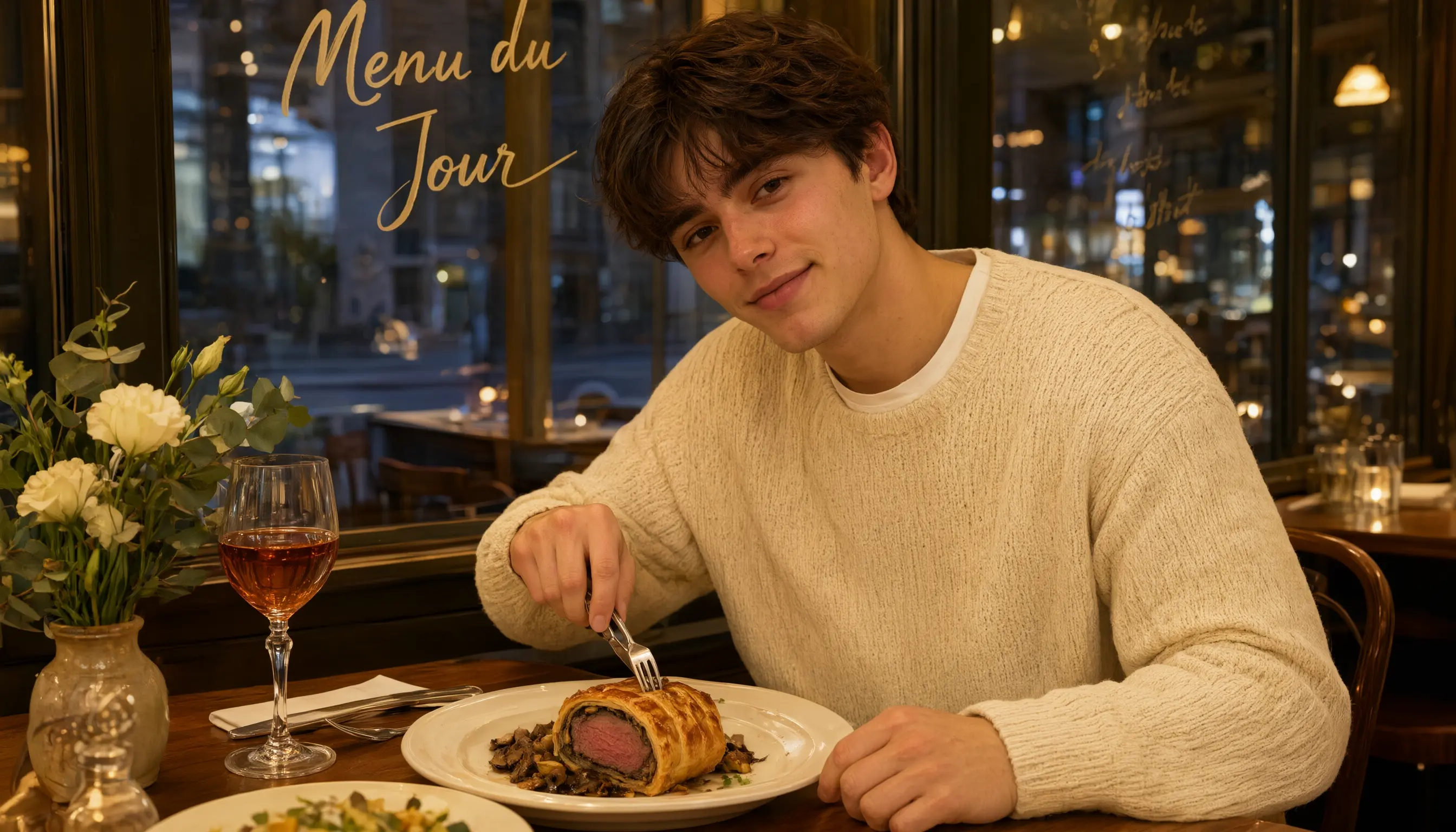 |
UI design 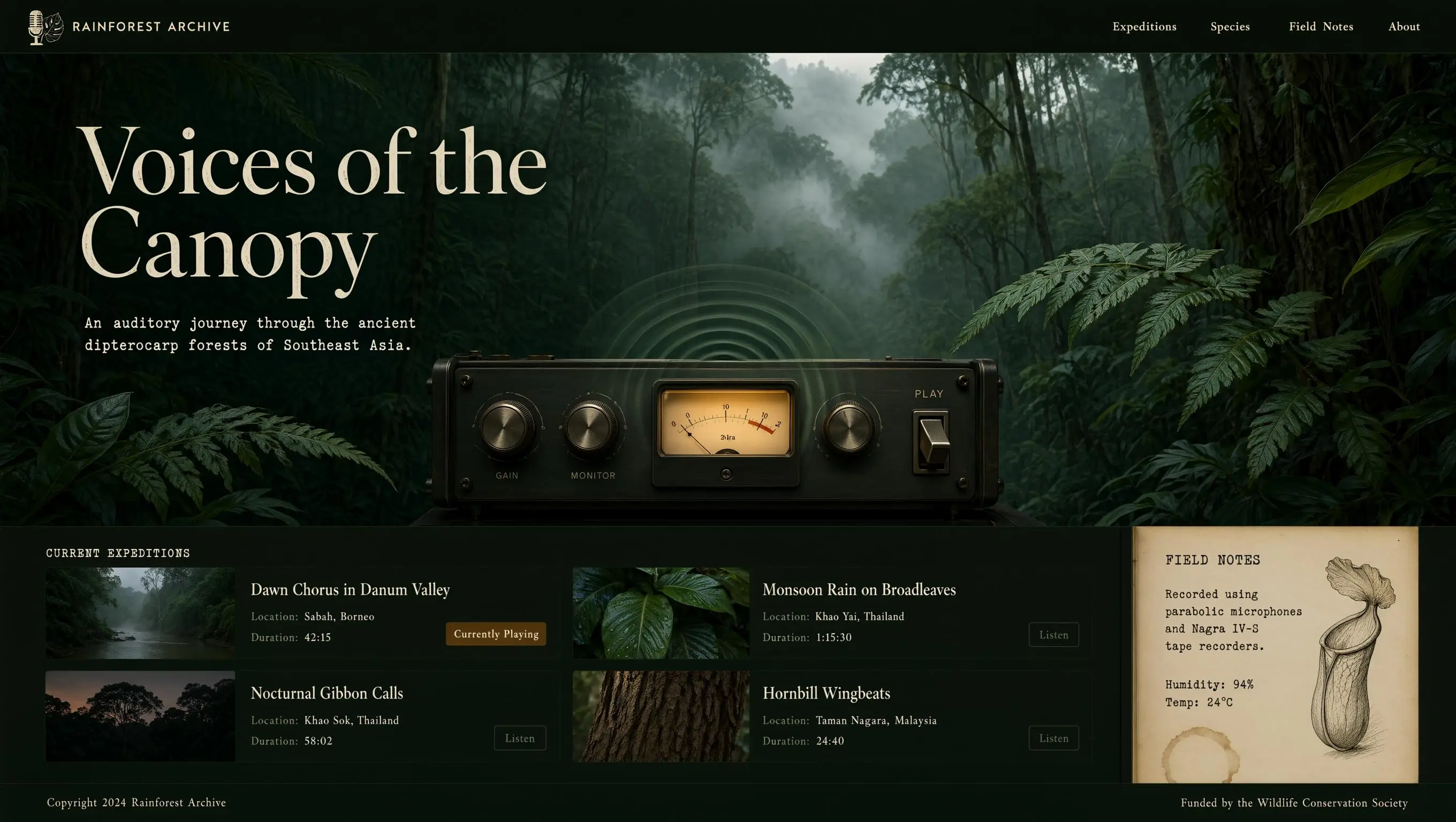 | PPT 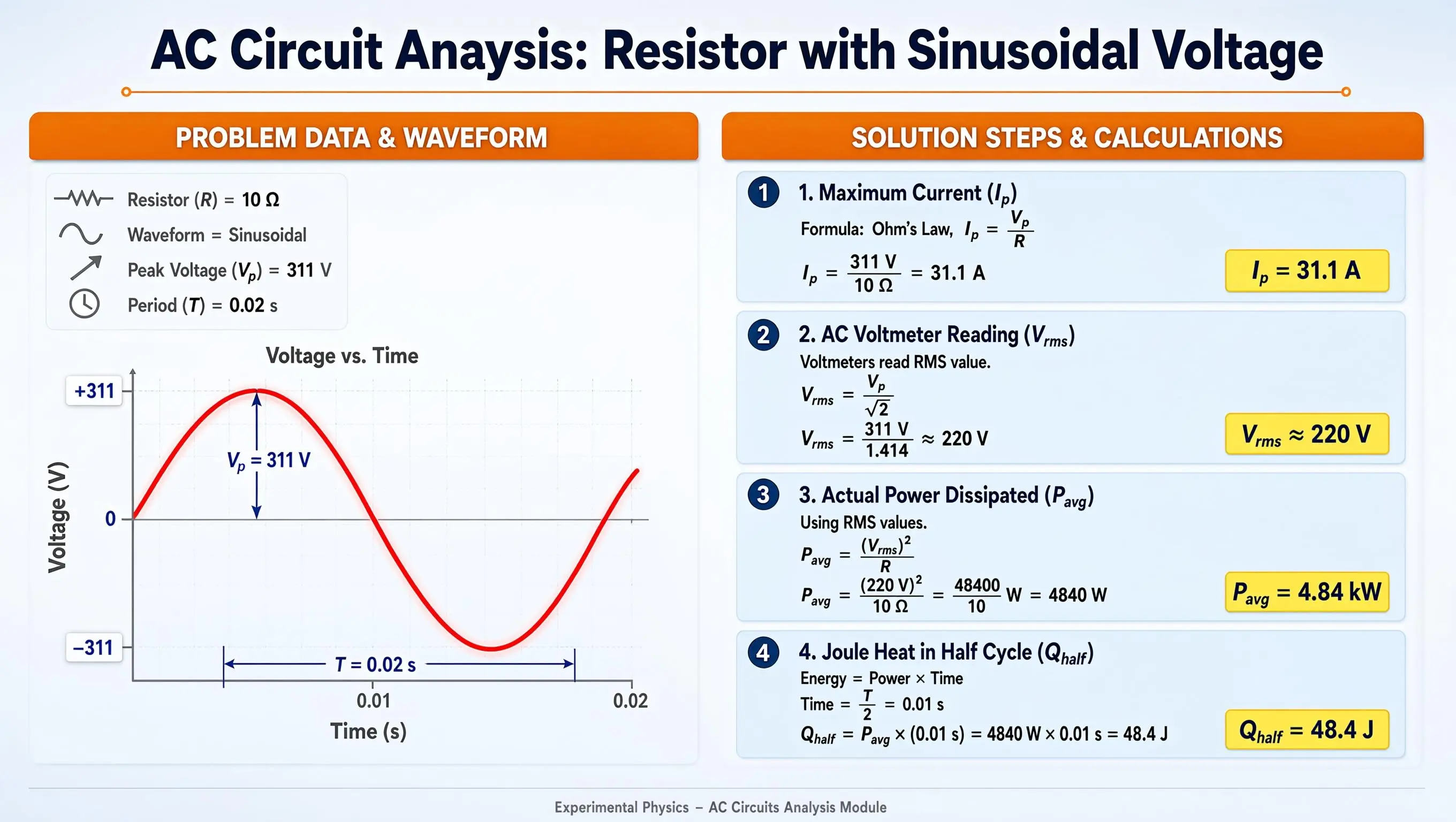 | Illustration design 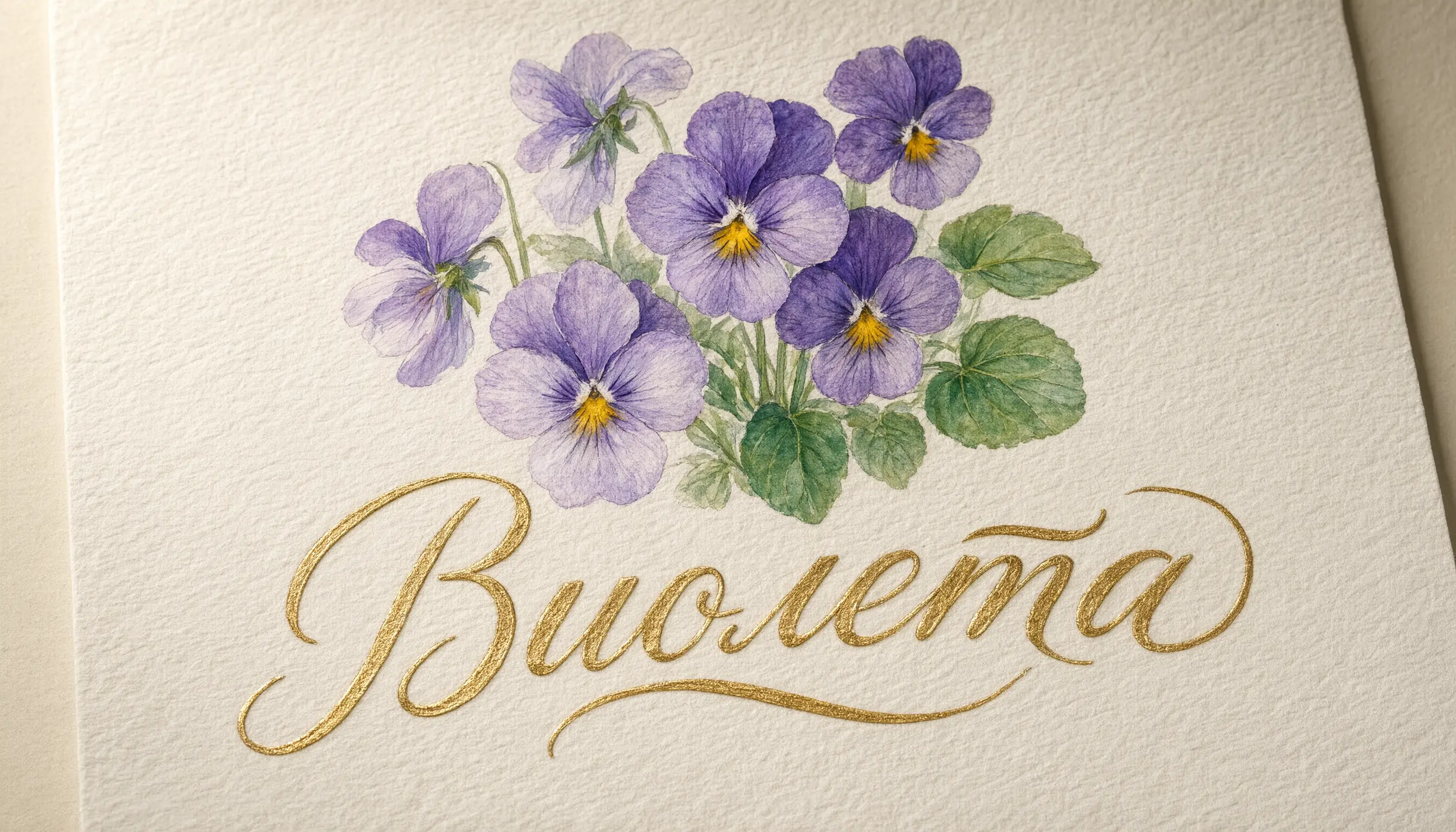 |
Click to view prompt
Click to view prompt
Complex layout:Ultra-long paragraphs:Realistic portraits:UI design:PPT creation:Illustration design:
Wan
Portrait photography 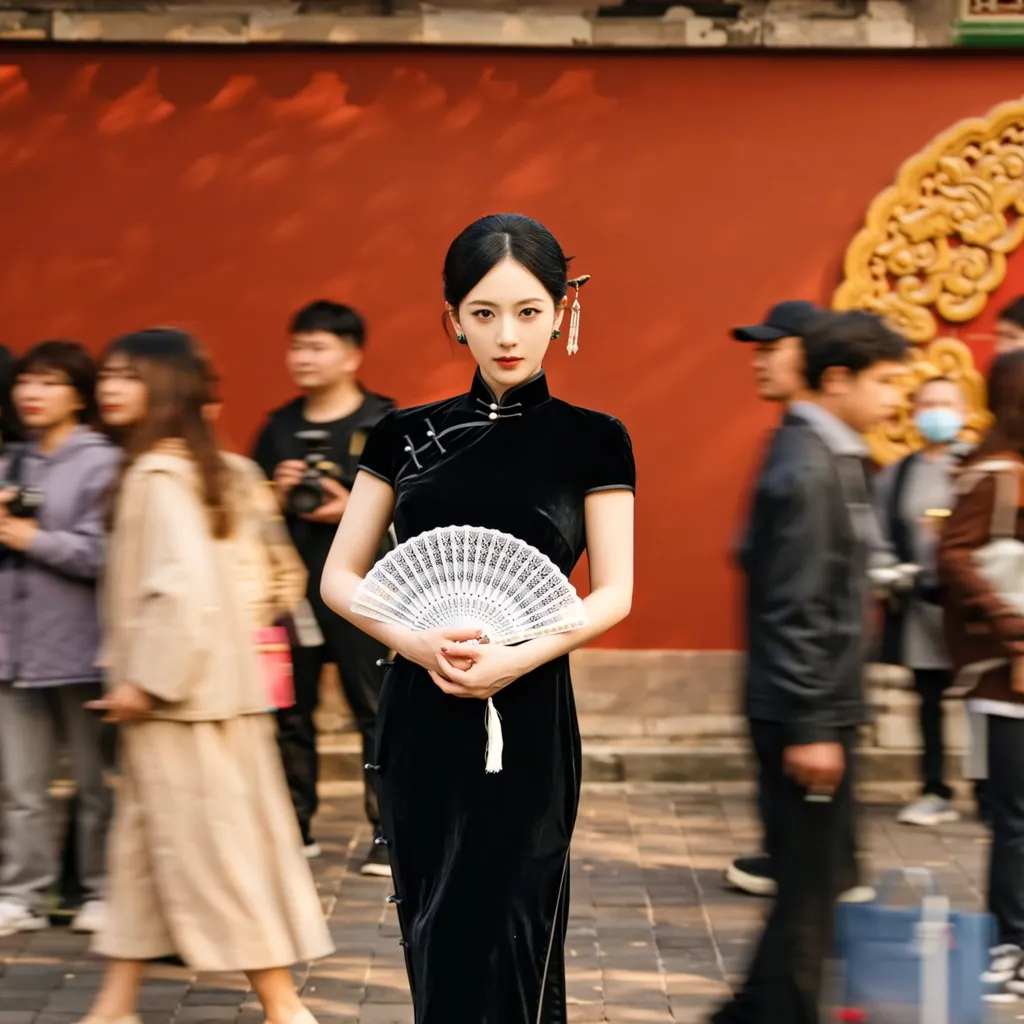 | Realistic photography 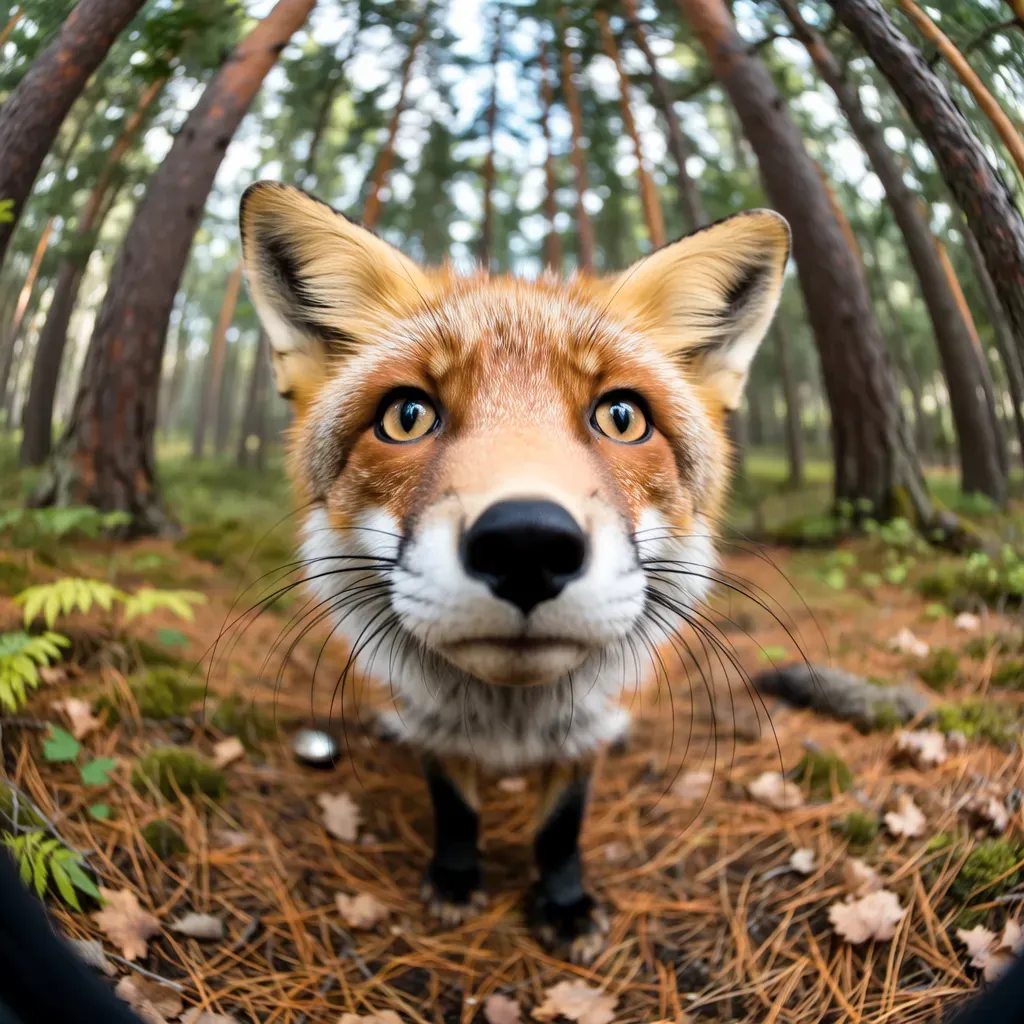 | Painting styles 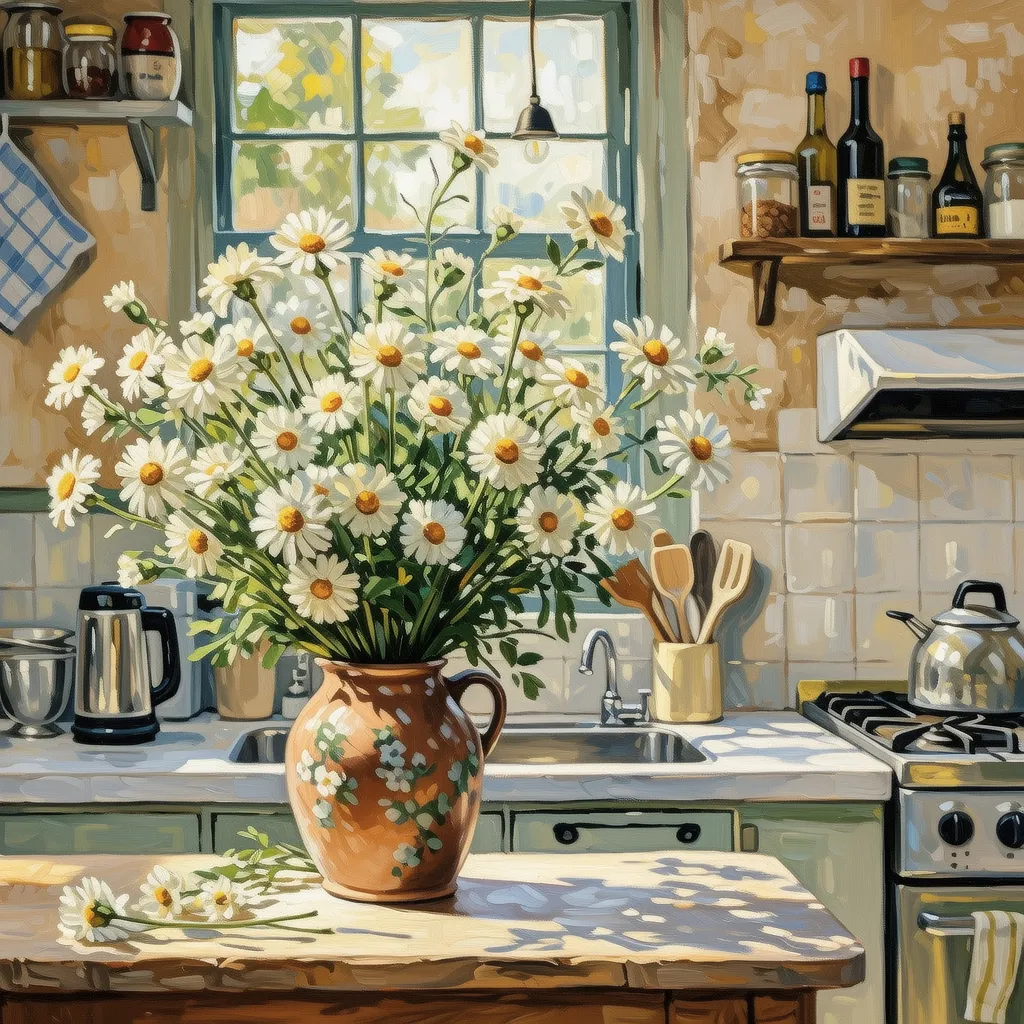 |
Text generation 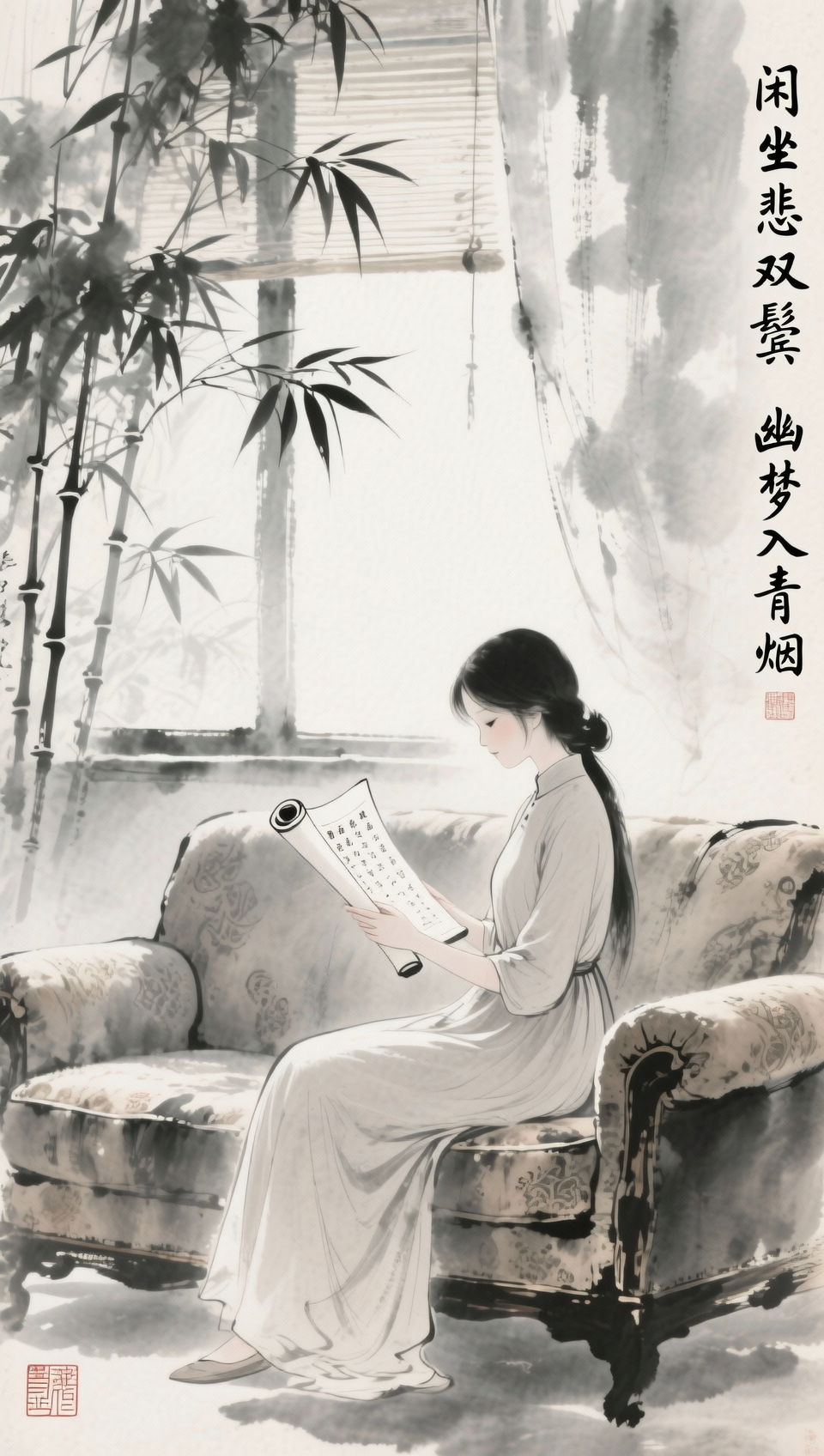 | Poster design 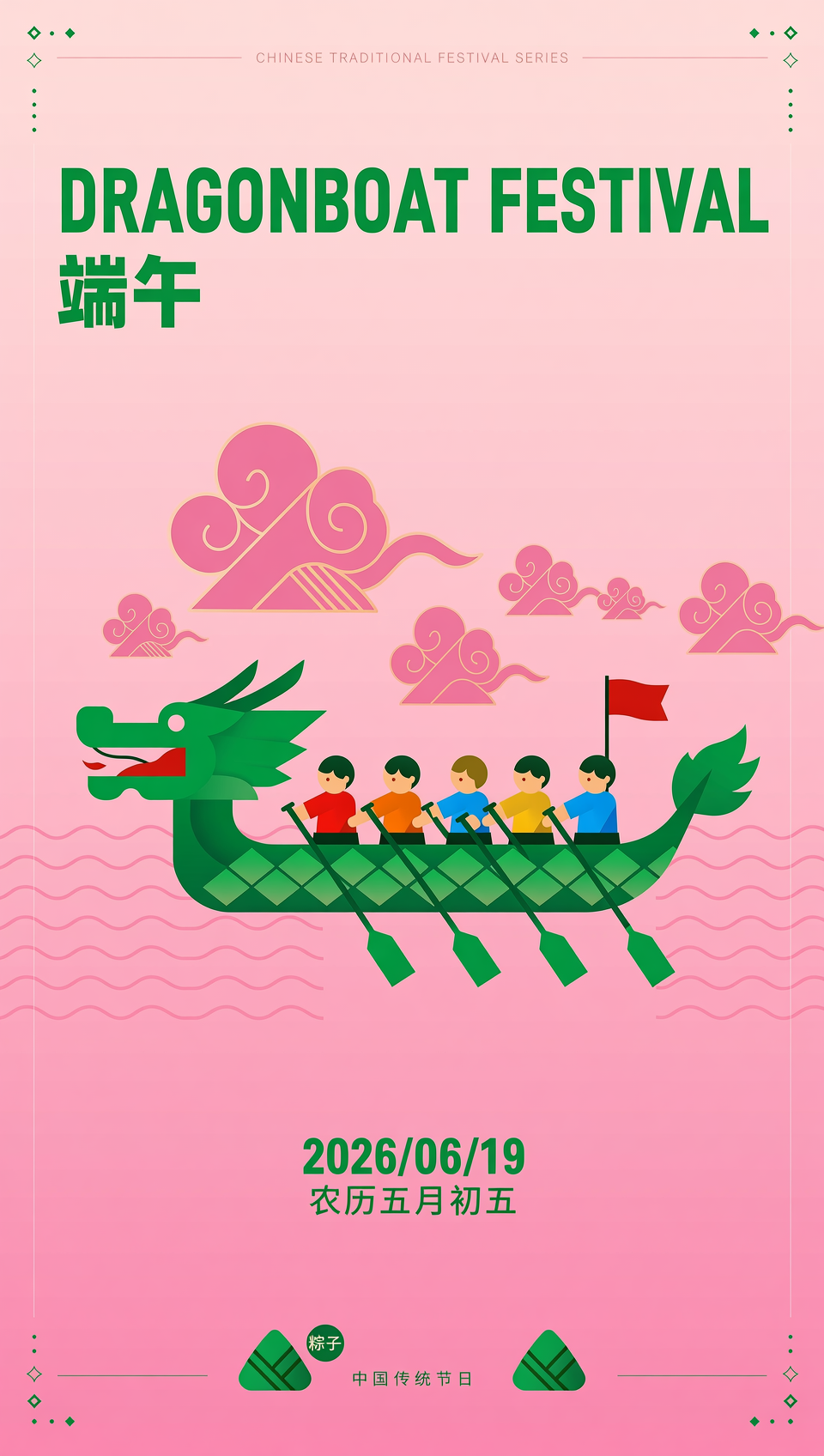 | Image set generation 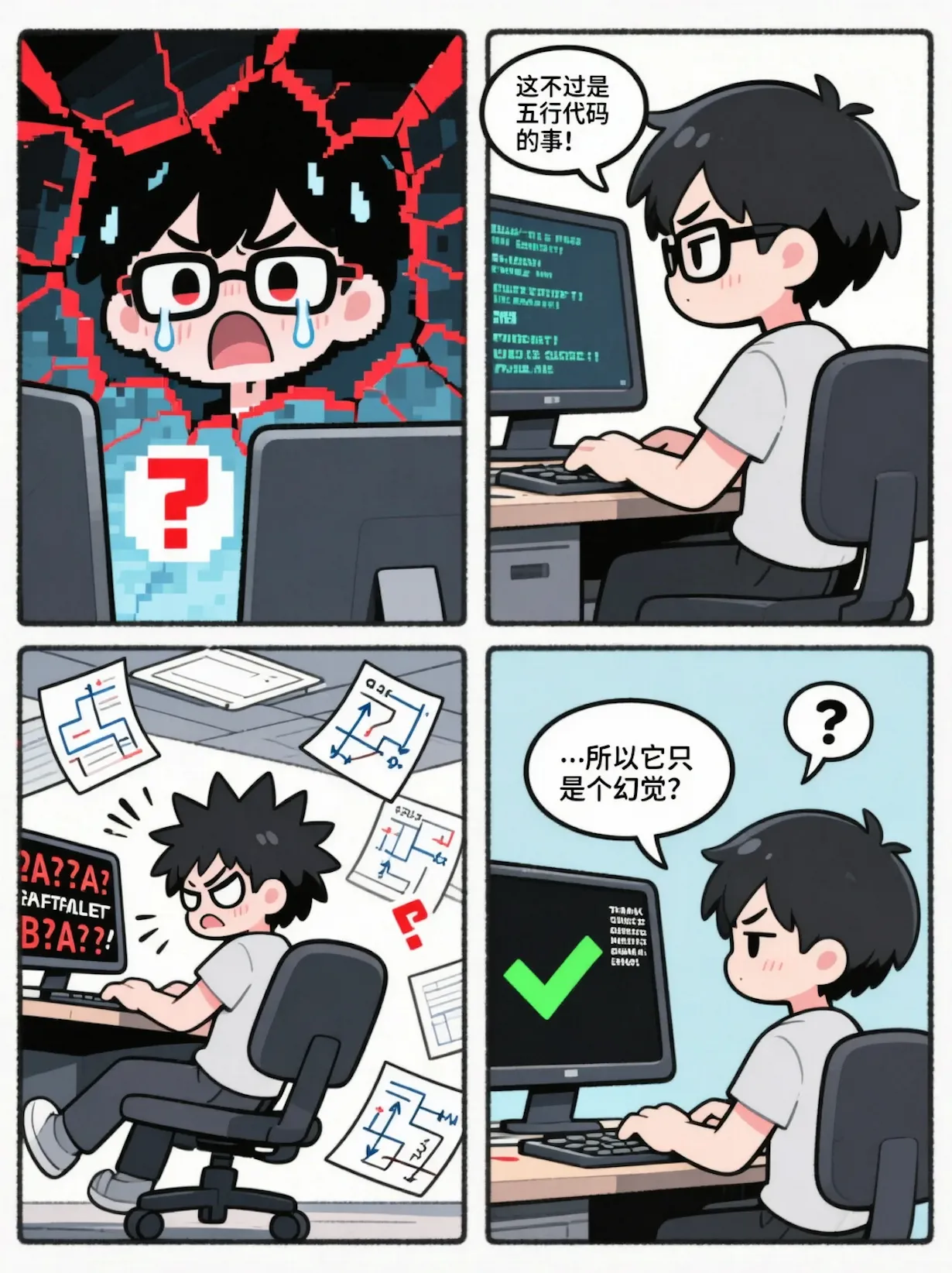 |
Click to view prompt
Click to view prompt
Portrait photography: Photo, photographic portrait, realistic portrait: The background is the red wall of the Forbidden City, with a woman in a black qipao holding a fan, long-exposure photography, Wong Kar-wai cinematic feel, a sense of storytelling, crowds coming and going, hazy light forming blurred trails, soft-focus photography, deep and mysterious eyes, full of artistic flavor.Realistic photography: Realistic photography, a fox in the forest gazing into the camera, a fisheye perspective creating a strong sense of depth, clear fur details, background trees stretched into circular shapes, watercolor style, soft tones.Painting styles: A bunch of wildflowers in an old ceramic pot, with a country kitchen in the background, Impressionist style, soft brushstrokes, warm light, oil painting textureText generation: Chinese ink brush painting style, with rice paper texture clearly visible, pale ink washes rendering the hazy outline of a living room. An Eastern young woman in a plain long dress sits cross-legged on an old fabric sofa with softly blurred edges, her face lowered in profile, holding an unrolled scroll of poetry drafts, while bamboo shadows sway outside the window and a light breeze stirs the curtains. The composition leaves abundant negative space, with a line of verse in small regular script inscribed on the right — "Sitting idle, grieving my graying temples; a quiet dream drifts into blue smoke" — and a vermilion seal stamped in the lower left corner. The ink shades are well balanced, with flying-white brushstrokes sketching a sense of flowing light and shadow; the mood is empty, still, and profound, as if lingering notes of a guqin hovered in the air.Poster design: Flat geometric illustration style, a Dragon Boat Festival poster, magazine cover. Colors and background: pink gradient as the dominant tone, creating a soft, festive background that sets a warm and traditional tone. Text elements: green fonts with shadow effects; the main copy highlights "DRAGONBOAT FESTIVAL" and "Duanwu" on two lines without separating them, with "2025/05/31" and "the fifth day of the fifth lunar month" below the body information to emphasize the Dragon Boat Festival date "2025/05/31". Main graphic: a dragon boat with a green dragon body and pink dragon fins, highly saturated colors with strong contrast, auspicious cloud elements scattered around, and figures seated on the boat to echo the dragon boat racing scene and add festive vitality. Detail accents: the words "Traditional Chinese Festival" paired with small zongzi icons to enrich the cultural details. A premium, minimalist layout, a master's outstanding work. Simple, fashionable, and grand, a new Chinese-style traditional poster; the font should not have a shadow style.Image set generation: A four-panel Japanese-style chibi comic, cel-shading style. Panel 1: A programmer with black-framed glasses faces a red error popping up on the screen, pupils quaking, cold sweat flying, the background turning into a cracked pixel abyss. Panel 2: He rolls up his sleeves and hammers the keyboard, raising an eyebrow confidently, with a speech bubble over his head reading "This is just a matter of five lines of code!" Panel 3: The screen is covered with chaotic error symbols, his hair standing on end, dark circles under his eyes, chair tilted back 45 degrees, discarded flowcharts drifting across the ceiling. Panel 4: After a gray comment line is deleted by mistake, a green checkmark flashes on the screen; he tilts his head blankly as a question-mark bubble rises from the screen: "...so it was just a hallucination?"
Model selection
- qwen-image-3.0-pro: Flagship quality, supports smart prompt rewriting, excels at text rendering, and can precisely generate Chinese and English text that fits physical materials.
- qwen-image-2.1-pro: The best balance of speed, quality, and cost. Image-to-image supports passing in up to 10 reference images and can automatically decide whether to output a normal image or an image with a transparent channel based on the prompt.
- qwen-image-2.1-turbo: Extreme cost-effectiveness, offering the best overall value in the Qwen-Image series. Image-to-image supports passing in up to 10 reference images and can automatically decide whether to output a normal image or an image with a transparent channel based on the prompt.
QuickStart
Prerequisites
Before you make a call, obtain and configure an API Key, and then configure the API Key in environment variables. If you call through the DashScope SDK, you also need to install the SDK.
Sample Code
The following example uses the synchronous call method. The Qwen image series also supports asynchronous calls. For how to call Wan series models, see the corresponding API reference documentation.
- Python
- Java
- curl
- dashscope CLI
Key capabilities
1. Prompt following
Parameters: messages.content.text or input.prompt (required), and negative_prompt (optional).
- text \ prompt (positive prompt): Describes the content, subject, scene, style, lighting, and composition you want to see in the image. This is the core control parameter for text-to-image.
- negative_prompt (negative prompt): Describes content you do not want to appear in the image, such as "blurry" or "extra fingers." Used only to help optimize generation quality.
- Text rendering (in-image text): The model can generate Chinese and English text in images, but long text (such as a complete ancient poem, a long paragraph, or multi-line text) is difficult to reproduce word for word, and issues such as misspelled, missing, or similar-looking substituted characters can occur. If you require accurate in-image text, keep the in-image text as short as possible, retain only key titles or short phrases, or post-edit the key text in the generated images.
The negative_prompt parameter is not supported by wan2.7-image-pro, wan2.7-image, and the qwen-image-2.1 series. For elements you do not want to appear, describe them in the positive prompt (do not include xxx).
2. Enable prompt rewriting
Parameter: parameters.prompt_extend (Boolean, defaults to true).
This feature automatically expands and optimizes short prompts to improve image quality. Enabling this feature adds 3 to 5 seconds, which is spent rewriting the text with a large model.
Recommendations:
- Recommended to enable: When the input prompt is brief or broad, this feature can significantly improve image quality.
- Recommended to disable: If you need to control image details, have already provided a detailed description, or are sensitive to response latency. Please explicitly set the parameter
prompt_extendtofalse.
TheParameter:prompt_extendparameter is not supported by wan2.7-image-pro and wan2.7-image. To improve image quality, enablethinking_modeinstead.
parameters.prompt_extend_mode (string, optional, defaults to direct). Supported only by the qwen-image-3.0 and qwen-image-2.1 series. It specifies the rewriting method used when prompt_extend is enabled:
direct: Direct Prompt Enhancement (DPE), suitable for most scenarios. Supported for both text-to-image (T2I) and image-to-image/image editing (I2I).agent: Agent Prompt Enhancement (APE), which provides more refined rewriting. Supported only for text-to-image (T2I). Passingagentin an image-to-image/image editing (I2I) scenario returns a 400 error.
3. Set the output image resolution
Parameter: parameters.size (string), in the "width*height" format.
- qwen-image-3.0 series, qwen-image-2.1 series: 512*512 to 2048*2048, aspect ratio 1:8 to 8:1. If not specified, the model auto-recommends a resolution.
- qwen-image-2.0 series: 512*512 to 2048*2048, default 2048*2048.
- wan2.7-image-pro: Supports
1K/2K/4Kshorthands or custom 768*768 to 4096*4096, default 2K. Aspect ratio 1:8 to 8:1. - wan2.7-image: Supports
1K/2Kshorthands or custom 768*768 to 2048*2048, default 2K. Aspect ratio 1:8 to 8:1. - For earlier Wan models, see the corresponding API reference.
wan2.7-image-pro supports 4K and custom 40964096 resolutions only in text-to-image scenarios (no image input, and not image set generation). All other scenarios support only 2K and 20482048 resolutions.Recommended resolutions:
Aspect ratio | 4K (wan2.7-image-pro) | 2K (wan2.7-image, qwen-image-3.0 series, qwen-image-2.1 series, qwen-image-2.0 series) | 1K (Wan t2i) |
|---|---|---|---|
1:1 | 4096*4096 | 2048*2048 | 1280*1280 |
16:9 | 4096*2304 | 2688*1536 | 1696*960 |
9:16 | 2304*4096 | 1536*2688 | 960*1696 |
4:3 | 4096*3072 | 2368*1728 | 1472*1104 |
3:4 | 3072*4096 | 1728*2368 | 1104*1472 |
4. Image set generation
Parameter: parameters.enable_sequential (Boolean, defaults to false). Supported only by wan2.7-image-pro and wan2.7-image.
When set to true, image set generation mode is enabled. In this mode, the model generates multiple story-coherent images in a single request based on the prompt and any reference images.
- Number of generated images: Controlled by the
nparameter. When image set generation mode is enabled, the value ranges from 1 to 12 (default 12). The actual number is determined by the model and does not exceed n. - Note: When image set generation mode is enabled, the
thinking_modeandcolor_paletteparameters are unavailable.
5. Thinking mode
Parameter: parameters.thinking_mode (Boolean, defaults to true). Supported only by wan2.7-image-pro and wan2.7-image.
When enabled, the model uses enhanced reasoning to improve image quality, at the cost of longer generation time.
Available only when image set generation is disabled (enable_sequential=false).
6. Custom color theme
Parameter: parameters.color_palette (array). Supported only by wan2.7-image-pro and wan2.7-image.
Customize the color scheme of generated images by passing an array of objects that contain colors (hex) and ratios (ratio). You must include 3 to 10 colors; 8 is recommended. The sum of all ratio values must equal 100.00%.
Available only when image set generation is disabled (enable_sequential=false).
Click to view an input example
Click to view an input example
7. Other common parameters
Parameter: parameters.n (integer, optional, default: 1). The number of output images. The qwen-image-3.0 and qwen-image-2.1 series support 1 to 6 images; wan2.7-image-pro and wan2.7-image support 1 to 4 images when image set generation is disabled. When image set generation is enabled, this parameter specifies the maximum number of images to generate (range: 1 to 12, default: 12). See "Image set generation" above for details.
The value of n directly affects cost: cost = unit price × number of successfully generated images.Parameter:
parameters.seed (integer, optional, range: [0, 2147483647]). Random seed. If not provided, the service selects one randomly. Using the same seed produces relatively stable results. For specific support, see the API reference for each model.
Parameter: parameters.watermark (bool, optional, default: false). Whether to add a watermark. The watermark appears in the bottom-right corner of the image and reads "AI-generated".
Production deployment
-
Fault tolerance
- Handling rate limiting: When the API returns the
Throttlingerror code or the HTTP 429 status code, rate limiting has been triggered. For rate limiting handling, see Rate limiting. - Polling for asynchronous tasks: When polling for the result of an asynchronous task, use a reasonable polling strategy (for example, poll every 3 seconds for the first 30 seconds, then lengthen the interval) to avoid triggering rate limiting with overly frequent requests. Set a final timeout for the task (for example, 2 minutes); if the task times out, mark it as failed.
- Handling rate limiting: When the API returns the
-
Risk prevention
- Persist results: The image URLs returned by the API are valid for 24 hours. Your production system must download the image immediately after receiving the URL and transfer it to your own persistent storage service, such as Alibaba Cloud Object Storage Service (OSS).
- Content moderation: All
promptandnegative_promptinputs are subject to content moderation. If the input is non-compliant, the request is blocked and aDataInspectionFailederror is returned. - Copyright and compliance risks of generated content: Ensure that your prompts comply with applicable laws and regulations. Generating content that includes brand trademarks, celebrity likenesses, or copyrighted IP characters may pose infringement risks. Evaluate these risks yourself and assume the associated responsibility.
Billing and rate limits
- For billing details, see Model pricing.
- For rate limit details, see Rate limits.
Calling Wan models requires an available account balance.
API reference
- Qwen - Image Generation and Editing
- Qwen-Image
- Wan - Image Generation and Editing 2.7
- Wan - Image Generation and Editing 2.6
- Wan - Text-to-Image V2
- Text-to-Image Z-Image
Error codes
If the model call fails and returns an error message, see Error codes for resolution.
FAQ
Q: How long are image URLs valid? How do I save images permanently?
A: Image URLs are valid for 24 hours. You must download the image immediately after receiving the URL and save it to your own persistent storage, such as a local server or Alibaba Cloud Object Storage Service (OSS).
Q: My API call returns a DataInspectionFailed error. How do I resolve this?
A: This error means your input triggered content moderation. Review the prompt or negative_prompt text, remove any non-compliant content, and retry.
Q: When should I enable or disable the prompt_extend parameter?
A: Keep it enabled (the default) when the input prompt is concise or you want the model to be more creative. Set it explicitly to false when the prompt is already detailed and specialized, or when you have strict requirements on API response latency.
Note: The wan2.7-image-pro and wan2.7-image models do not support the prompt_extend parameter. To improve image quality, enable thinking_mode instead.
Q: How do I clear the conversation in the Experience Center?
A: Click Clear current conversation in the upper-right corner of the console.