

This article describes the long-input tiered coefficients and prefix cache conversion rules for throughput reservation, the TPM capacity calculator, capacity consumption and cache hit fields, and FAQs. It applies to both throughput reservation modes (standard and high-speed).
Capacity conversion
The input/output kTPM you purchase (1 kTPM = 1,000 Tokens per minute) is deducted based on converted consumption, not the raw token count: purchasing 200 kTPM does not mean you can consume 200K raw tokens per minute.
- Long input: the portion of input exceeding the tier boundary is scaled up by the long-input tiered coefficient when counted — a 50K input may consume 86 kTPM of quota.
- Prefix cache: input prefixes repeated across requests are cached and reused, and the hit portion is counted at a discount under the cache conversion coefficient — the same 50K input may consume only a few dozen kTPM.
Conversion rules
First, three terms: prefix cache refers to the system caching identical input prefixes across requests for reuse by subsequent requests; when a request's input matches the cached content, it is a cache hit; the discount applied to the hit portion when counting consumption is the cache conversion coefficient.
The two types of coefficients apply to different portions of the input:
- Cache conversion coefficient: applies only to input tokens that hit the cache, counted with the coefficient discount (for example, with a coefficient of 0.2, 30K hit tokens count as only 6 kTPM).
- Long-input tiered coefficient: applies only to the portion exceeding the tier boundary, counted after being multiplied by the scaling factor; the portion within the boundary remains unchanged at 1x (for example, when a 50K input falls in the (32K,256K] tier, only the excess 18K is scaled by 3x). For most models the tiers apply only to the input; for a few models the output is also scaled by the coefficient (see each model row in the table below).
Model | Maximum input tokens | Cache conversion coefficient | Long-input tiered coefficient |
|---|---|---|---|
qwen3.8-max | 1M | 0.125 | No tiers (1.0) |
qwen3.7-flash-2026-07-15 | 1M | 0.2 | Same for input and output |
qwen3.7-max-2026-05-20 | 256K | 0.1 | No tiers (1.0) |
qwen3.7-plus-2026-05-26 | 256K | 0.2 | No tiers (1.0) |
qwen3.6-flash-2026-04-16 | 256K | 1 | No tiers (1.0) |
glm-5.3 | 1M | 0.25 | No tiers (1.0) |
glm-5.2 | 1M | 0.25 | No tiers (1.0) |
deepseek-v4.1-flash | 1M | 0.02 | No tiers (1.0) |
deepseek-v4-flash | 256K | 0.1 | No tiers (1.0) |
deepseek-v4-flash-0731 | 1M | 0.1 | No tiers (1.0) |
deepseek-v4-pro | 256K | 0.08 | No tiers (1.0) |
deepseek-v4-pro-0813 | 1M | 0.1 | No tiers (1.0) |
kimi-k2.6 | 256K | 0.2 | No tiers (1.0) |
qwen3.8-flash | 1M | 0.125 | No tiers (1.0) |
glm-5.1 | 200K | 0.2 | Input >32K 1.33x |
Other models | Refer to the console | Refer to the console | Refer to the console |
- Long-input tiers · Qwen3.7-Flash
- Prefix cache · GLM-5.2
- Dual-factor · GLM-5.1
- The portion not exceeding 32K counts at 1x:
32K × 1= 32 kTPM. - The excess 18K counts at 3x:
18K × 3= 54 kTPM. - Total consumption
32 + 54= 86 kTPM.
- The hit 30K falls within the 1x tier and is further multiplied by 0.2:
30K × 1 × 0.2= 6 kTPM. - The 2K within the first 32K that missed the cache counts at 1x:
2K × 1= 2 kTPM. - The excess 18K counts at 3x:
18K × 3= 54 kTPM. - Total consumption
6 + 2 + 54= 62 kTPM, about 28% less than without the cache.
Capacity estimation
Before purchasing, use the TPM capacity calculator to estimate the capacity you need: enter your expected business workload to get the recommended input/output kTPM to purchase.
| Parameter | What to enter | Impact on recommended values |
|---|---|---|
| Requests per Minute (RPM) | Number of requests per minute during business peak | The higher the RPM, the higher both the input and output recommended values |
| Average Input Length (tokens) | Average number of input tokens per request | The longer the input, the higher the input recommended value |
| Average Output Length (tokens) | Average number of output tokens per request | The longer the output, the higher the output recommended value |
| Cache hit ratio | Expected proportion of prefix cache hits | Only lowers the input recommended value; does not affect the output recommended value |

Viewing consumption in the console
On the throughput reservation page of the Bailian console, expand the target model card — the Overview and Monitoring tabs show how converted consumption is running:
Overview: utilization and overage degradation
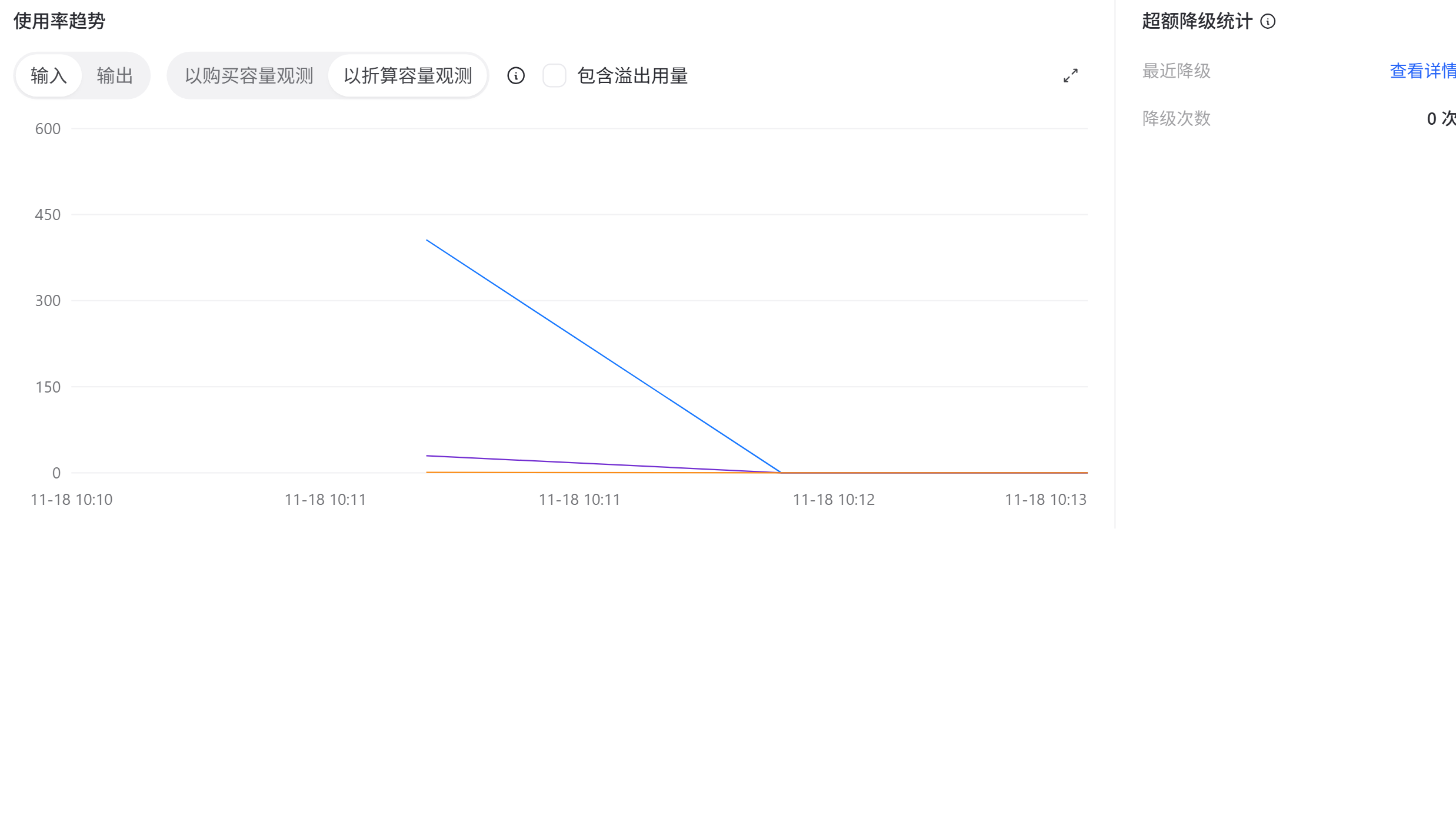
- Utilization Trend: After you turn on the View by converted capacity switch, the curve shows consumption calculated with the conversion method on this page. Three statistics modes:
- View by purchased capacity: Uses purchased capacity as the baseline, for checking whether the purchase is sufficient.
- View by converted capacity: Uses converted capacity as the baseline, reflecting the actual effect of long-input and cache conversion.
- Include overflow usage: Additionally counts the portion that overflows to pay-as-you-go billing in usage.
- Overage Degradation Statistics: The number of times converted consumption was degraded after exceeding purchased capacity — long input amplified by tiering is a common cause of overage degradation.
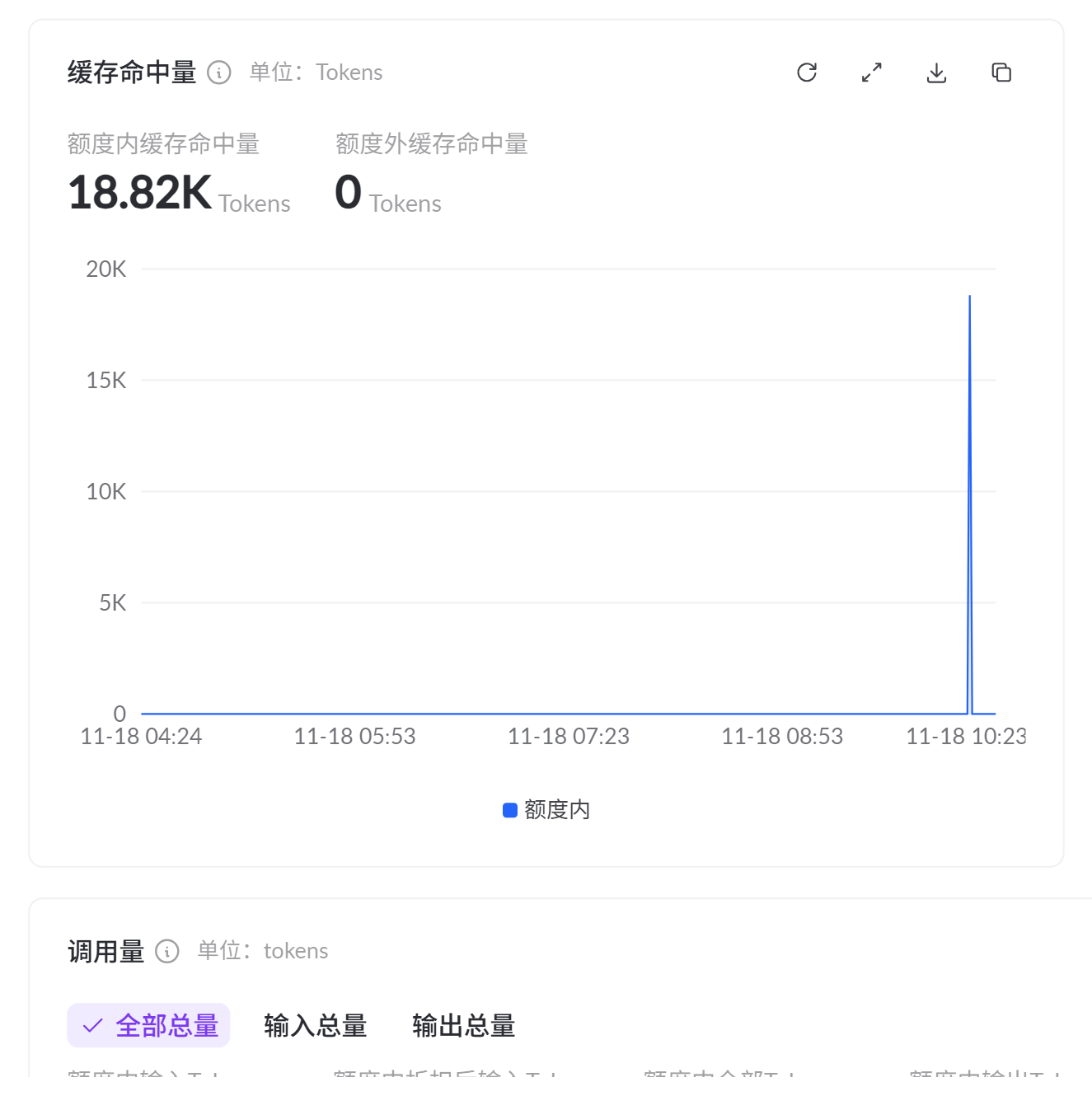
Monitoring: cache hit
Viewing actual consumption via API
After you make a call with the exclusive model code, three fields in the response respectively indicate: whether reserved capacity was hit, how much converted capacity was consumed, and the cache hit status:
| Field | Description |
|---|---|
service_tier | Billing method for this call: ptu_default = consuming standard-mode reserved capacity, ptu_fast = consuming high-speed-mode reserved capacity, null or not returned = reserved capacity not hit, billed on a pay-as-you-go basis |
provisioned_tokens | Number of reserved capacity tokens consumed in this call, already the converted value (including long-input tiering and cache conversion) |
cached_tokens | Number of input tokens that hit the prefix cache; greater than 0 means the cache is in effect; see Context cache for the mechanism and limits |
- OpenAI Chat compatible
- OpenAI Responses
- Anthropic compatible
- DashScope native
| Field | JSON path |
|---|---|
cached_tokens | usage.prompt_tokens_details.cached_tokens |
provisioned_tokens (input side) | usage.prompt_tokens_details.provisioned_tokens |
provisioned_tokens (output side) | usage.completion_tokens_details.provisioned_tokens |
FAQ
Q: What happens if a single input exceeds the model limit?
Q: What happens if a single input exceeds the model limit?
Q: Why can utilization exceed 100%?
Q: Why can utilization exceed 100%?
Q: How do I confirm that prefix caching is working?
Q: How do I confirm that prefix caching is working?
cached_tokens in the response: a value greater than 0 means part of this input hit the cache, and the hit portion is metered at a discount based on the model's cache conversion coefficient (see Conversion rules for the coefficient); the cache hit ratio curve on the console monitoring tab shows the long-term trend.Q: cached_tokens is always 0. How do I troubleshoot this?
Q: cached_tokens is always 0. How do I troubleshoot this?