

This document describes how to use the API call node.
Node interface
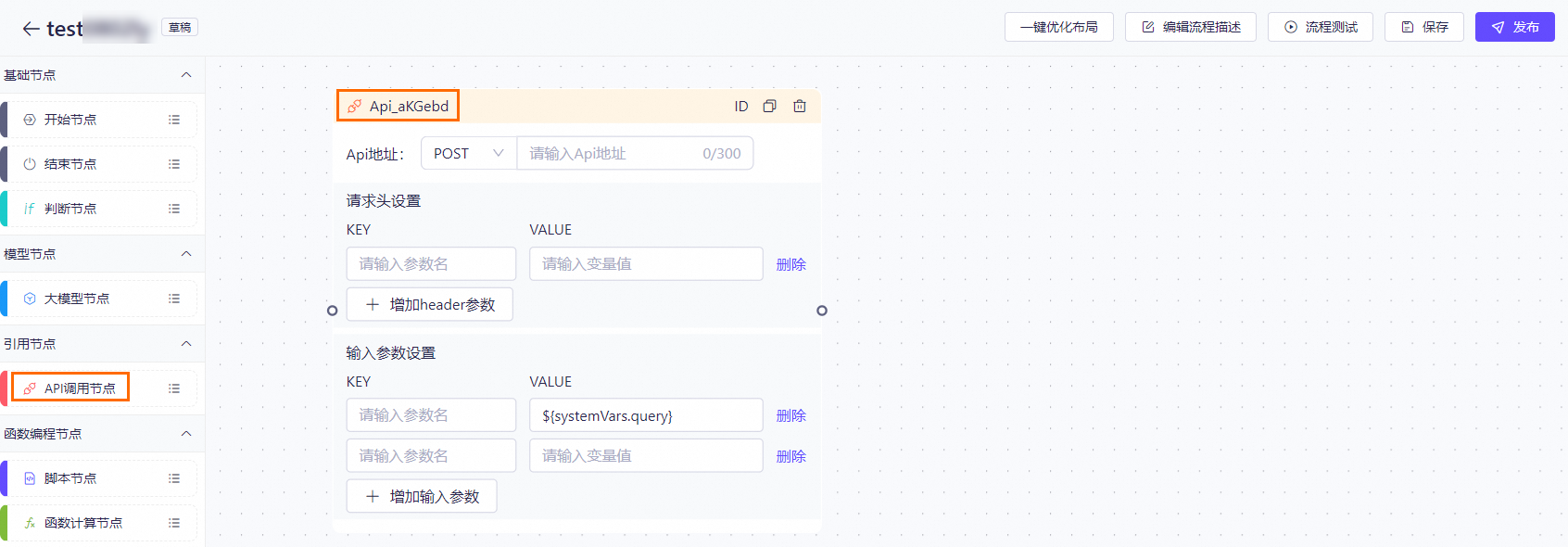
Node description
The API call node enables your AI application to communicate with external services over HTTP/HTTPS. This allows for integration and interaction with external data and features.
Configuration page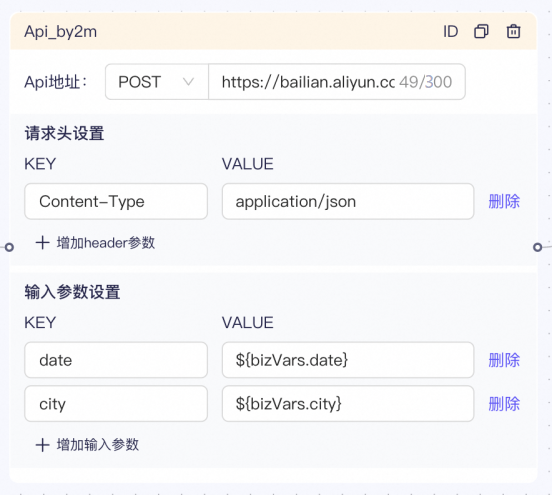
Configuration description
The API node supports the GET and POST HTTP methods. A URL must include the HTTP or HTTPS protocol prefix. You can also configure input parameters and dynamically pass request headers, as shown in the preceding figure.
Note that the API node does not support POST requests with the application/x-www-form-urlencoded content type. You can use a workflow application to perform this task.
Methods for entering variables
1. Manual entry
Depending on the variable type, you can fetch the value from the corresponding result. The format is ${bizVars.abc}. Any input not enclosed in ${} is treated as a constant.
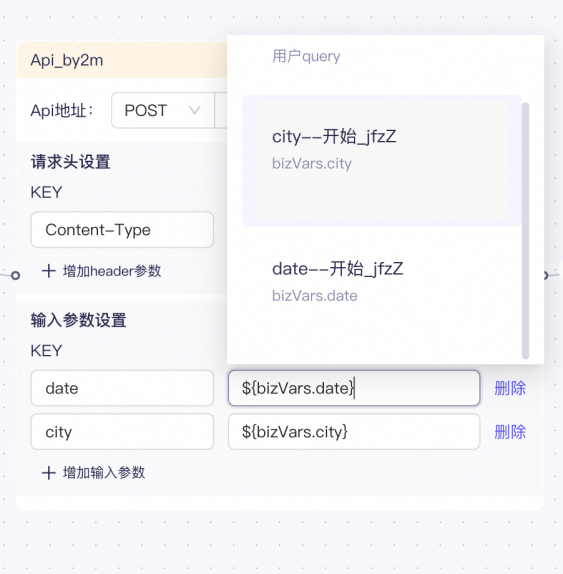
2. Auto-complete suggestions
You can enter / in the interface. A suggestion list appears. Select the desired variable. The result is the same as entering it manually.
Methods for fetching results
To simplify configuration, the API node does not require a defined output parameter format. You can fetch values as follows, assuming the current node ID is Api_xxx.
-
JSON object return value
If the returned data is a JSON object, such as
{"a":1,"b":"cc"}, you can use the expression${svcVars.Api_xxx.response.a}in a subsequent node to retrieve the value of theafield. -
JSON array return value
If the returned data is a JSON array, such as
[{"a":1},{"a":3,"b":"cc"}], you can use the expression${svcVars.Api_xxx.response.list[0].a}in a subsequent node to retrieve theafield from the first item. To retrieve theafield from all items, you can use the expression${svcVars.Api_xxx.response.list.a}. The termlistis the default first-level key. -
Non-JSON return value
For non-JSON return values, such as "How about this question?", you can use the expression
${svcVars.Api_xxx.response.text}in a subsequent node to retrieve the complete data. The termtextis the default first-level key.