This topic describes how to create and manage evaluation dimension templates.
Parameters
Parameter | Description |
|---|---|
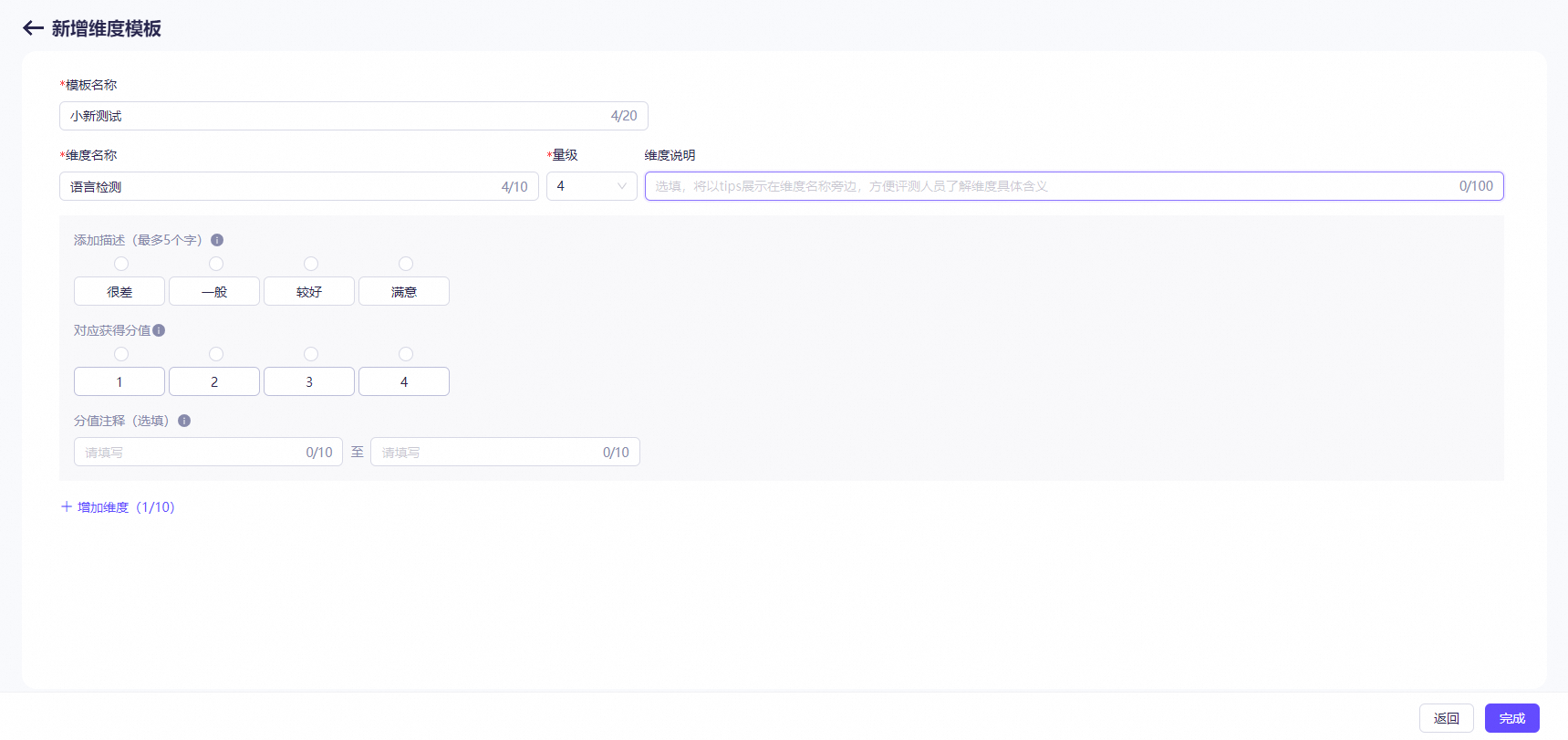
Template name | The name of the evaluation dimension template. You can customize a name. |
Dimension name | The name of the evaluation dimension. |
Dimension description | The specific meaning of the evaluation dimension, which helps evaluators understand the evaluation dimension. This parameter is optional. |
Scaling | The detailed text that evaluators see during evaluation to understand the scale of the evaluation dimension. For example, a numerical dimension may have a 7-point scale that ranges from 1 to 7, and a textual dimension may have a 5-point scale with ratings such as Very Poor, Poor, Fair, Good, and Excellent. |
Score | The score for each scaling level of the evaluation dimension. The scores are used for calculations in reporting and for generating reports. By default, the scores are assigned incrementally from left to right, starting at 1 point on the left (lowest score) up to N points on the right (highest score). The score logic can be customized and mapped to scaling. For example, descriptive labels such as Very Poor, Poor, Fair, Good, and Excellent correspond to scores from 1 to 5. During evaluation, evaluators only see these descriptions without the associated scores. The scores are used for backend calculations. By default, you can add up to 10 evaluation dimensions. After you configure the preceding parameters, click Save. |
Define evaluation dimensions
You can create evaluation dimension templates based on your evaluation requirements. The templates support customization of multi-tiered dimensions and a range of scoring levels. The system provides a variety of predefined templates that are suitable for mainstream evaluation tasks.
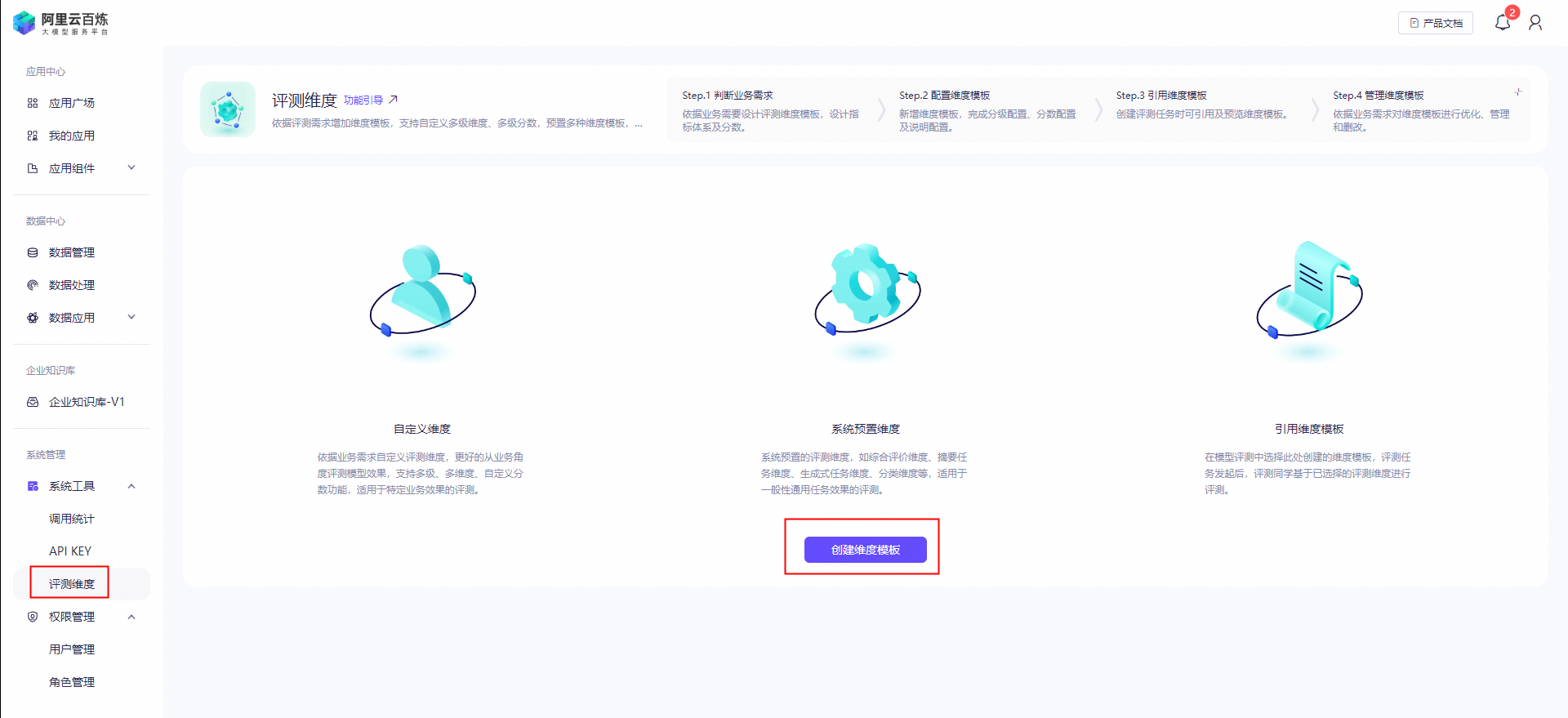
Procedure
- Design an evaluation dimension template, metrics, and scoring criteria based on your business requirements.
- Create an evaluation dimension template by configuring the scaling, score, and description.
- Preview and reference the evaluation dimension template when you create an evaluation task.
- Optimize, manage, delete, and modify the evaluation dimension template based on your business requirements.
View the template list
After you create an evaluation dimension template, you can view and delete the template.