This document describes how to use loops.
Overview
When you use large language models (LLMs), some scenarios require loops. For example, to generate multiple assessment data entries with an LLM, you can execute the current LLM node multiple times. This method avoids adding multiple nodes or making multiple application calls. The intermediate results of a loop are closely related to the implementation of your business logic. To help you easily control the number of iterations and the exit conditions, loops are available as a node property extension.
Loop properties
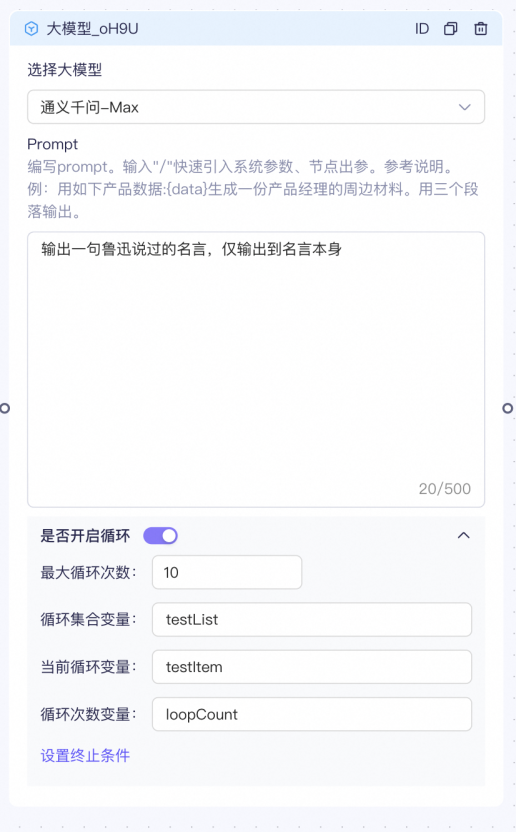
- Maximum Loop Count: The maximum number of iterations. If the Stop Condition is not met, the loop runs for the specified number of iterations. The default value is 2 and the maximum value is 10.
- Loop Collection Variable: When a node loops, each iteration produces a result. This variable stores the results of all iterations as a list.
-
Current loop variable: The result of each loop iteration is stored in this variable. You can use this variable to retrieve the result of the final iteration or to set a termination condition. 4. Loop count variable: The total loop count is stored in this variable. You can use this variable to set a termination condition. For example, if
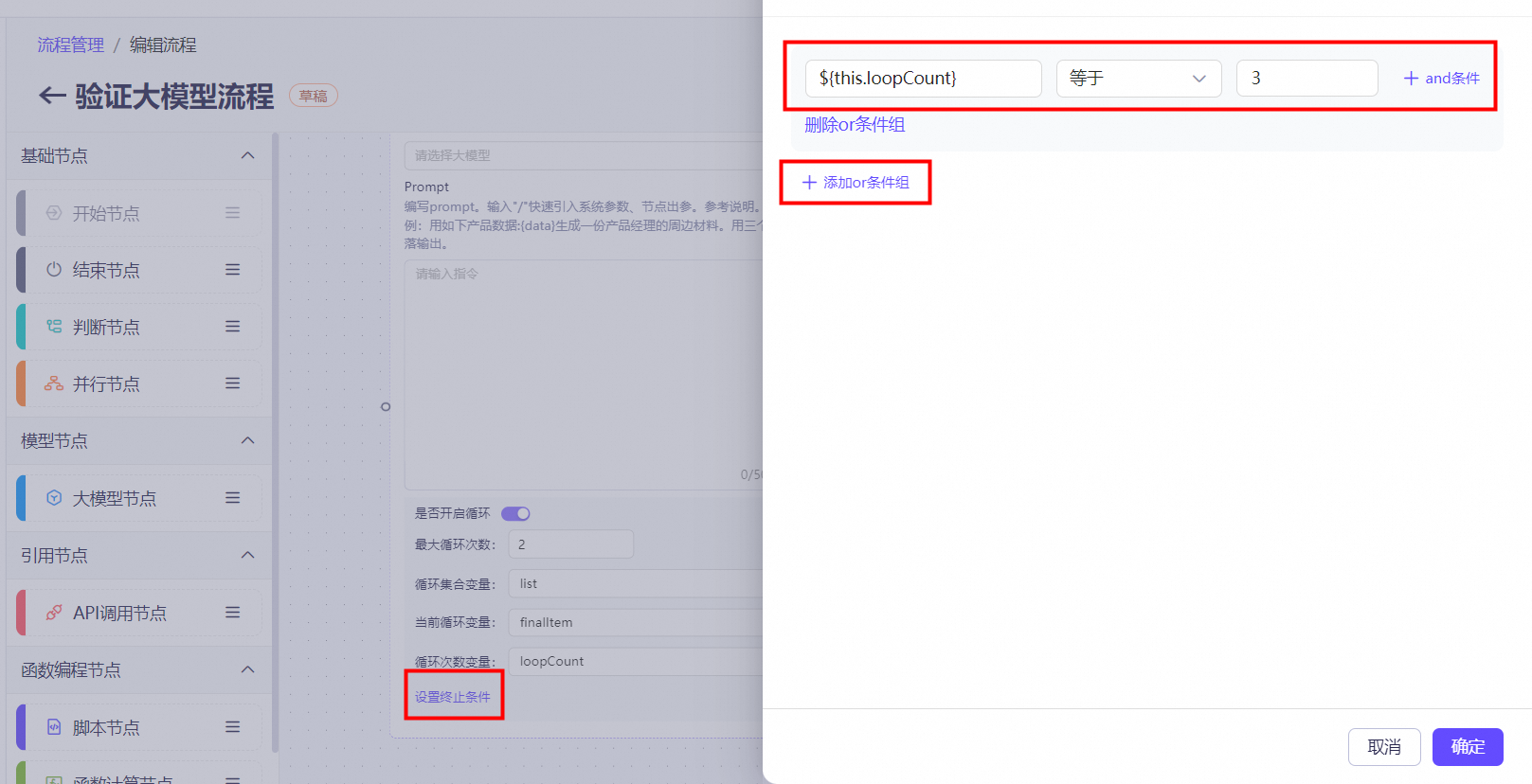
this.loopCount == 2, the loop runs twice and then exits.
- Set Stop Condition: In the Set Stop Condition section, you can configure condition groups to exit the loop. The matching logic is similar to that of a logic node. The difference is that this condition can reference the loop properties of the current node, such as
this.loopCountfor the current number of iterations,this.finalItemfor the result of the current iteration, andthis.listfor the list of loop results. The loop exits when the stop condition is met.
Supported scope
Currently, only large model nodes support loop properties. Support for other nodes will be added in the future based on demand.
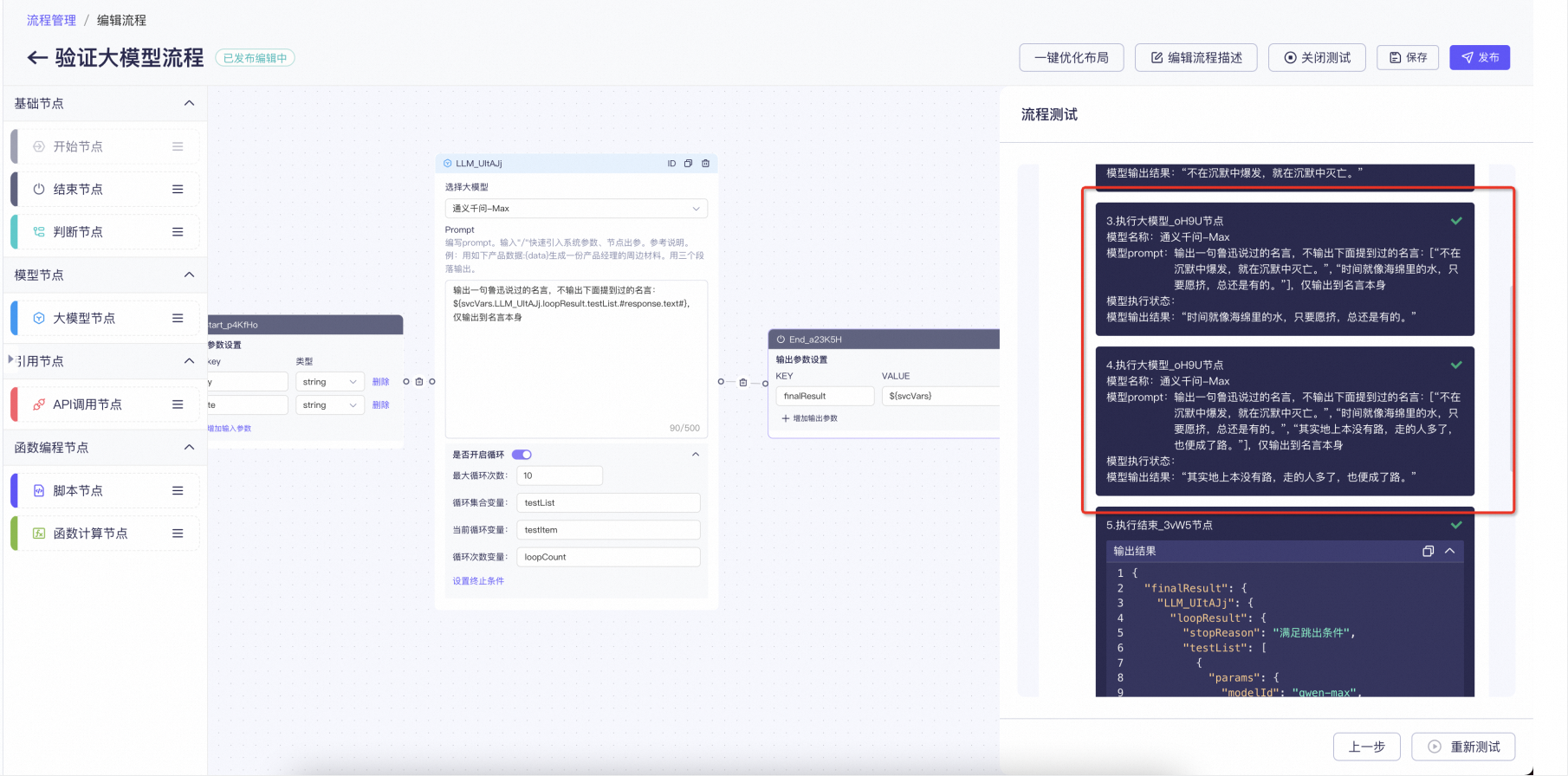
Example result
Loop debug results