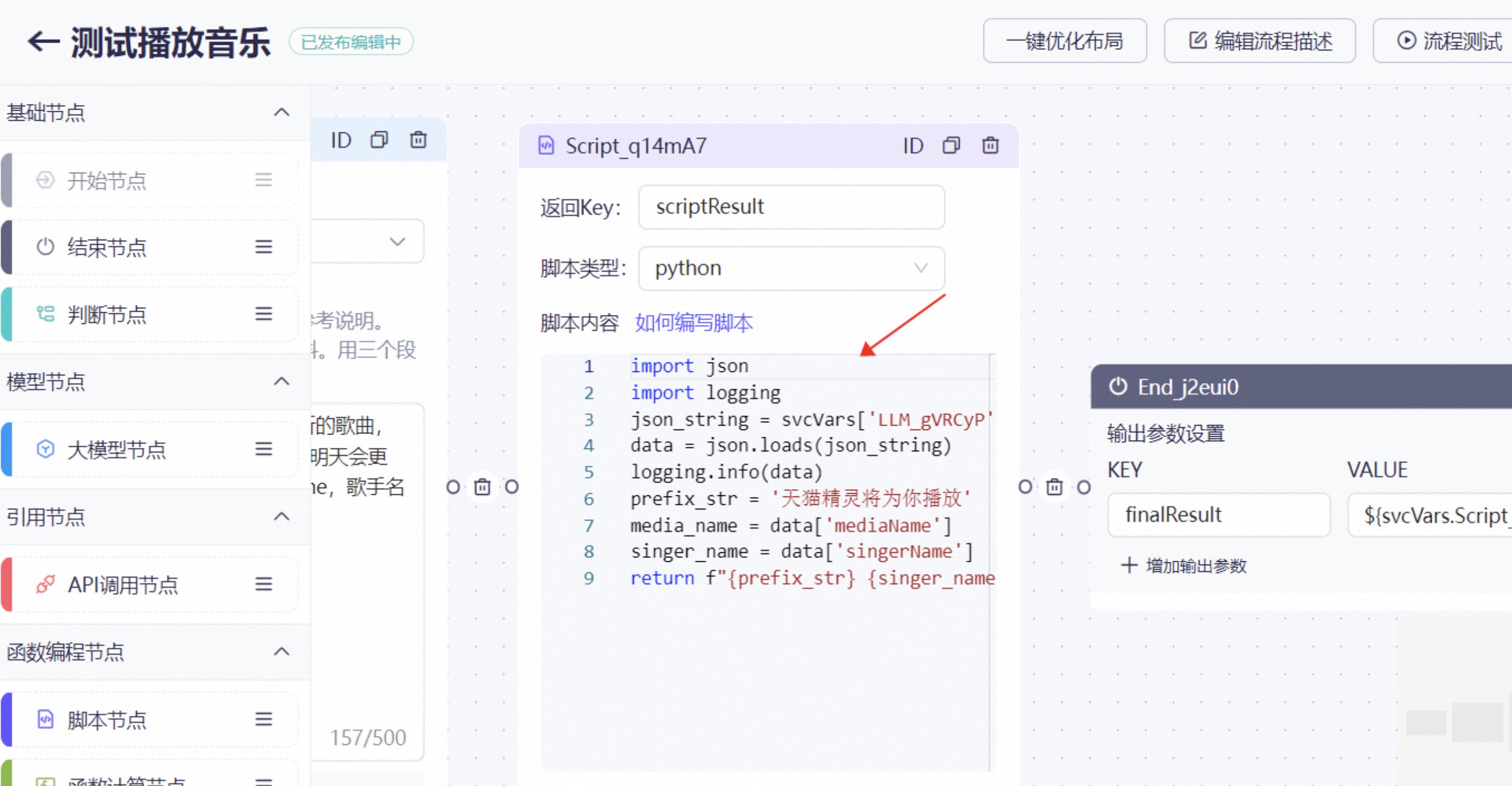
This topic describes how to use script nodes.
Node interface
Go to Application Center > Flow Orchestration > New Flow and click Script Node.
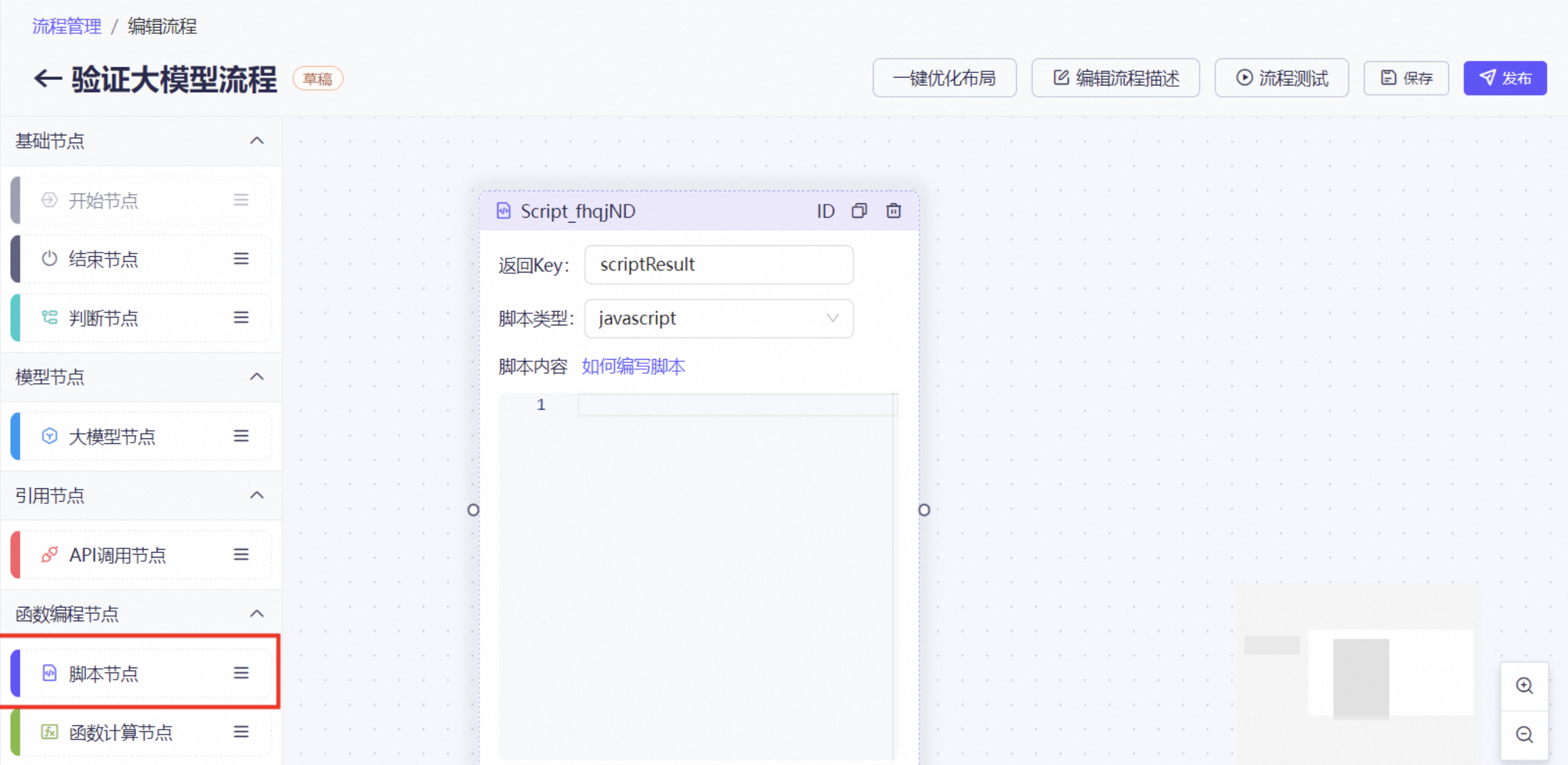
Node description
A script node provides simple code development capabilities for developers. The code runs on a free Function Compute instance in your account. It currently supports JavaScript and Python. The code within a script node is encapsulated in a function. A return statement is used to output the function's result, which can be used in subsequent steps.
Configuration page