

This document describes how to create and use a Large Language Model (LLM) node .
Node interface
Go to Application Center > Flow Orchestration > New Flow, and then click Large Model Node.
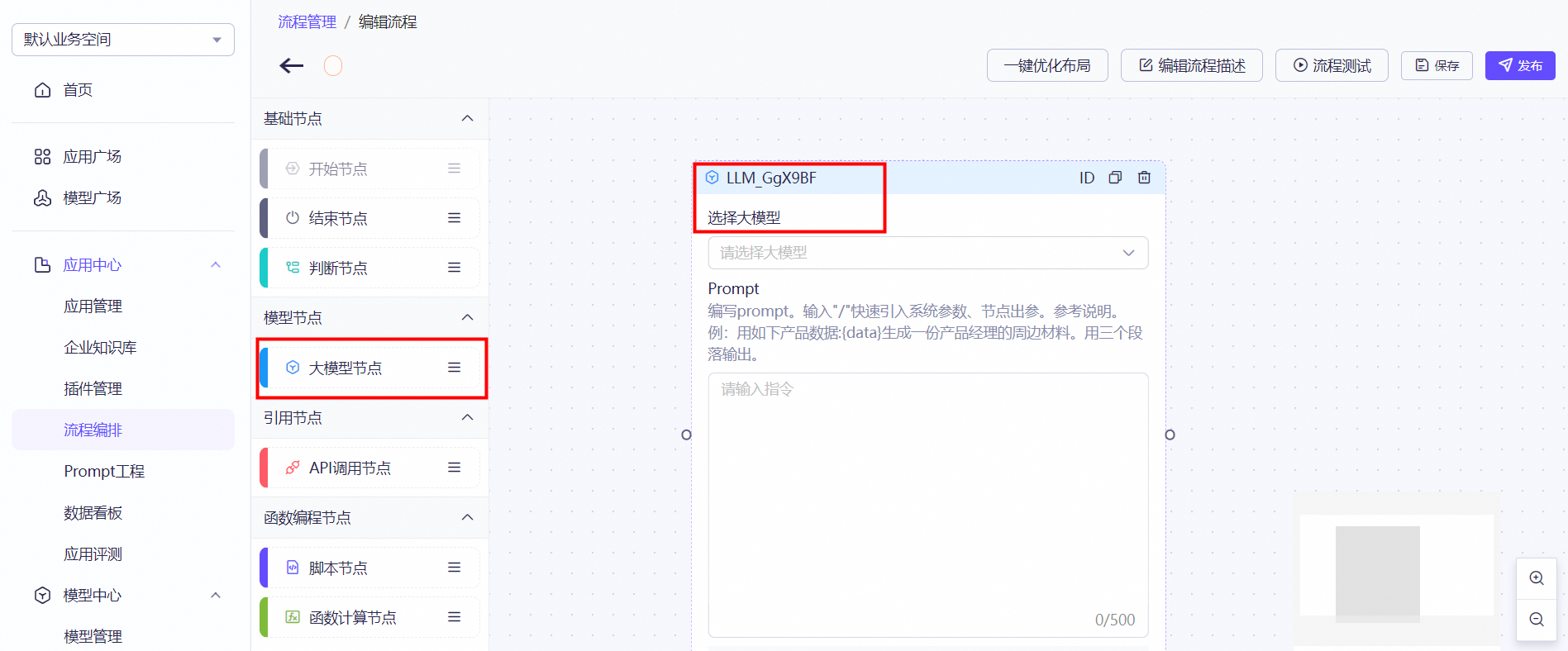
Node description
The LLM node is a large model node. You can use this node to associate with models, such as official models and Supervised Fine-Tuning (SFT) models, to leverage their capabilities.
Configuration
In the large model node, you can select an official, third-party, or your own SFT model. In the text box below, enter a prompt. Prompts support dynamic variable replacement with variables from any part of the flow. For example, a variable such as ${xxx.yyy} is replaced when the flow runs. This provides the large model with a complete prompt.
Methods for entering variables
(1) Manual input
You can obtain the variable from the corresponding result based on its type. For example, ${bizVars.abc}. For more information, see Flow variable definitions and value retrieval.
(2) Suggestions
If the LLM node is connected to a parent node, enter / in the prompt text box. A list of variables appears. You can select a variable from the list. This has the same effect as entering the variable name manually.
