An administrator can assign specific roles to workspace members. These roles are specific to Alibaba Cloud Model Studio and are different from Alibaba Cloud RAM roles. Members are granted permissions to use features based on their assigned roles.
If you are unfamiliar with concepts such as workspaces, workspace members, and Alibaba Cloud accounts, see Permission Management.
Role classification
- Super administrator: This role corresponds to the Alibaba Cloud account. It is unique, cannot be changed, and has administrative permissions for all workspaces under the account.
- Administrator: Has access to all features within a specific workspace.
- Visitor: Has access to all features within a specific workspace except for Space Members Management or Role Management.
Edit user permissions
The Role Management feature includes two default roles: administrator and visitor. A super administrator or an administrator can assign these roles to workspace members to grant them permissions for specific features within the workspace.
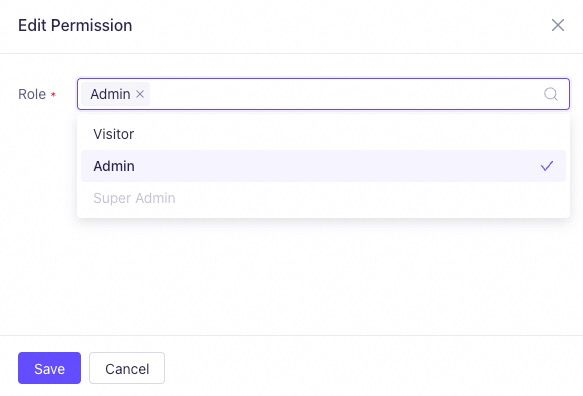
Custom roles are not supported. You cannot assign the super administrator role to workspace members.
- Go to the User Management page. In the row for the target user, click Edit Permission in the Operation column.
-
On the Edit Permission panel, select the required role from the Role drop-down list, and then click Save. Selecting both Visitor and Administrator has the same effect as selecting only Administrator.
Assign the least privilege required to perform a task. This helps avoid unnecessary security risks.