

Write a Technical Spec that spells out features and acceptance criteria, and the model delivers a runnable system in one shot — the bar shifts from knowing how to code to knowing how to write requirements.
Disclaimer: The content shown on this page is generated by an AI model and is for reference only. It does not constitute any guarantee of results. Actual output and Credits consumption are subject to "Usage Details" in the console.
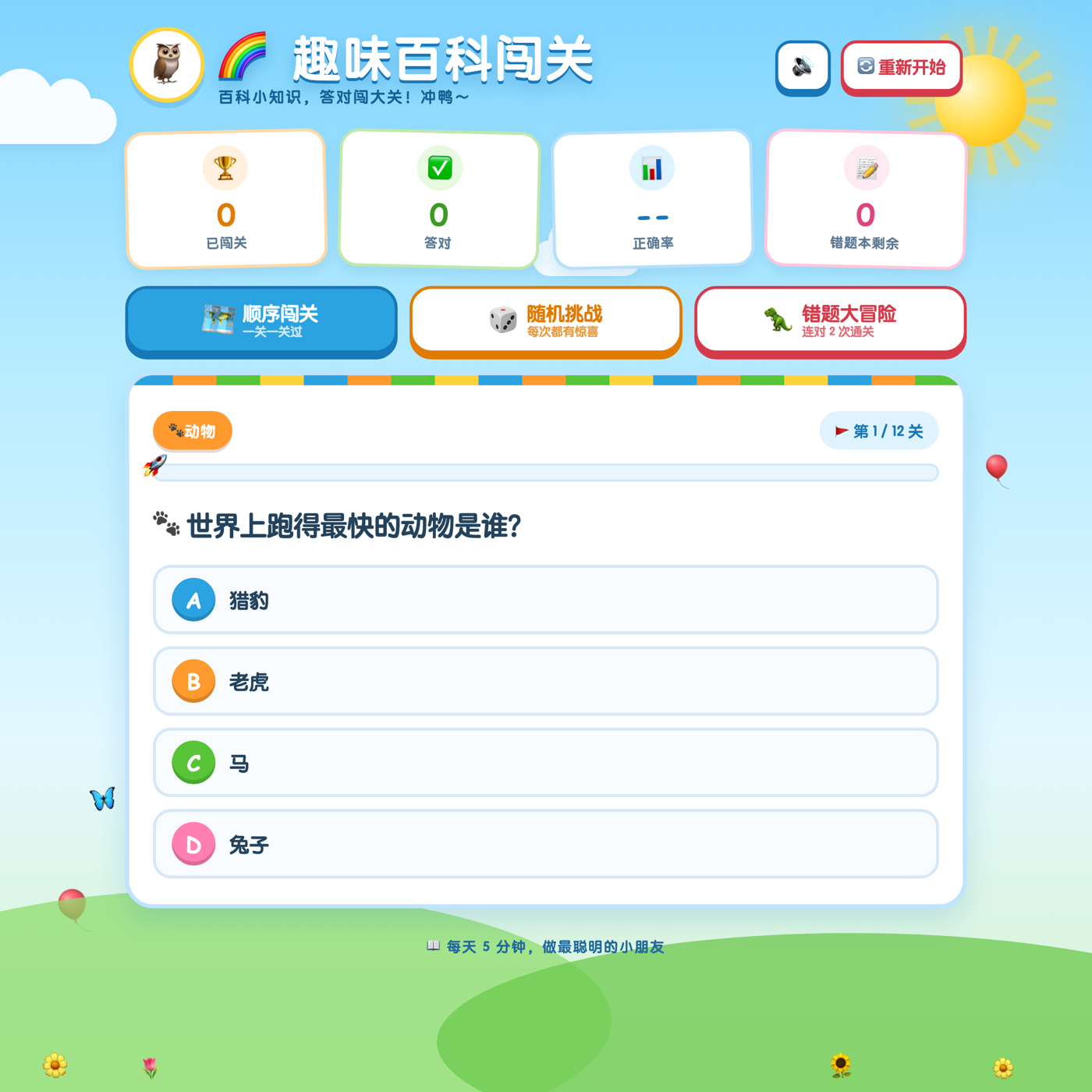
qwen3.8-max (reads the Technical Spec → outputs the complete single-file system in one shot). Actual test passed on the first try: all 6 features implemented, all 8 acceptance criteria met, with no manual fixes.
Actual output
The kids' encyclopedia challenge system generated in one shot from the Technical Spec. It supports real answering: wrong answers go to the mistake book, two correct in a row to clear, and progress survives refresh.
Step 1: Write the Technical Spec — this step makes or breaks it
Spell out the features, algorithm rules, UI requirements, and acceptance criteria item by item:
Step 2: Build instruction
Paste the full Technical Spec text at the end of the instruction and send it to qwen3.8-max:
View actual output · 8 acceptance criteria verified one by one (real browser operations, 14 checks all passed)
View actual output · 8 acceptance criteria verified one by one (real browser operations, 14 checks all passed)
Notes
- Write the doc clearly so it can be verified: Writing the algorithm rules (two correct in a row to clear), UI requirements (tappable areas ≥44px), and acceptance criteria into the doc makes the output verifiable, not just "roughly works"; whatever the doc doesn't spell out, the model won't invent for you.
- Consumption: This playbook involves text generation (
qwen3.8-max, one call produces an entire system). Generating a complete app is a long-output task; for reasoning models, thinking tokens dominate (this run used 24484 tokens, about 70% of total output), so single-call consumption is noticeably higher than ordinary Q&A — this is normal. - Hard constraint: A Token Plan Personal Edition API Key is only for interactive use within a coding/agent tool and must not be placed in automated scripts or application backends for non-interactive calls. This example was deliberately chosen as a zero-dependency, backend-free, single-file solution whose output contains no keys.