

The Wanx-Virtual Model lets you replace the background and model in an image while preserving the original pose. This feature enables you to quickly generate a variety of model photos.
Basic Introduction
Wanx-Virtual Model generates images from uploaded photos of real models or mannequins. It replaces the model and background with your desired content while preserving the original pose. This lets you showcase products in diverse and refined ways using virtual models. The feature supports various products that interact with models, such as handheld items, clothing, footwear, and accessories.
To see how this feature works, you can try the Wanx-Virtual Model (V0.7) demo.
Scenarios
- Product Model Creative Design: In E-commerce product design, a user can upload a photo of a model wearing a basic dress. Using the virtual model feature, they can select a Victorian-era virtual model and a luxurious background. The original model's elegant pose is retained, and the dress material and color are automatically adjusted to match the new scene. This process creates a visual preview for a high-end custom series.
- Jewelry and Accessory Display: A jeweler who wants to highlight a new necklace can upload a photo of a bust mannequin or a model wearing the item. AI technology can then generate a more refined and elegant virtual model wearing the jewelry. The background can be adjusted to a noble and elegant indoor environment, which enhances the product's luxurious feel and integrates the jewelry's detailed textures.
- Model Footwear Display: A designer who wants to showcase new multi-functional sneakers can upload photos of models in basic standing poses wearing the footwear. The virtual model technology can quickly generate new virtual models and a series of display images with backgrounds ranging from casual street style to professional sports venues. This approach meets the needs of different customer groups and creates diverse fashion styles.
- Children's Clothing and Footwear Model Generation: A children's clothing brand that needs to display its products in various scenarios can upload basic photos. They can then use virtual models to generate lively and cute child images wearing the brand's latest clothing series. The backgrounds can be set to scenes such as schools and playgrounds to showcase the children's innocence and the clothing's comfort. This allows for the rapid display of new children's clothing products.
Key Features
- Industry-leading results: Images generated by the virtual model feature have high semantic consistency. The AI-powered creation process produces natural layouts, rich details, and realistic results that maintain visual harmony and a professional look, without noticeable traces of artificial synthesis.
- Stable and easy-to-use platform service: The service provides stable image generation responses even with high concurrency and large traffic volumes. The simple inference API is easy to call, integrate, and highly compatible.
- High-quality model image generation: You can generate models from images of mannequins, real people, or just clothing. The feature supports multiple aspect ratios, including 2:1, 16:9, 4:3, 1:1, 3:4, 9:16, and 1:2. It also supports a maximum short-side size of 2024 pixels, background reference image input, and flexible weight configuration.
Model Overview
Model Version | Model Name | Model Description |
Virtual Model (V1) | wanx-virtualmodel |
|
Virtual Model V2 (V2) | virtualmodel-v2 |
|
| Model Name | Billing Price | Rate Limit (shared by Alibaba Cloud account and RAM user) | Free Quota(View) | |
|---|---|---|---|---|
| Task Submission API RPS Limit | Number of Simultaneously Processing Tasks | |||
| wanx-virtualmodel | Currently for free trial only.After the free quota is used, you cannot invoke them. For alternative solutions, see Image Editing - Qianwen or Image Editing - Wanx 2.1. | 2 | 1 | 500 images |
| virtualmodel-v2 | ||||
Getting Started
Key image parameters:
- Image format: JPEG, JPG, PNG, or WEBP.
- Image size: Up to 5 MB.
- Image resolution: The aspect ratio must be between 1:2 and 2:1. The resolution must be greater than 256 × 256 pixels, with the long side less than 4096 pixels. The face in the image must be at least 128 × 128 pixels.
- URLs cannot contain Chinese characters.
- The V1 and V2 versions support prompts in both Chinese and English.
virtualmodel-V2 (Recommended)
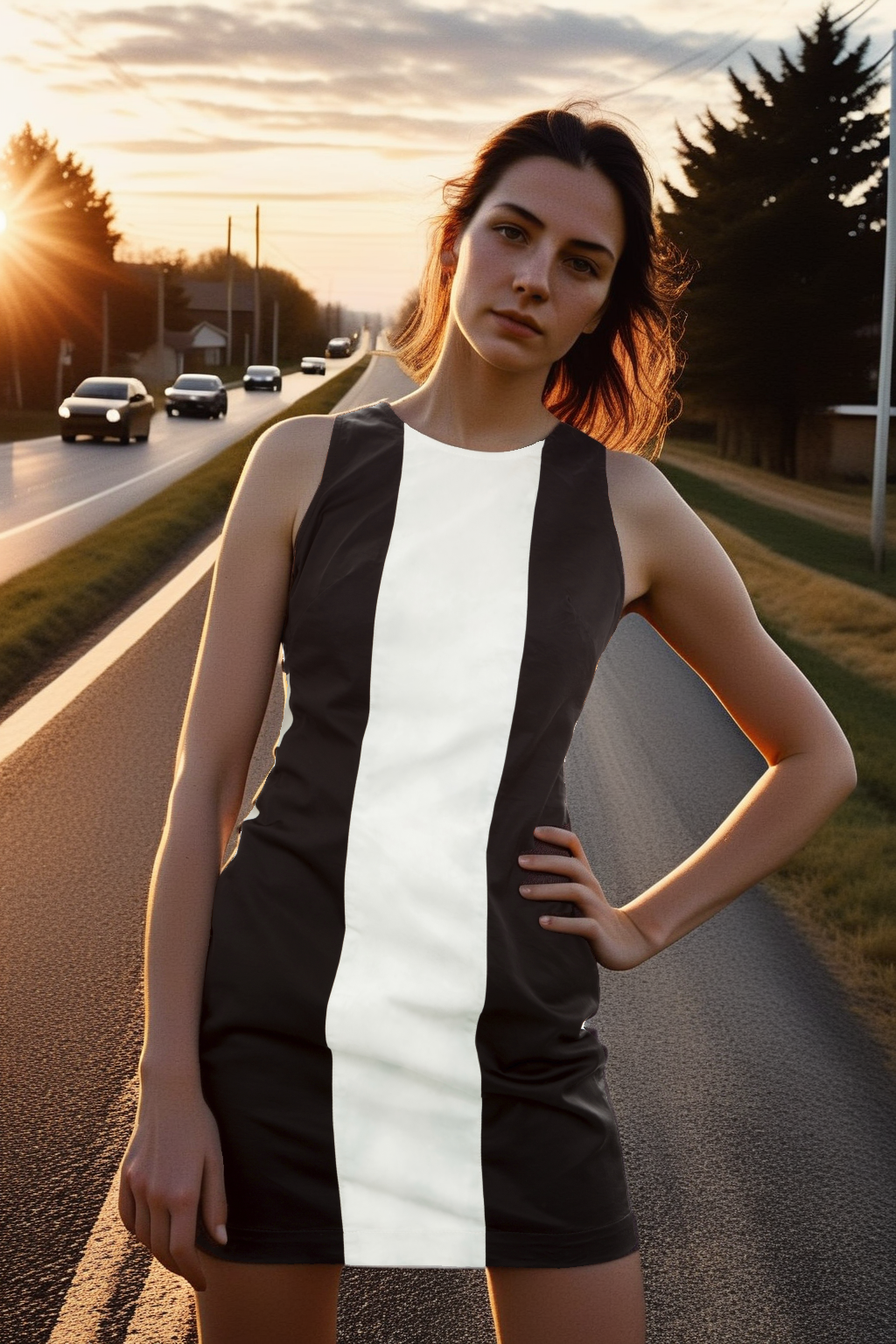
You can input photos of real models and English prompts. The model then regenerates the display photos while preserving the original pose.
Compared to wanx-virtualmodel, virtualmodel-v2 understands text prompts more accurately.
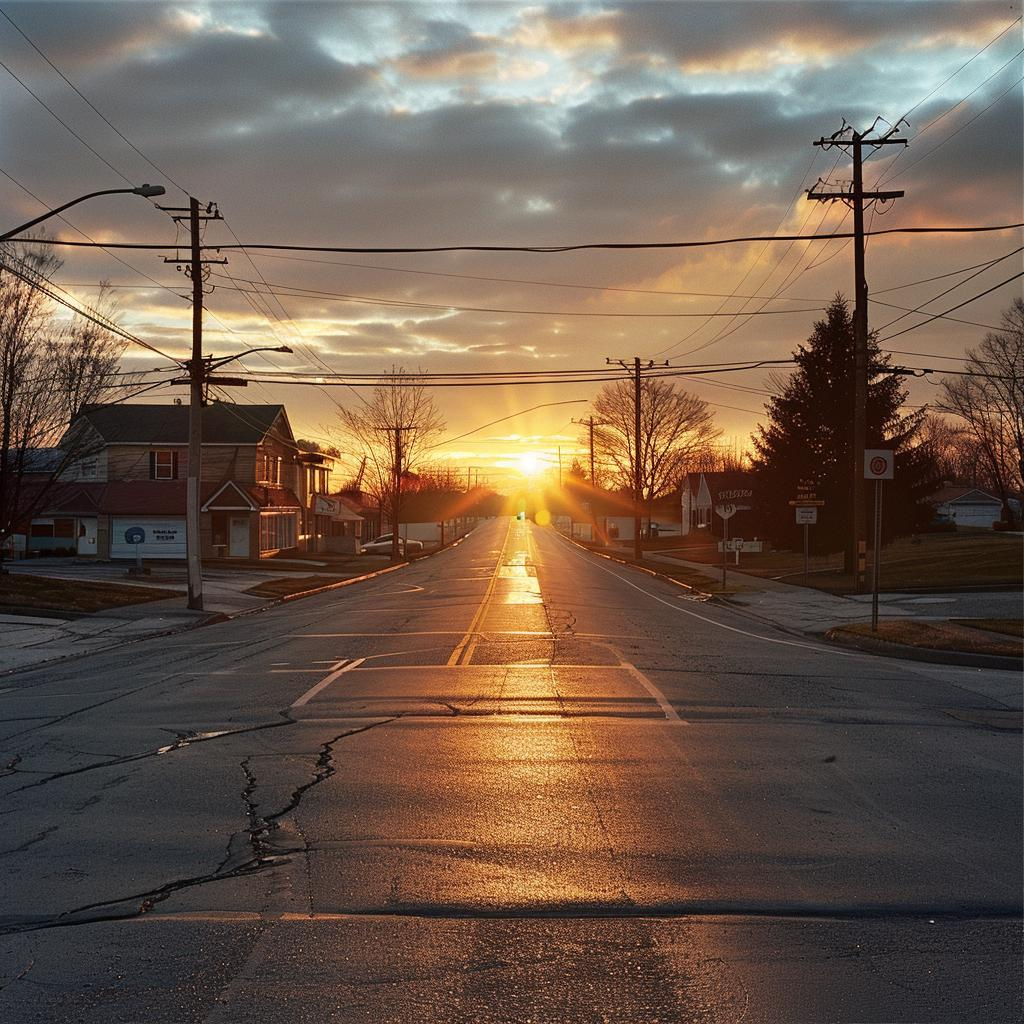
Original Image (base_image_url) | Desired Retained Area (mask_image_url) | Full Body Description (prompt) | Face Description (face_prompt) | Background Reference Image (background_image_url) | Output |
|
| A woman stands on a rural road | good face, beautiful face, best quality. |
|
|
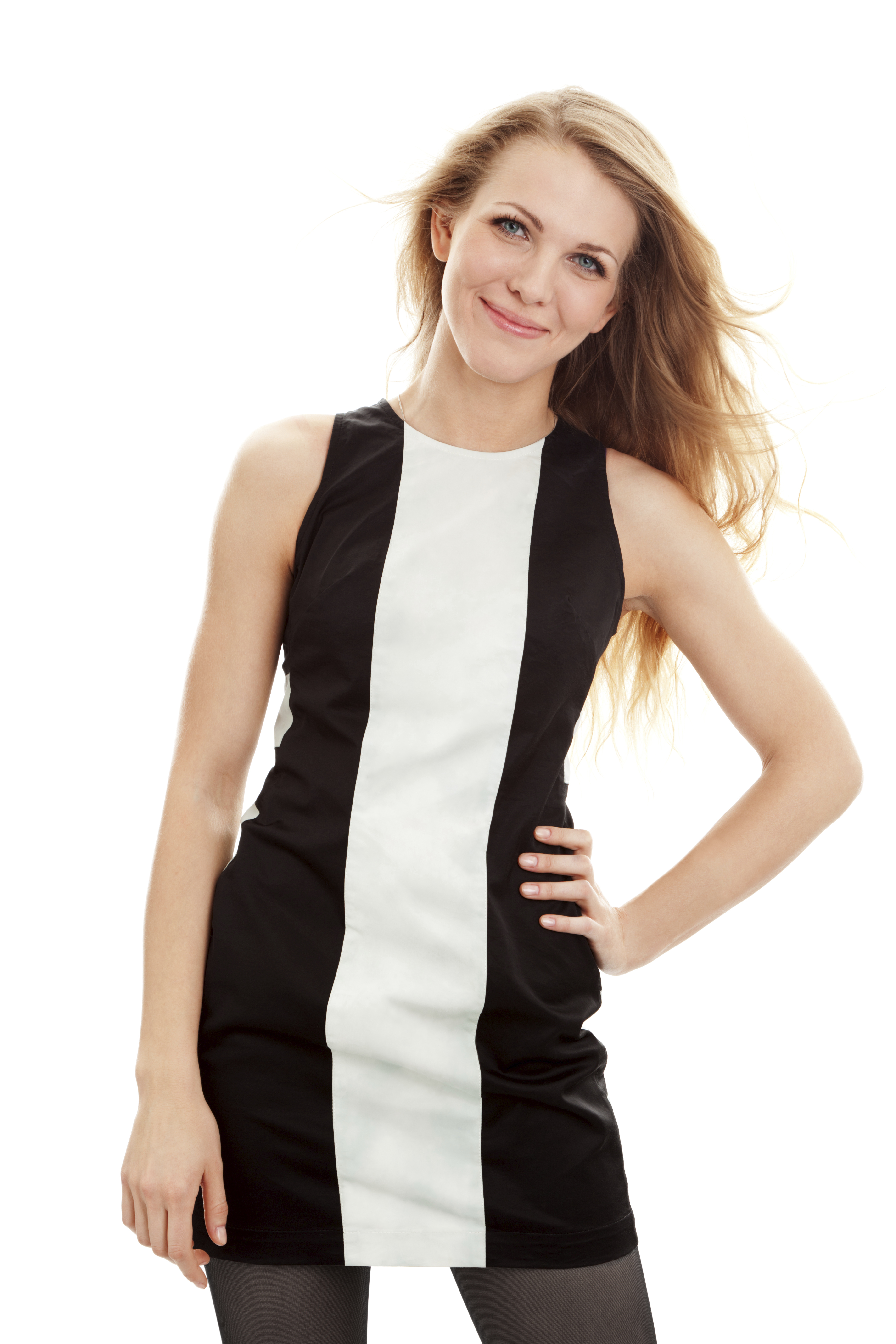
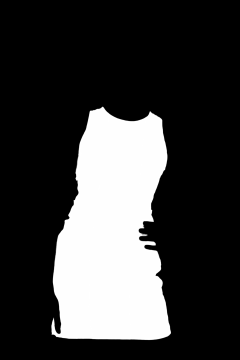
{WorkspaceId} with your actual workspace ID.
- curl
wanx-virtualmodel-V1
With wanx-virtualmodel, you can input photos of real models and prompts in either Chinese or English. The model then generates display photos while preserving the original pose.
Original Image (base_image_url) | Desired Retained Area (mask_image_url) | Full Body Description (prompt) | Face Description (face_prompt) | Output |
|
| A young woman, wearing white shorts, minimalist color palette, long shot, two-tone effect, dark silver and light pink | A young woman, beautiful face, best quality. |
|
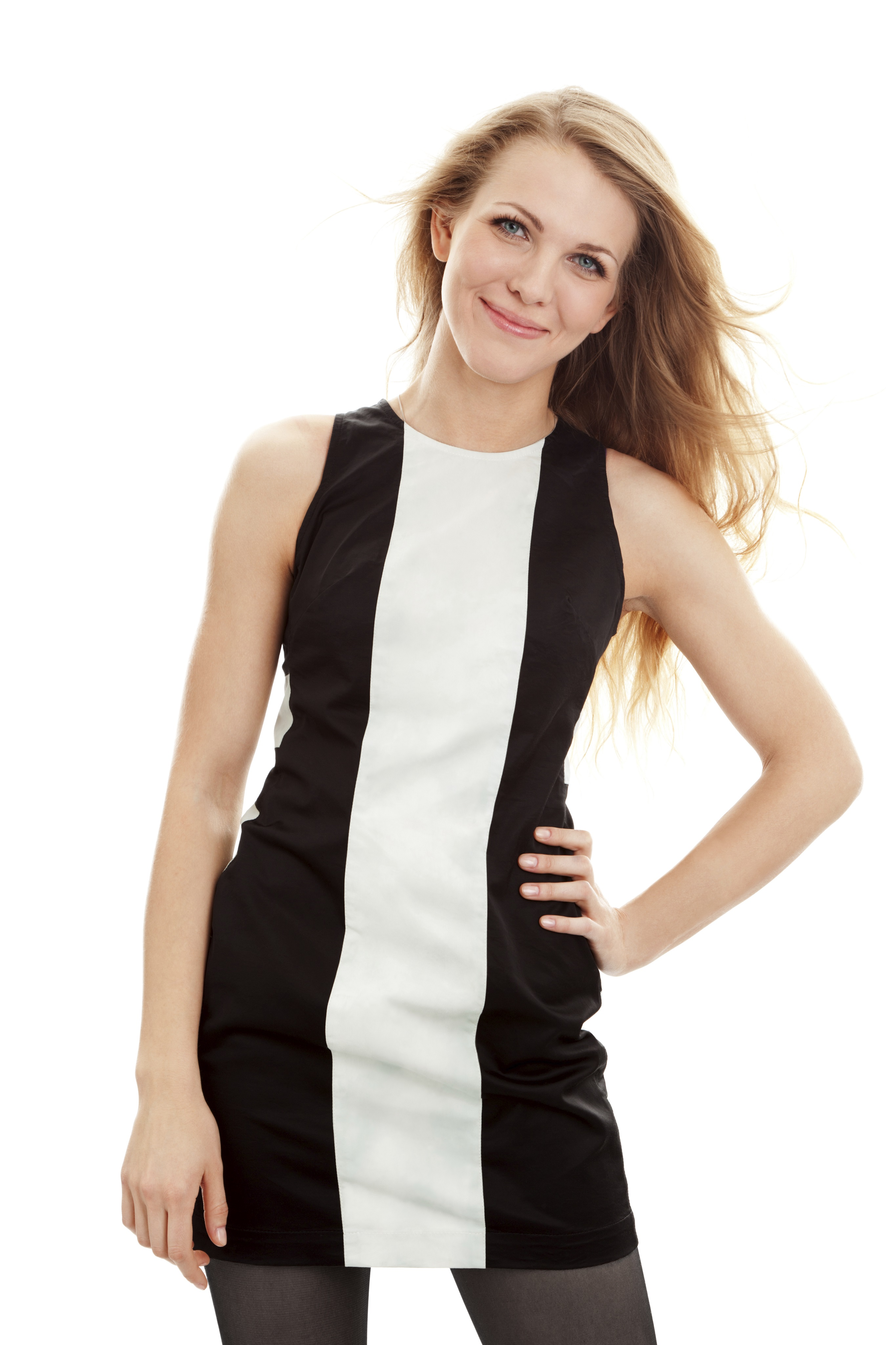
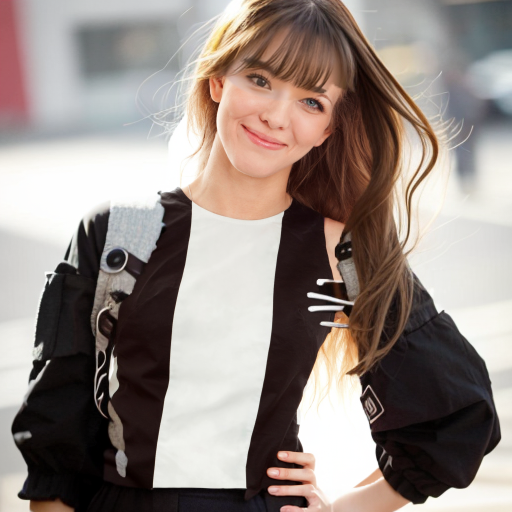
{WorkspaceId} with your actual workspace ID.
- curl
Scenario Examples
wanx-virtualmodel-V1
Input Image | Parameter Settings | Output Image |
|---|---|---|
Real Person Image Examples | ||
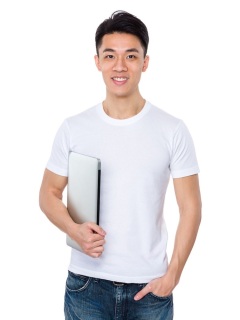 | "prompt":"A young man posing, in an empty bedroom, next to a window, sunlight streaming in, highly detailed, 8K, minimalist style" "face_prompt":"Handsome male, good face, beautiful face, high quality, masterpiece, (realism: 1.4)" "predefined_face_id":"boy3" | 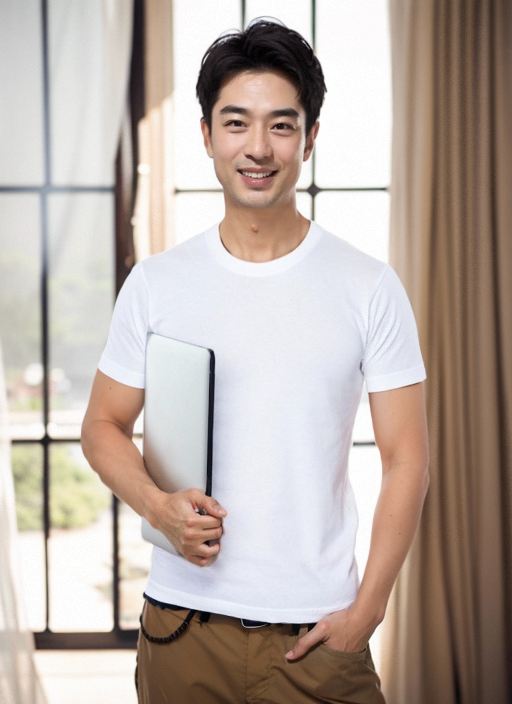 |
virtualmodel-V2
Input Image | Parameter Settings | Output Image |
|---|---|---|
Real Person Image Examples | ||
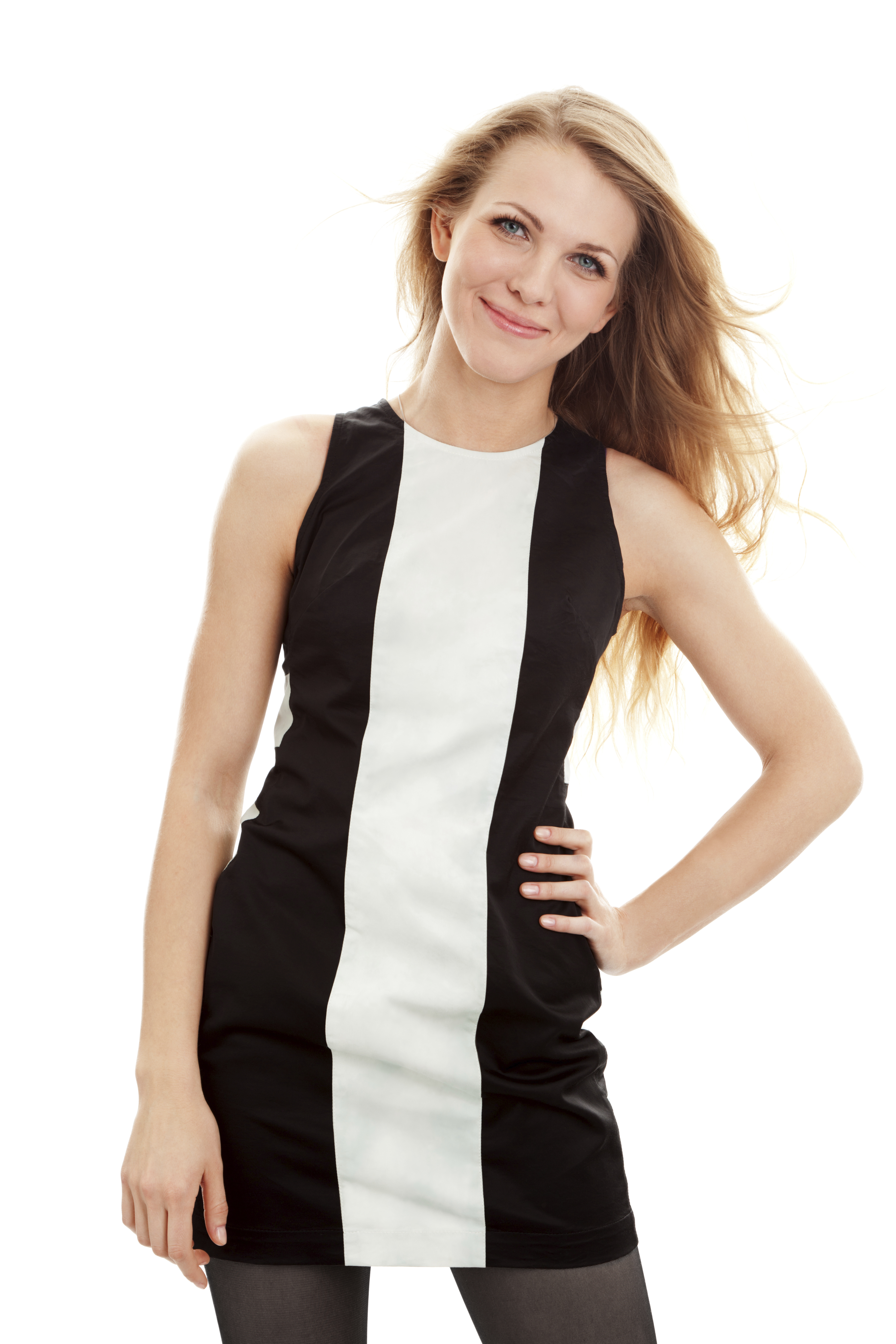 | "prompt":"a beautiful chinese girl, she stands in front of a pure pink background, she is smiling" "face_prompt":"good face, beautiful face, best quality." | 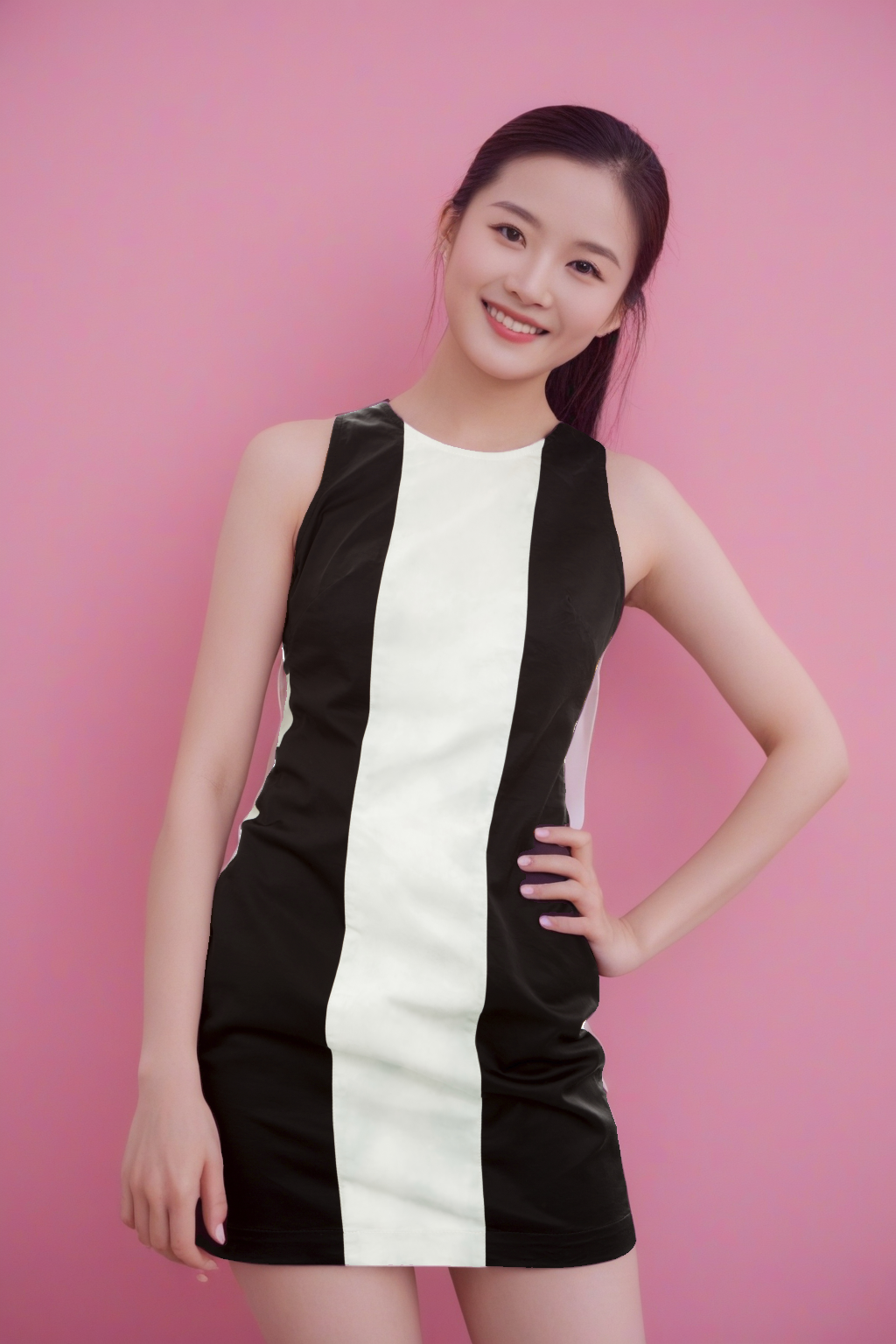 |
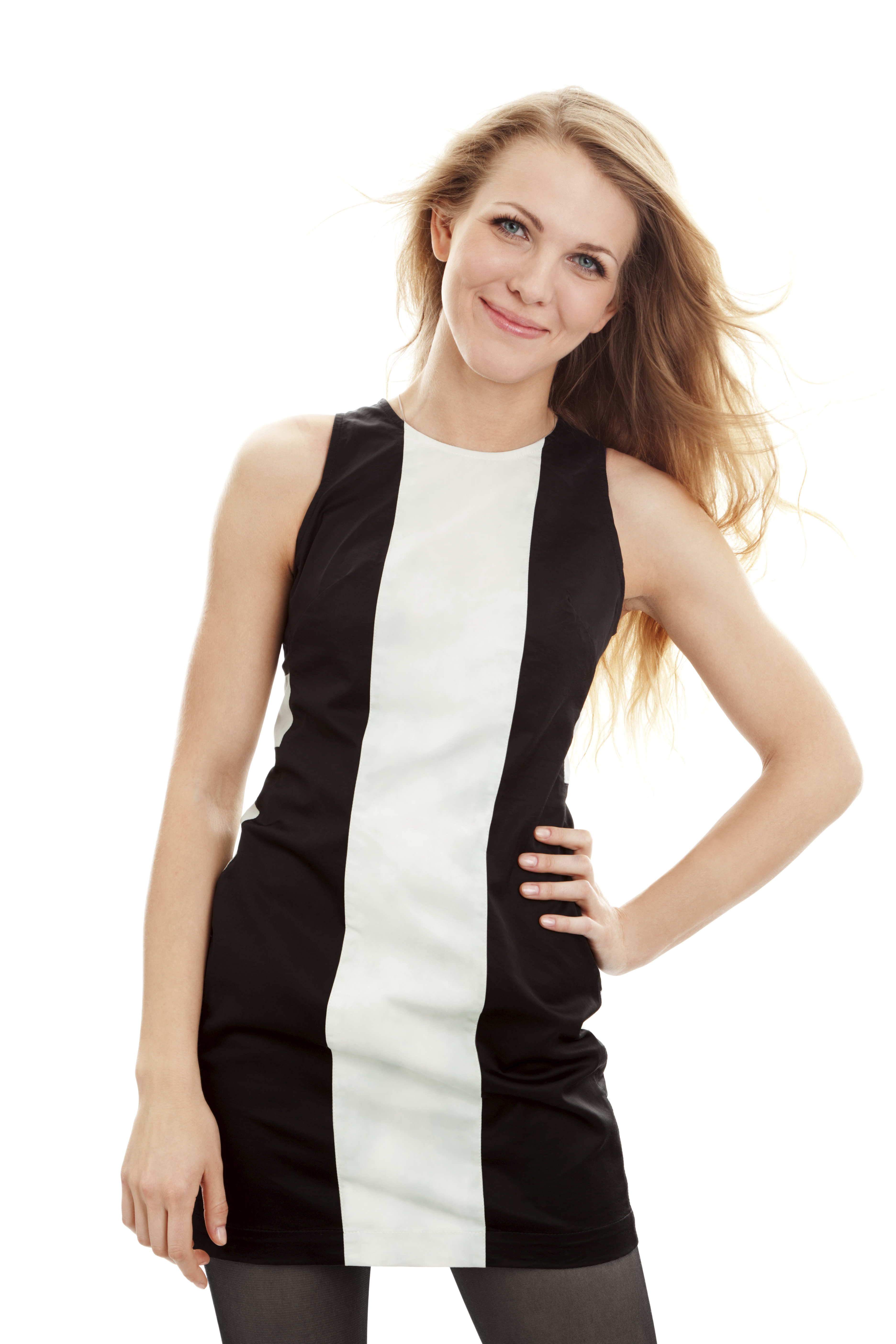 | "prompt":"a beautiful chinese girl, at a pastel-themed ice cream pop-up store, the sunny weather casts a warm glow, highlighting the colorful dessert displays and a clear blue sky, she is smiling" "face_prompt":"good face, beautiful face, best quality." | 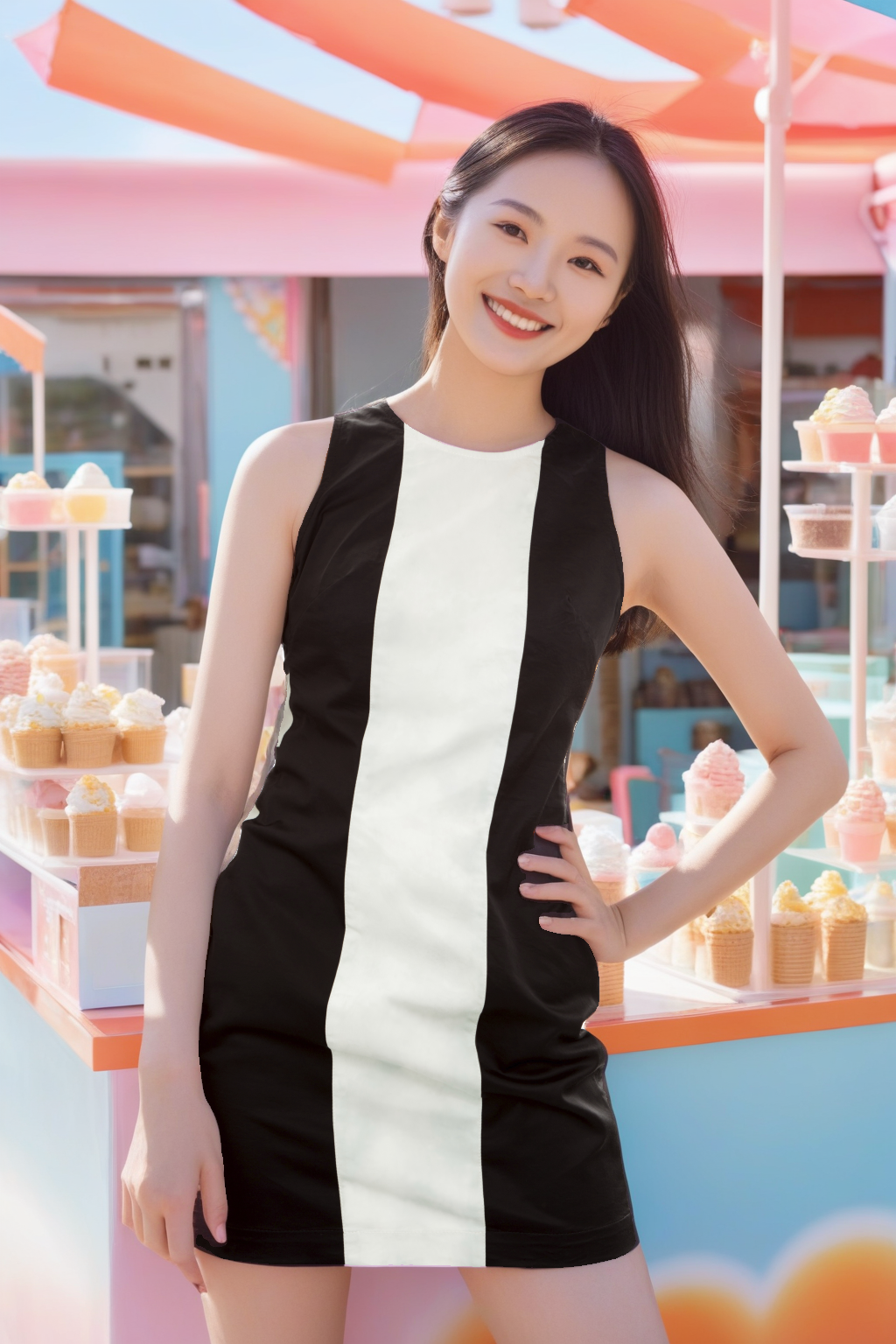 |
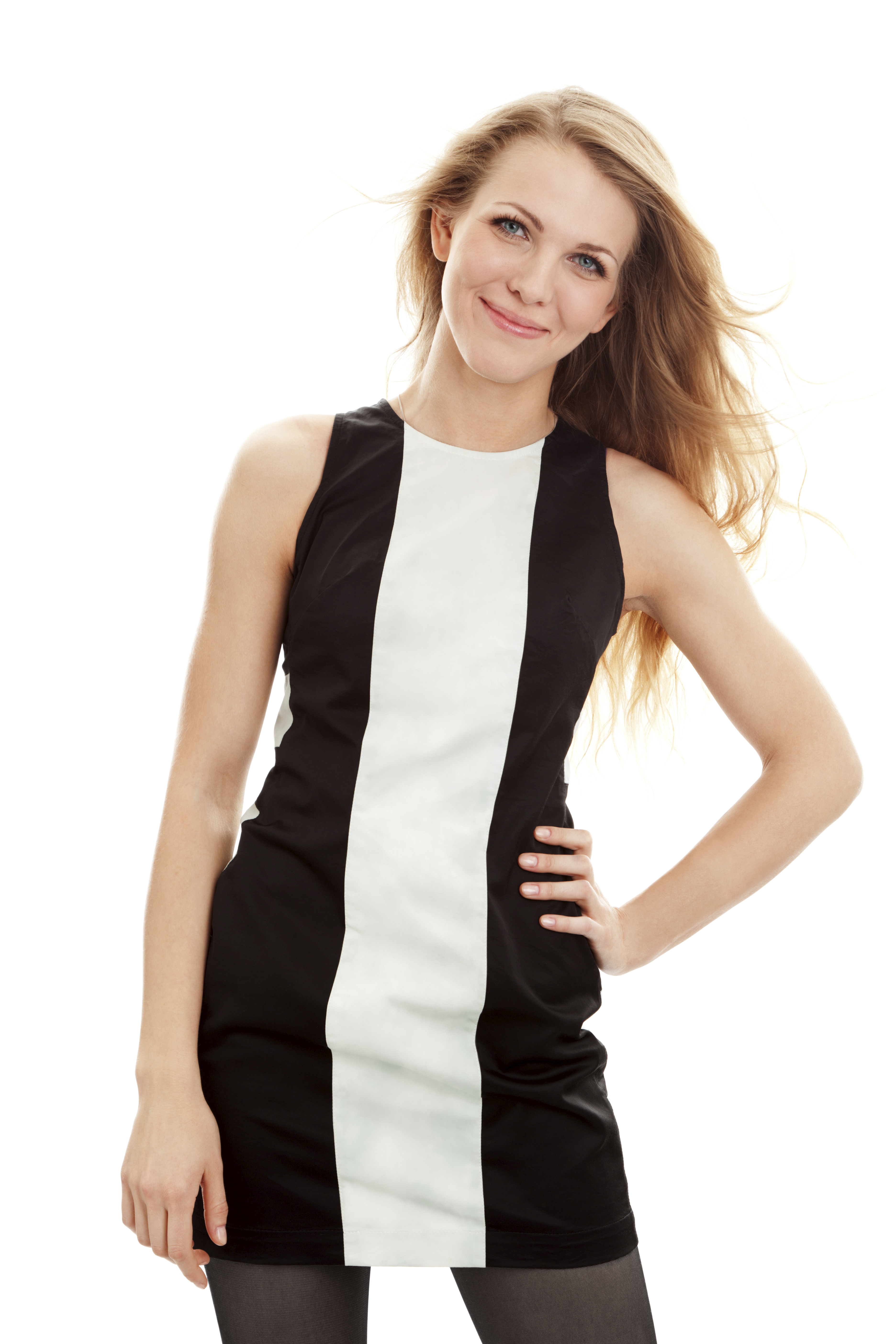 | "prompt":"A woman stands on a rural road" "face_prompt":"good face, beautiful face, best quality." "background_image_url": 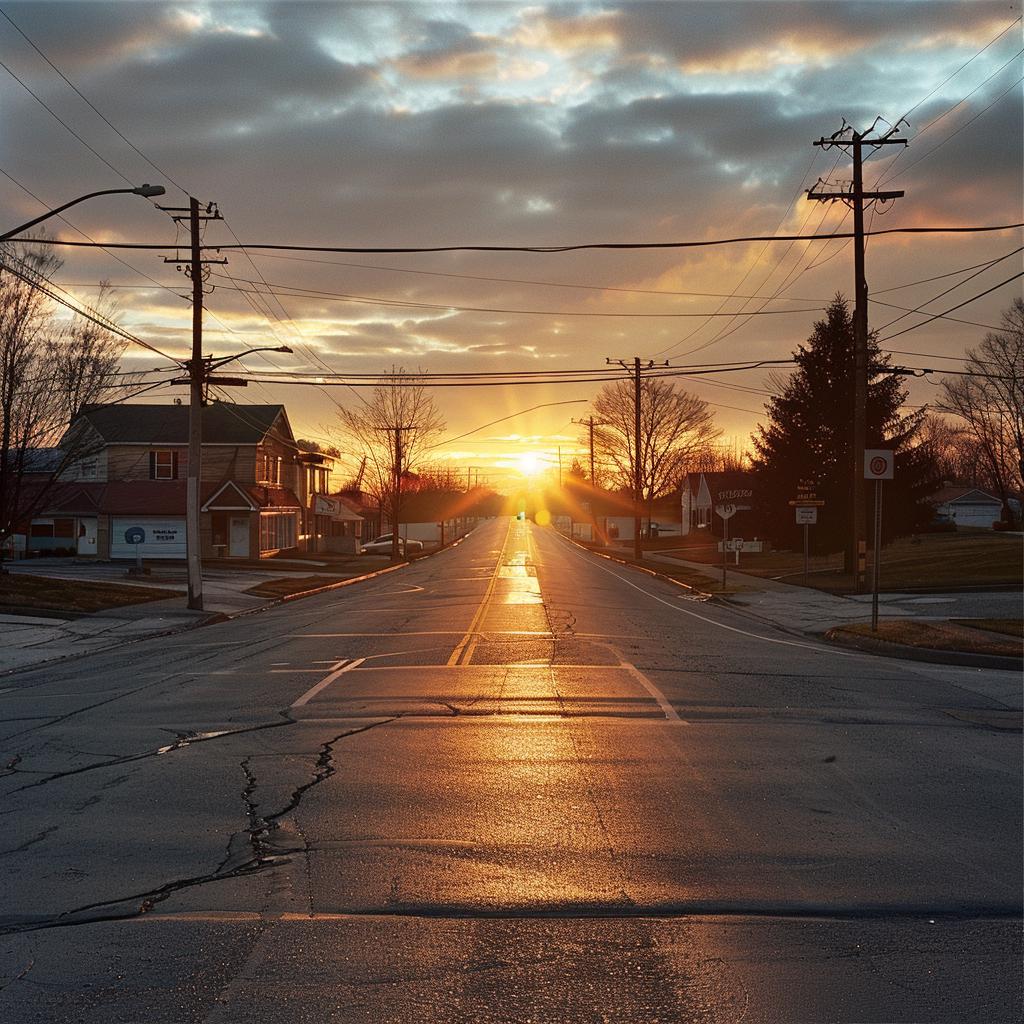 | 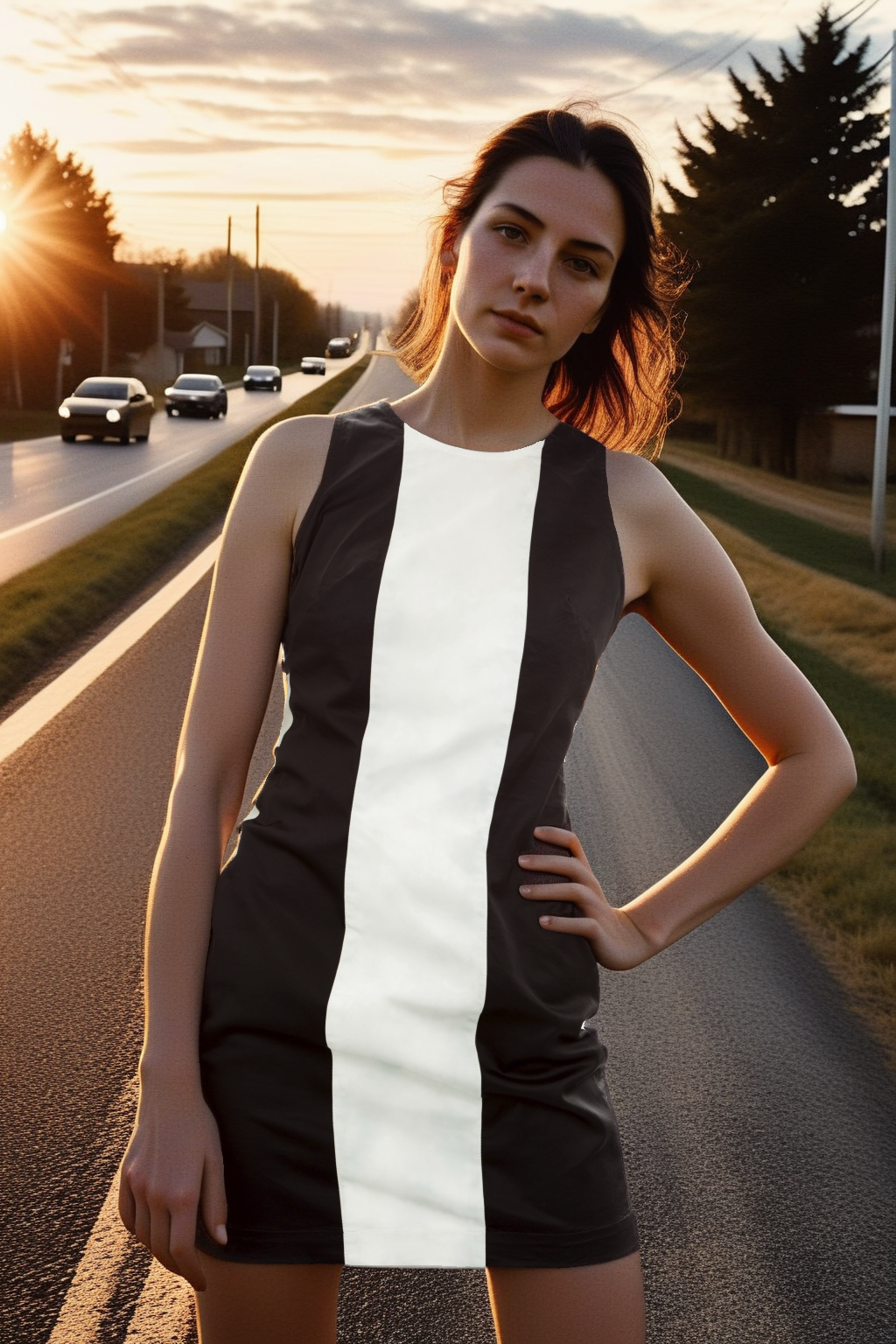 |
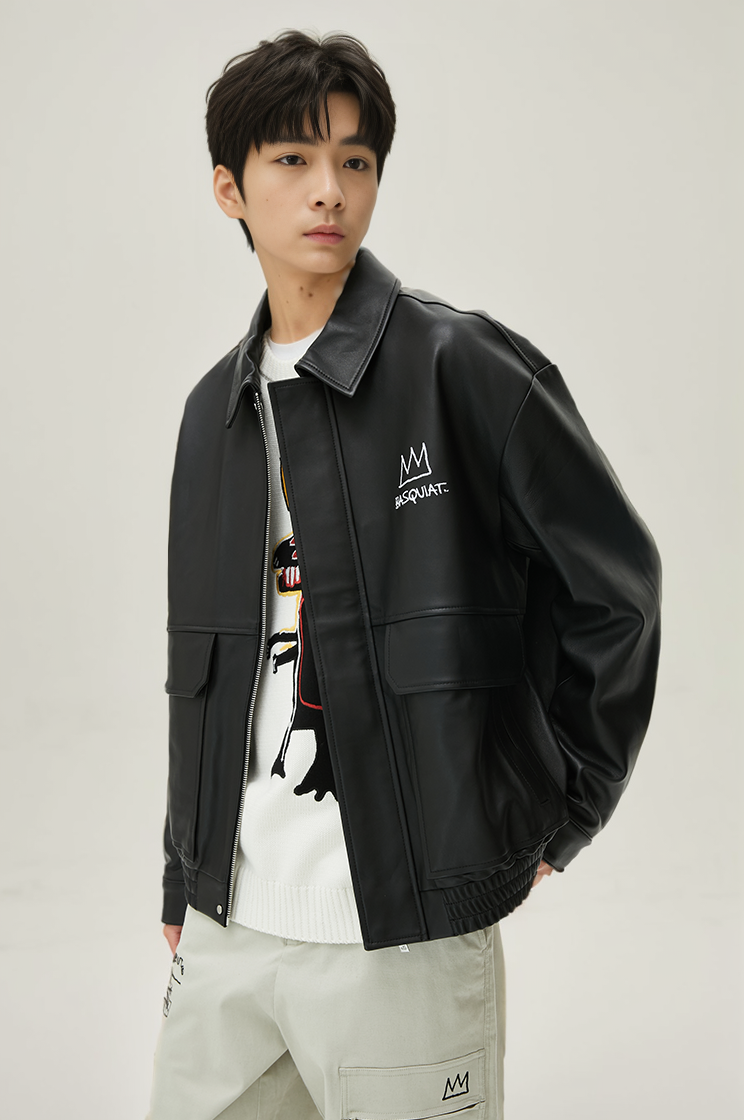 | "prompt":"A Europe handsome man, natural light, open subway platform, he is waiting, behind him is an incoming train. the train is coming from left to right" "face_prompt":"good face, beautiful face, best quality." "aspect_ratio":"4:3" | 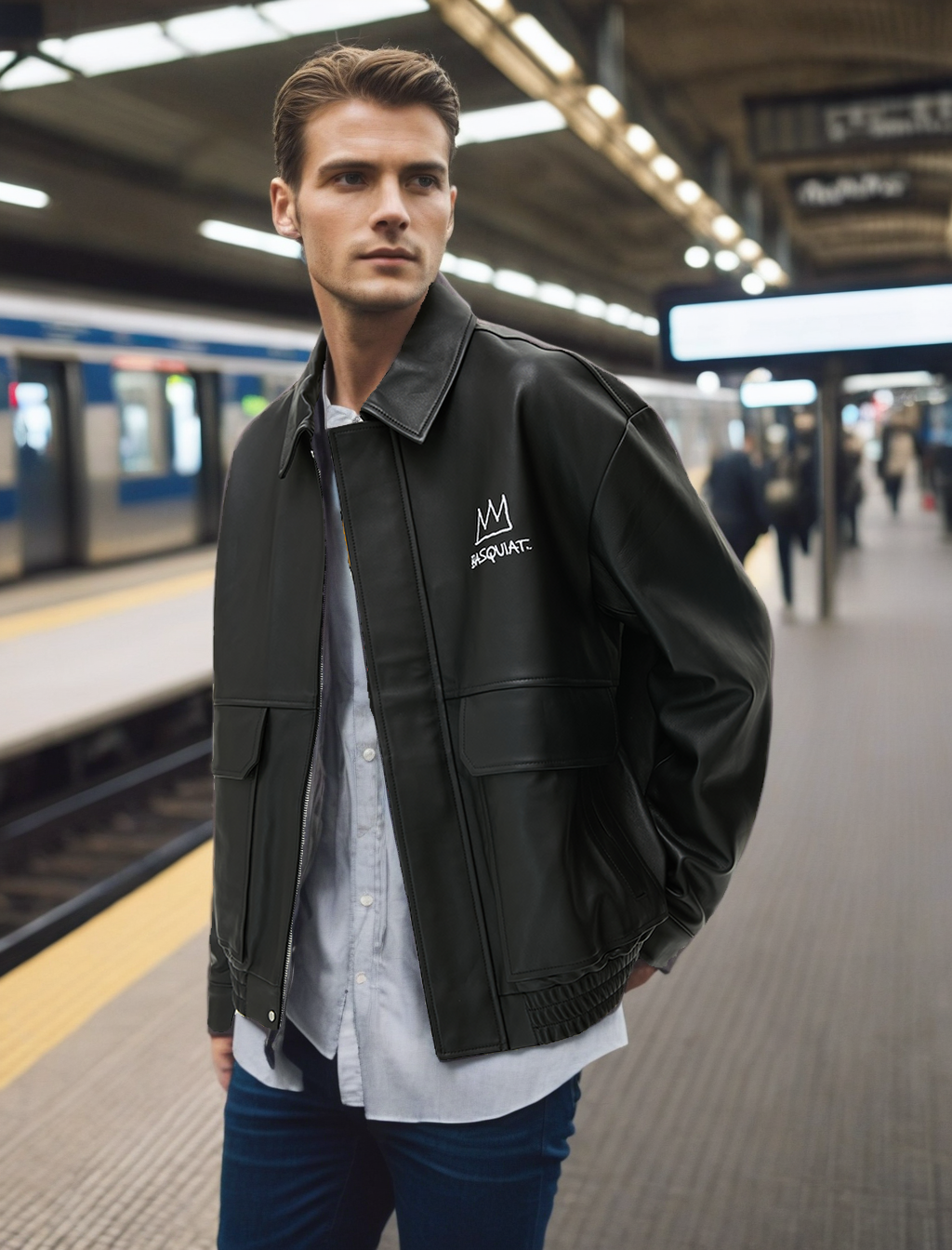 |
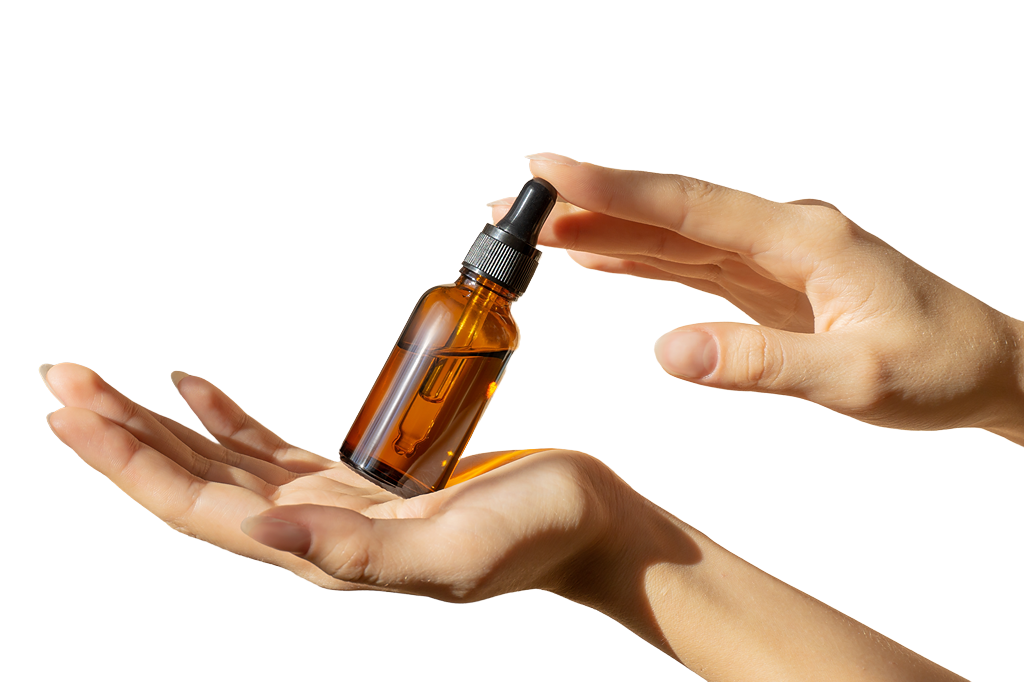 | "prompt":"A person's hands are holding a bottle for display. The background is saffron yellow, and sunlight is shining on it." "face_prompt":"good face, beautiful face, best quality." | 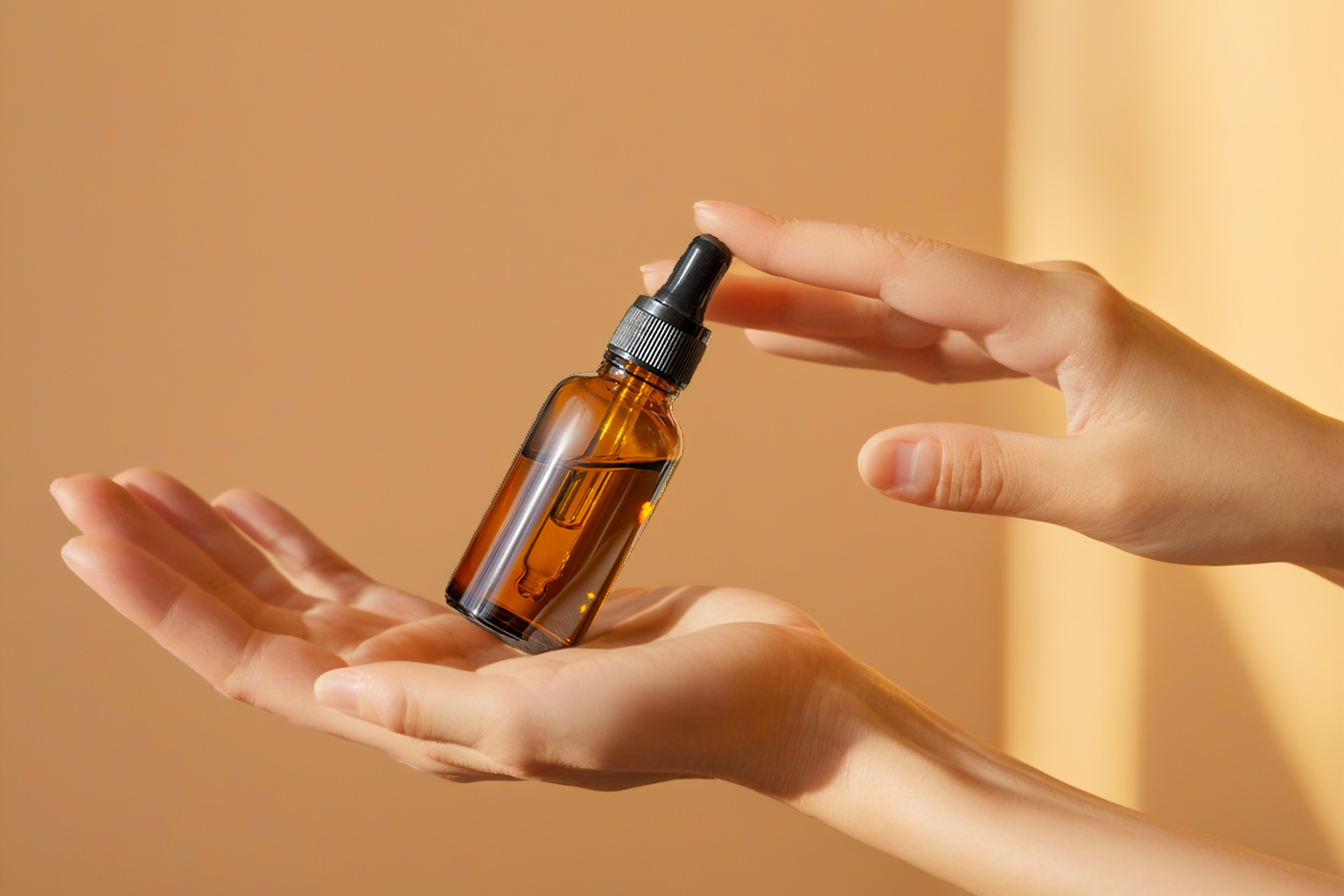 |
Mannequin Image Examples | ||
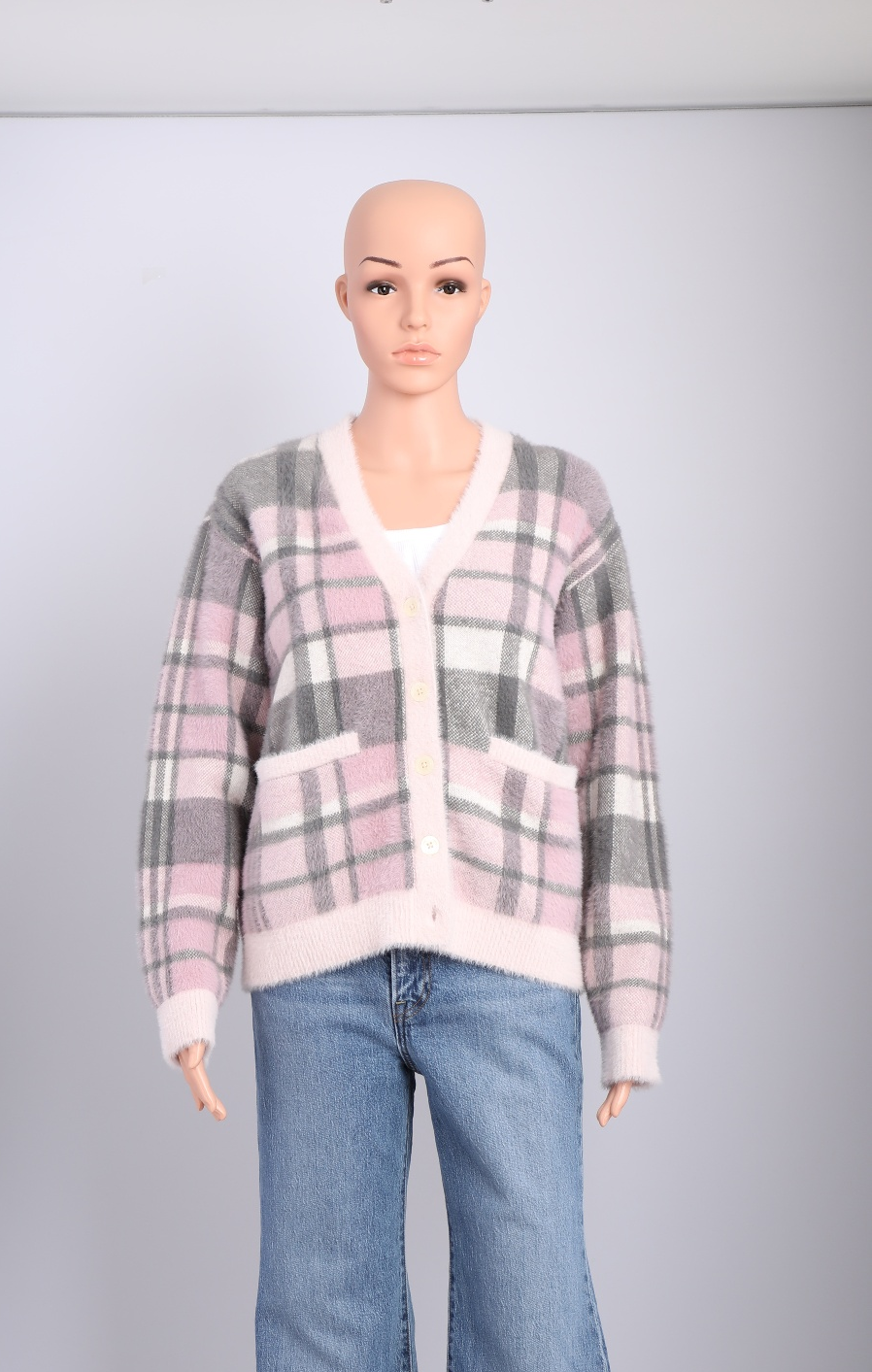 | "prompt":"A woman stands in front of a quaint French flower shop, the charming streetscape embodying the essence of a picturesque scene in France. Brightly colored flowers in an array of varieties spill out from buckets and vases, creating a vibrant tapestry that decorates the storefront. The cobblestone path tells tales of a city rich in history, and the shop itself, with its traditional façade and large windows, invites passersby to pause and indulge in the visual feast of petals and leaves. good hands" "face_prompt":"good face, beautiful face, best quality." "aspect_ratio":"4:3" "background_image_url": 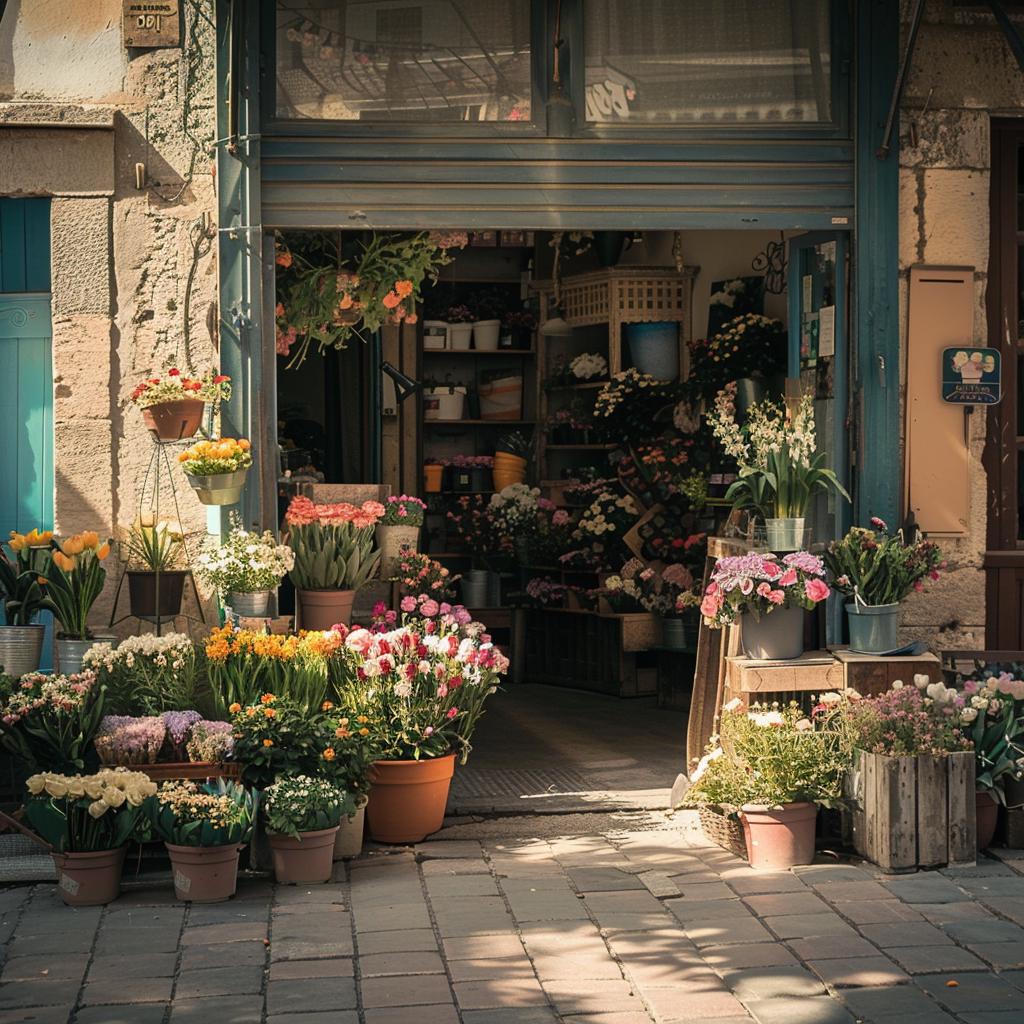 "realPerson":false | 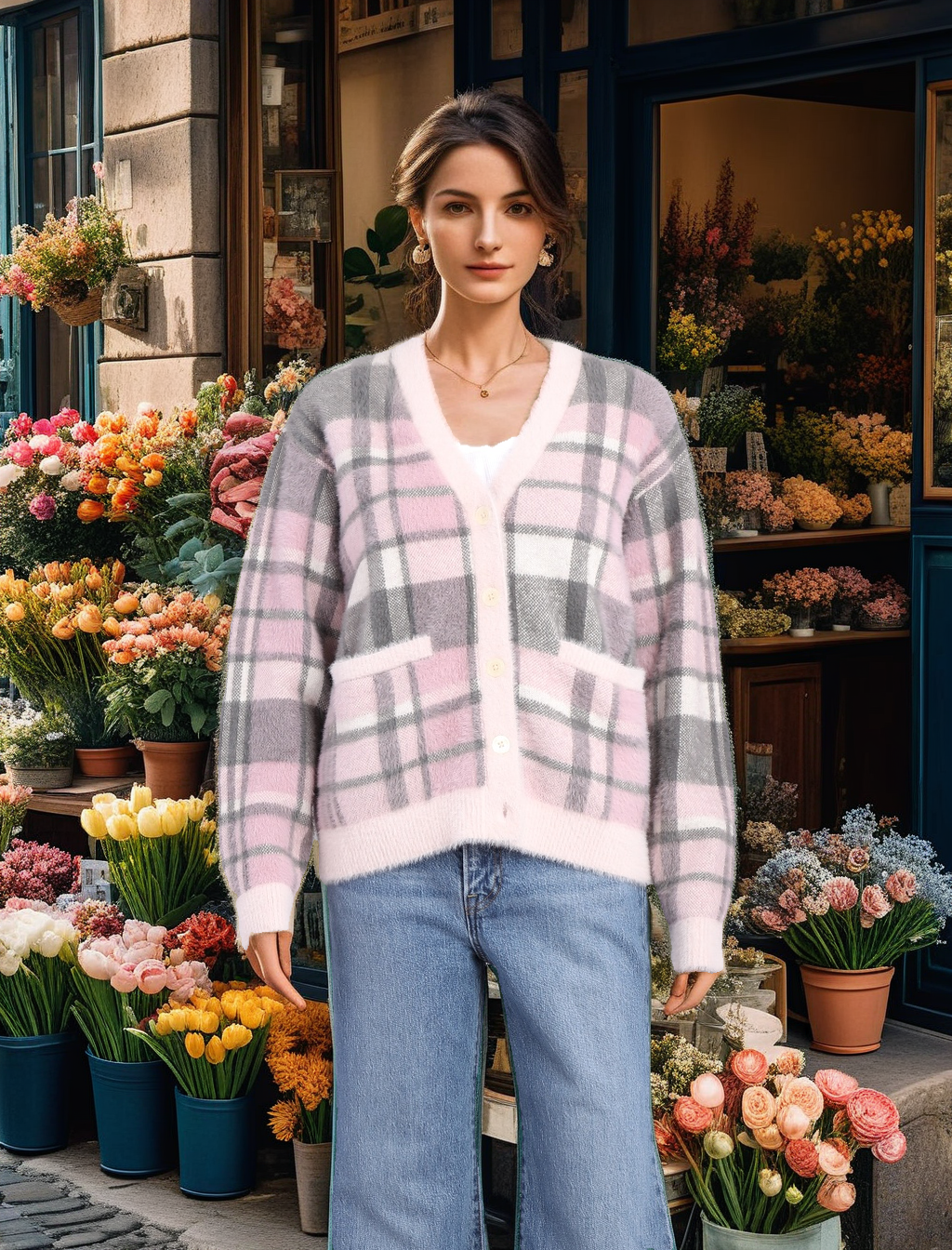 |
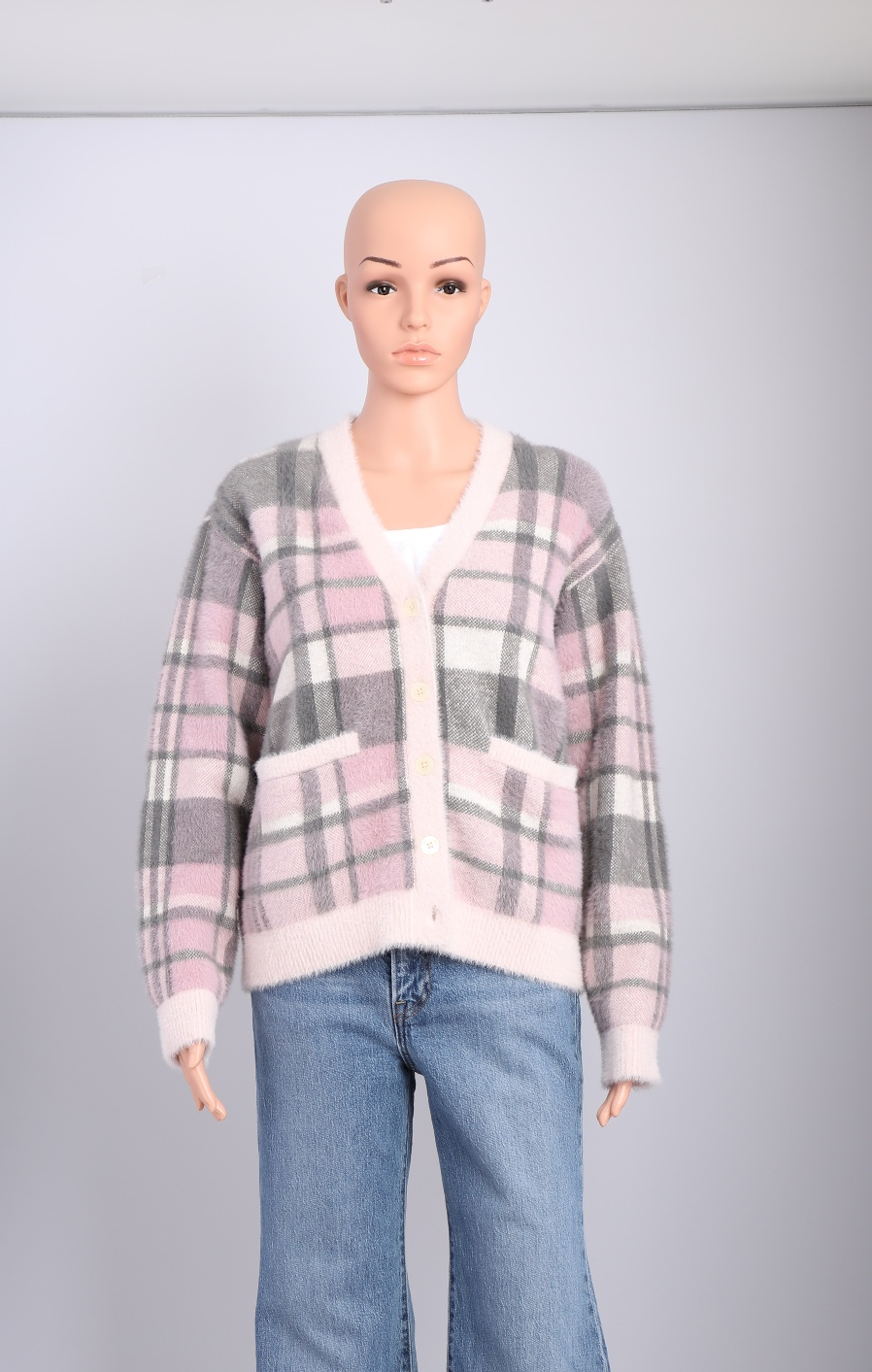 | "prompt":"A woman stands beside a luxurious swimming pool, her attire and posture suggesting leisure and relaxation. The pool's calm, crystal-clear waters reflect the surrounding opulent setting, with elegant lounge chairs inviting moments of repose under the sun. Perhaps it's a high-end resort or an upscale private villa, where the tiled pool deck and meticulously landscaped greenery speak of exclusivity and refinement." "face_prompt":"good face, beautiful face, best quality." "aspect_ratio":"4:3" "realPerson":false | 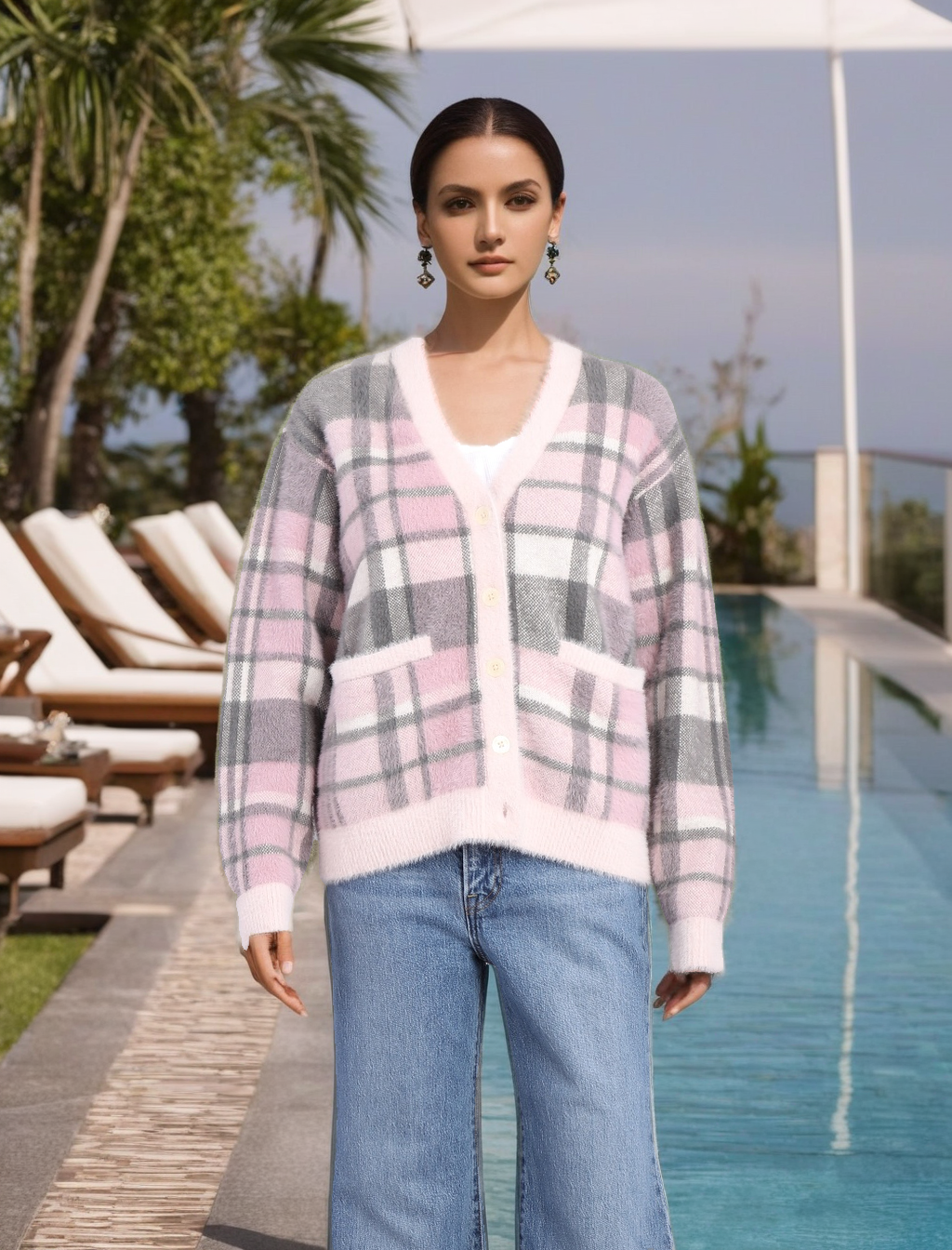 |